Back to Integrations
integrationGoogle Sheets node
integrationRedis node

Google Sheets and Redis integration

Save yourself the work of writing custom integrations for Google Sheets and Redis and use n8n instead. Build adaptable and scalable Data & Storage, Productivity, and Development workflows that work with your technology stack. All within a building experience you will love.

How to connect Google Sheets and Redis

  • Step 1: Create a new workflow
  • Step 2: Add and configure nodes
  • Step 3: Connect
  • Step 4: Customize and extend your integration
  • Step 5: Test and activate your workflow

Step 1: Create a new workflow and add the first step

In n8n, click the "Add workflow" button in the Workflows tab to create a new workflow. Add the starting point – a trigger on when your workflow should run: an app event, a schedule, a webhook call, another workflow, an AI chat, or a manual trigger. Sometimes, the HTTP Request node might already serve as your starting point.

Google Sheets and Redis integration: Create a new workflow and add the first step

Step 2: Add and configure Google Sheets and Redis nodes

You can find Google Sheets and Redis in the nodes panel. Drag them onto your workflow canvas, selecting their actions. Click each node, choose a credential, and authenticate to grant n8n access. Configure Google Sheets and Redis nodes one by one: input data on the left, parameters in the middle, and output data on the right.

Google Sheets and Redis integration: Add and configure Google Sheets and Redis nodes

Step 3: Connect Google Sheets and Redis

A connection establishes a link between Google Sheets and Redis (or vice versa) to route data through the workflow. Data flows from the output of one node to the input of another. You can have single or multiple connections for each node.

Google Sheets and Redis integration: Connect Google Sheets and Redis

Step 4: Customize and extend your Google Sheets and Redis integration

Use n8n's core nodes such as If, Split Out, Merge, and others to transform and manipulate data. Write custom JavaScript or Python in the Code node and run it as a step in your workflow. Connect Google Sheets and Redis with any of n8n’s 1000+ integrations, and incorporate advanced AI logic into your workflows.

Google Sheets and Redis integration: Customize and extend your Google Sheets and Redis integration

Step 5: Test and activate your Google Sheets and Redis workflow

Save and run the workflow to see if everything works as expected. Based on your configuration, data should flow from Google Sheets to Redis or vice versa. Easily debug your workflow: you can check past executions to isolate and fix the mistake. Once you've tested everything, make sure to save your workflow and activate it.

Google Sheets and Redis integration: Test and activate your Google Sheets and Redis workflow

Conversational interviews with AI agents and n8n forms

This n8n template combines an AI agent with n8n's multi-page forms to create a novel interaction which allows automated question-and-answer sessions. One of the more obvious use-cases of this interaction is what I'm calling the AI interviewer.

You can read the full post here: https://community.n8n.io/t/build-your-own-ai-interview-agents-with-n8n-forms/62312

Live demo here: https://jimleuk.app.n8n.cloud/form/driving-lessons-survey

How it works

A form trigger is used to start the interview and a new session is created in redis to capture the transcript.
An AI agent is then tasked to ask questions to the user regarding the topic of the interview. This is setup as a loop so the questions never stop unless the user wishes to end the interview.
Each answer is recorded in our session set up earlier between questions.
When the user requests to end the interview we break the loop and show the interview completion screen.
Finally, the session is then saved in a Google Sheet which can then be shared with team members and for the purpose of data analysis.

How to use

You'll need to be on a n8n instance that is accessible to your target audience. Not technical enough to setup your own server? Try out n8n cloud and instantly deploy template!
Remember to activate the workflow so the form trigger is published and available for users to use.

Requirements
Groq LLM for AI agent. Feel free to swap this out for any other LLM.
Redis(-compatible) storage for capturing sessions

Customising this workflow

The next step would be adding tools! AI interviews with knowledge retrieval could definitely open up other possibilities. Eg. An onboarding wizard generating questions by pulling facts from internal knowledgebase.

Nodes used in this workflow

Popular Google Sheets and Redis workflows

+3

Conversational Interviews with AI Agents and n8n Forms

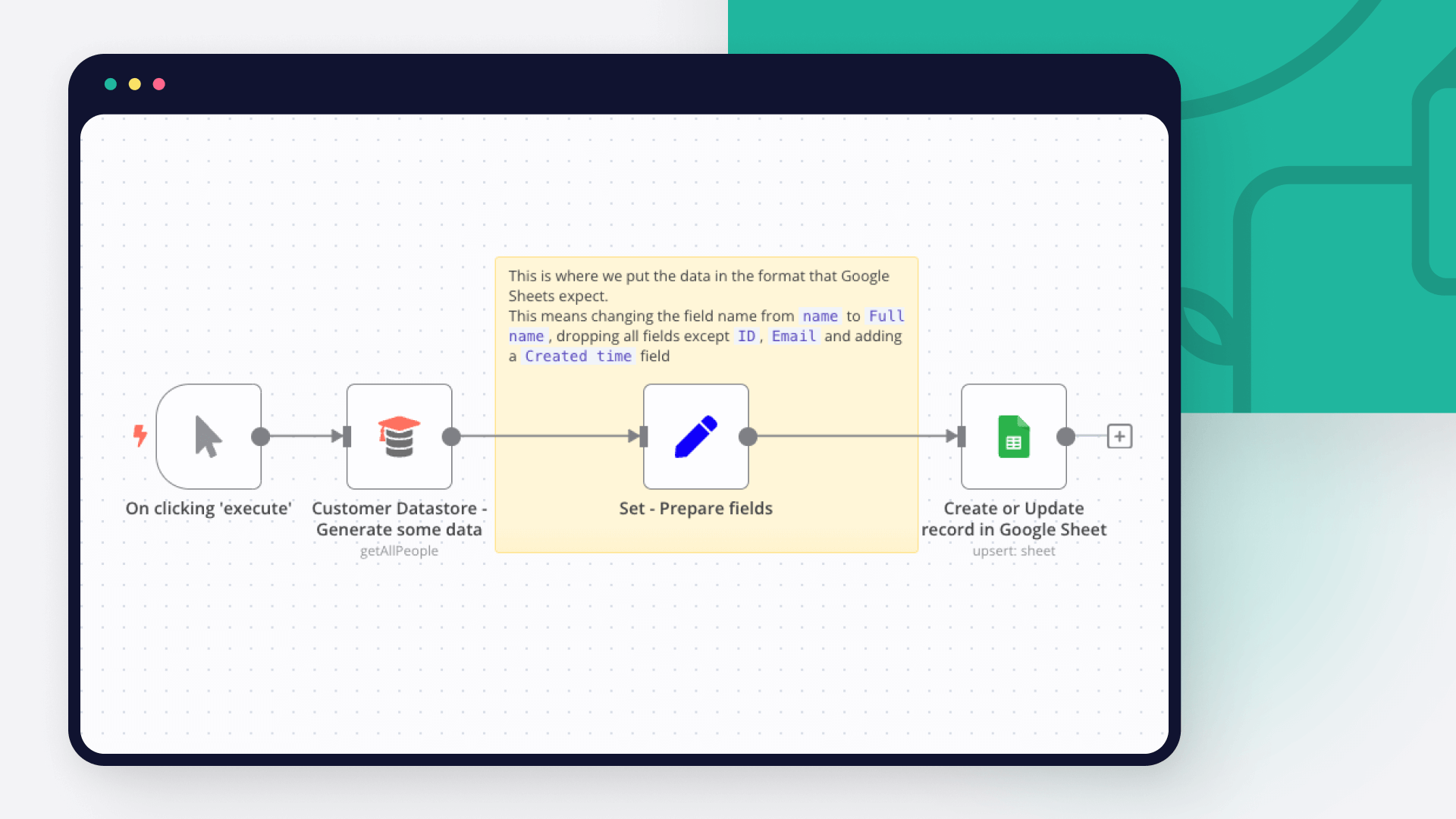
This n8n template combines an AI agent with n8n's multi-page forms to create a novel interaction which allows automated question-and-answer sessions. One of the more obvious use-cases of this interaction is what I'm calling the AI interviewer. You can read the full post here: https://community.n8n.io/t/build-your-own-ai-interview-agents-with-n8n-forms/62312 Live demo here: https://jimleuk.app.n8n.cloud/form/driving-lessons-survey How it works A form trigger is used to start the interview and a new session is created in redis to capture the transcript. An AI agent is then tasked to ask questions to the user regarding the topic of the interview. This is setup as a loop so the questions never stop unless the user wishes to end the interview. Each answer is recorded in our session set up earlier between questions. When the user requests to end the interview we break the loop and show the interview completion screen. Finally, the session is then saved in a Google Sheet which can then be shared with team members and for the purpose of data analysis. How to use You'll need to be on a n8n instance that is accessible to your target audience. Not technical enough to setup your own server? Try out n8n cloud and instantly deploy template! Remember to activate the workflow so the form trigger is published and available for users to use. Requirements Groq LLM for AI agent. Feel free to swap this out for any other LLM. Redis(-compatible) storage for capturing sessions Customising this workflow The next step would be adding tools! AI interviews with knowledge retrieval could definitely open up other possibilities. Eg. An onboarding wizard generating questions by pulling facts from internal knowledgebase.
+4

Create Product Satisfaction Surveys with Telegram, Google Sheets and AI

This n8n template uses a Telegram chatbot to conduct a Product Satisfaction Survey and fetches questions and stores answers in a Google sheet. It augments an AI Agent to ask follow-up questions to engage the user and uncover more insights in their responses. This template is intended to demonstrate how you'd realistically approach a workflow where there is structured conversation (static questions) but you still want to include an free-form element (follow-up questions) which can only be accomplished via AI. Check out an example Survey results: https://docs.google.com/spreadsheets/d/e/2PACX-1vQWcREg75CzbZd8loVI12s-DzSTj3NE_02cOCpAh7umj0urazzYCfzPpYvvh7jqICWZteDTALzBO46i/pubhtml?gid=0&single=true How it works A chat session is started with the user who needs to enter the bot command "/next" to start the survey. Once started, the template pulls in questions from a google sheet to ask the user. Questions are asked in sequence from left column to right column. When the user answers the question, a text classifier node is used to determine if a follow-up question could be asked. If so, a mini conversation is initiated by the AI agent to get more details. If not, the survey proceeds to the next question. All answers and mini-conversations are recorded in the Google Sheet under the respective question. When all questions are answered, the template will stop the survey and give the user a chance to restart. How to use You'll need to setup a Telegram bot (see docs) Create a google sheet with an ID column. Populate the rest of the columns with your survey questions (see sample) Ensure you have a Redis instance to capture state. Either self-host or sign-up to Upstash for a free account. Update the "Set Variable" node with your google sheet ID and survey title. Share your bot to allow others to participate in your survey. Requirements Telegram for Chatbot Google Sheets for Survey questions and answers Redis for State Management and Chat Memory Community+ license and above for Execution data node - you can remove this node if you don't have this licence. Customising this workflow Not using Telegram? This template technically works with other chat apps such as Whatsapp, wechat and even n8n's hosted chat! This state management pattern can also be applied to other use-cases and scenarios. Try it for other types of surveys!
+17

🐶 AI Agent for PetShop Appointments (Agente de IA para agendamentos de PetShop)

🐶🤖 AI Agent for Pet Shops – Automate Customer Service & Bookings! 🐾💡 Transform Your Pet Shop with AI-Powered Automation! 🚀 Enhance customer experience and optimize operations with this n8n AI Agent designed for pet shops. 📲🐾 Automate client interactions, appointment scheduling, and service recommendations—saving time and increasing revenue! 🔹 Key Features: ✅ Instant WhatsApp responses – AI-powered chatbot handles customer inquiries. 💬 ✅ Automated appointment scheduling – Clients can book services hassle-free. 📅✂️ ✅ Personalized reminders – Reduce no-shows with automated notifications. 📢🐾 ✅ Customer data & service history management – Track interactions effortlessly. 📊📁 ✅ Product & service recommendations – Improve sales with smart suggestions. 🎁🐶 📌 How It Works 1️⃣ The workflow captures customer inquiries via WhatsApp. 2️⃣ AI processes requests, provides information, and offers booking options. 3️⃣ Clients can schedule grooming, vet visits, or other services in seconds. 4️⃣ Automated reminders ensure appointments are remembered. 5️⃣ Customer data is stored for better service personalization. ⚙️ Setup & Customization 🔧 Connect your WhatsApp API (evolution) for instant messaging. 🔧 Integrate with Google Calendar for appointment booking. 🔧 Customize reminders, services, and pricing rules to fit your business. 💡 Reduce manual work, improve customer satisfaction, and scale your pet shop with AI automation! 🐶🤖 [PT-BR] Agente de IA para Pet Shops – Atendimento e Agendamentos Automatizados! 🐾💡 Transforme Seu Pet Shop com Automação Inteligente! 🚀 Otimize o atendimento ao cliente e agilize processos com este Agente de IA para n8n. 📲🐾 Automatize interações, agendamentos e recomendações de serviços—economizando tempo e aumentando as vendas! 🔹 Principais Funcionalidades: ✅ Atendimento automático no WhatsApp – IA responde clientes instantaneamente. 💬 ✅ Agendamento de serviços automatizado – Clientes marcam banho, tosa ou consultas facilmente. 📅✂️ ✅ Lembretes personalizados – Reduza faltas com notificações automáticas. 📢🐾 ✅ Gestão de clientes e histórico de serviços – Controle dados de forma eficiente. 📊📁 ✅ Sugestão de produtos e serviços – Venda mais com recomendações inteligentes. 🎁🐶 📌 Como Funciona 1️⃣ O fluxo recebe perguntas dos clientes via WhatsApp. 2️⃣ A IA processa os pedidos e fornece opções de agendamento. 3️⃣ O cliente escolhe o serviço desejado e agenda em segundos. 4️⃣ Lembretes automáticos garantem que os clientes não esqueçam os horários. 5️⃣ O histórico do cliente é salvo para oferecer um atendimento mais personalizado. ⚙️ Configuração e Personalização 🔧 Conecte sua API do WhatsApp (evolution) para interação automática. 🔧 Integre ao Google Calendar para gerenciar agendamentos. 🔧 Personalize valores, serviços e regras de envio de lembretes conforme sua necessidade. 💡 Automatize processos, melhore a experiência do cliente e escale seu pet shop com IA! 🚀
+4

AI-Powered Receipt and Expense Tracker with Telegram, Google Sheets & OpenAI

Automatically capture, categorize, and log expenses from receipts, PDFs, voice notes, or text — powered by AI and integrated with Telegram and Google Sheets. 🧑‍💼 Who is this for? Small business owners, freelancers, digital nomads, and finance professionals who want to eliminate manual expense tracking and automate financial data entry through chat, AI, and cloud tools. ❓ What problem is this workflow solving? Manually managing receipts and tracking expenses across various formats (paper, PDF, or voice) is time-consuming and error-prone. This workflow automates that entire process—OCR, categorization, validation, and reporting—so your finances stay organized with zero manual effort. 📦 What You Get ✅ Complete Smart_Money_Manager.json n8n workflow 📄 API credential setup guide 📈 Google Sheets sample template 🛠️ AI prompt customization examples 🧪 Troubleshooting & error handling logic 📺 Bonus video tutorial (if provided) 💬 Telegram support from the developer ⚙️ What this workflow does 🎯 Triggers Runs on Telegram message (text, image, voice note, PDF) Smart inline menu to select income or expense tracking 🧠 Processing Auto-detects content type (photo, PDF, voice note, or text) Transcribes voice using OpenAI Whisper Extracts data from images using Google Vision OCR Parses PDFs via LlamaIndex Uses OpenAI GPT-4 for intelligent expense categorization and validation Categorizes by income/expense, with subcategories like Food, Transport, etc. Parses currency and performs logic validation on totals 📊 Logging Automatically appends categorized transaction data into Google Sheets Adds details like date, merchant, item list, payment method, etc. Saves both income and expenses with conditional Google Sheet routing 💬 Notifications Sends detailed transaction summaries via Telegram Warns users of errors or invalid inputs with friendly retry guidance Voice-command friendly for hands-free logging 🔧 How to customize this workflow to your needs 🧾 Add custom expense types — edit categorization prompts in the GPT node 🌎 Enable multi-language or multi-currency support by modifying AI prompts 🗂️ Route to different Google Sheets by user ID, business unit, or project 📣 Expand to other platforms — Add Slack or email notifications 🔍 Enhance validation with stricter logic for budgets, tax codes, or policy rules 🚀 Setup Instructions Requirements: n8n instance (Cloud or self-hosted)** (Cloud or self-hosted) Telegram Bot API credentials Google Cloud (Vision API) OpenAI API key LlamaIndex API key Google Sheets API Redis (optional, for session memory) Step-by-step: Import workflow.json into your n8n instance Configure credentials for all services: Telegram, OpenAI, Google, Redis Set up your Google Sheets with defined columns Modify AI prompts (optional) for categories and business rules Test by sending a receipt photo, PDF invoice, or voice note to your bot Monitor output in Google Sheets and Telegram summaries 🧩 Nodes Used Telegram Trigger + Chat Node** (bot interaction and input selection) Switch/IF nodes** (content-type routing and condition checking) OpenAI Whisper & GPT-4** (voice transcription and categorization) Google Vision OCR** (receipt image processing) LlamaIndex PDF API** (PDF parsing and extraction) Google Sheets Append** (expense logging and formatting) Redis** (session and state tracking) Custom JS nodes** (data transformation and formatting) Made by: Khaisa Studio Tag: youtube, summarizer, telegram, openai Category: AI Automation, Video Tools Need a custom? Contact Me 💸 Take control of your finances with zero manual work. Let Smart Money Manager handle the receipts, so you can focus on growing your business.

Manage User Authentication with Telegram, Redis Cache and Google Sheets

How It Works Telegram bot listens for messages and uses chat ID as the unique user identifier. Checks Google Sheets for existing users; registers new users if not found. Caches active sessions in Redis for fast lookup and login-state handling. Stores and retrieves user data (UserID, Name, Telegram Chat ID) in Google Sheets. Can be triggered by other n8n workflows to fetch or update user/session data. Setup Steps Obtain Telegram Bot token, Google Sheets “Users” sheet with API credentials, and a Redis instance. Import the n8n workflow and configure Redis, Telegram Bot, and Google Sheets credentials. Expect 30–45 minutes to complete workflow import, Redis setup, and API wiring. Refer to sticky notes inside the workflow for exact field mappings and node configurations.
+6

Analyze customer feedback and send AI-written replies with GPT-4 and Gmail

How It Works This workflow automates customer feedback processing by analyzing sentiment, identifying key issues, generating personalized responses, and escalating critical cases to support teams when required. Designed for customer success managers, support teams, and product managers, it enables scalable feedback handling without compromising response quality or urgency. The workflow eliminates manual triage and response drafting by normalizing incoming feedback, performing sentiment and topic analysis, generating context-aware AI responses, validating tone and intent, escalating high-risk or negative feedback, logging all interactions for traceability, and delivering automated replies via email. Setup Steps Configure webhook trigger URL for feedback form integration or email parsing Add OpenAI API key for sentiment analysis and response generation Connect Anthropic Claude API for alternative response generation and validation Set up Google Sheets integration for feedback logging and analytics tracking Configure Gmail OAuth2 credentials for automated customer response delivery Integrate support ticket system (Zendesk, Freshdesk) for escalation routing Prerequisites OpenAI API key, Anthropic Claude API key (optional), Google Workspace account (Sheets, Gmail) Use Cases Product feedback management, customer support automation Customization Adjust sentiment scoring thresholds per industry standards, modify response templates Benefits Responds to feedback 95% faster, maintains consistent response quality across all interactions

Build your own Google Sheets and Redis integration

Create custom Google Sheets and Redis workflows by choosing triggers and actions. Nodes come with global operations and settings, as well as app-specific parameters that can be configured. You can also use the HTTP Request node to query data from any app or service with a REST API.

Google Sheets supported actions

Create
Create a spreadsheet
Delete
Delete a spreadsheet
Append or Update Row
Append a new row or update an existing one (upsert)
Append Row
Create a new row in a sheet
Clear
Delete all the contents or a part of a sheet
Create
Create a new sheet
Delete
Permanently delete a sheet
Delete Rows or Columns
Delete columns or rows from a sheet
Get Row(s)
Retrieve one or more rows from a sheet
Update Row
Update an existing row in a sheet

Redis supported actions

Delete
Delete a key from Redis
Get
Get the value of a key from Redis
Increment
Atomically increments a key by 1. Creates the key if it does not exist.
Info
Returns generic information about the Redis instance
Keys
Returns all the keys matching a pattern
List Length
Returns the length of a list
Pop
Pop data from a redis list
Publish
Publish message to redis channel
Push
Push data to a redis list
Set
Set the value of a key in redis

FAQs

  • Can Google Sheets connect with Redis?

  • Can I use Google Sheets’s API with n8n?

  • Can I use Redis’s API with n8n?

  • Is n8n secure for integrating Google Sheets and Redis?

  • How to get started with Google Sheets and Redis integration in n8n.io?

Need help setting up your Google Sheets and Redis integration?

Discover our latest community's recommendations and join the discussions about Google Sheets and Redis integration.
Sergey Komardenkov
sérgio eduardo floresta filho
Julian
therealJMT
Guilherme

Looking to integrate Google Sheets and Redis in your company?

Over 3000 companies switch to n8n every single week

Why use n8n to integrate Google Sheets with Redis

Build complex workflows, really fast

Build complex workflows, really fast

Handle branching, merging and iteration easily.
Pause your workflow to wait for external events.

Code when you need it, UI when you don't

Simple debugging

Your data is displayed alongside your settings, making edge cases easy to track down.

Use templates to get started fast

Use 1000+ workflow templates available from our core team and our community.

Reuse your work

Copy and paste, easily import and export workflows.

Implement complex processes faster with n8n

red iconyellow iconred iconyellow icon