Back to Integrations
integrationHTTP Request node
integrationMySQL node

HTTP Request and MySQL integration

Save yourself the work of writing custom integrations for HTTP Request and MySQL and use n8n instead. Build adaptable and scalable Development, Core Nodes, and Data & Storage workflows that work with your technology stack. All within a building experience you will love.

How to connect HTTP Request and MySQL

  • Step 1: Create a new workflow
  • Step 2: Add and configure nodes
  • Step 3: Connect
  • Step 4: Customize and extend your integration
  • Step 5: Test and activate your workflow

Step 1: Create a new workflow and add the first step

In n8n, click the "Add workflow" button in the Workflows tab to create a new workflow. Add the starting point – a trigger on when your workflow should run: an app event, a schedule, a webhook call, another workflow, an AI chat, or a manual trigger. Sometimes, the HTTP Request node might already serve as your starting point.

HTTP Request and MySQL integration: Create a new workflow and add the first step

Step 2: Add and configure HTTP Request and MySQL nodes

You can find HTTP Request and MySQL in the nodes panel. Drag them onto your workflow canvas, selecting their actions. Click each node, choose a credential, and authenticate to grant n8n access. Configure HTTP Request and MySQL nodes one by one: input data on the left, parameters in the middle, and output data on the right.

HTTP Request and MySQL integration: Add and configure HTTP Request and MySQL nodes

Step 3: Connect HTTP Request and MySQL

A connection establishes a link between HTTP Request and MySQL (or vice versa) to route data through the workflow. Data flows from the output of one node to the input of another. You can have single or multiple connections for each node.

HTTP Request and MySQL integration: Connect HTTP Request and MySQL

Step 4: Customize and extend your HTTP Request and MySQL integration

Use n8n's core nodes such as If, Split Out, Merge, and others to transform and manipulate data. Write custom JavaScript or Python in the Code node and run it as a step in your workflow. Connect HTTP Request and MySQL with any of n8n’s 1000+ integrations, and incorporate advanced AI logic into your workflows.

HTTP Request and MySQL integration: Customize and extend your HTTP Request and MySQL integration

Step 5: Test and activate your HTTP Request and MySQL workflow

Save and run the workflow to see if everything works as expected. Based on your configuration, data should flow from HTTP Request to MySQL or vice versa. Easily debug your workflow: you can check past executions to isolate and fix the mistake. Once you've tested everything, make sure to save your workflow and activate it.

HTTP Request and MySQL integration: Test and activate your HTTP Request and MySQL workflow

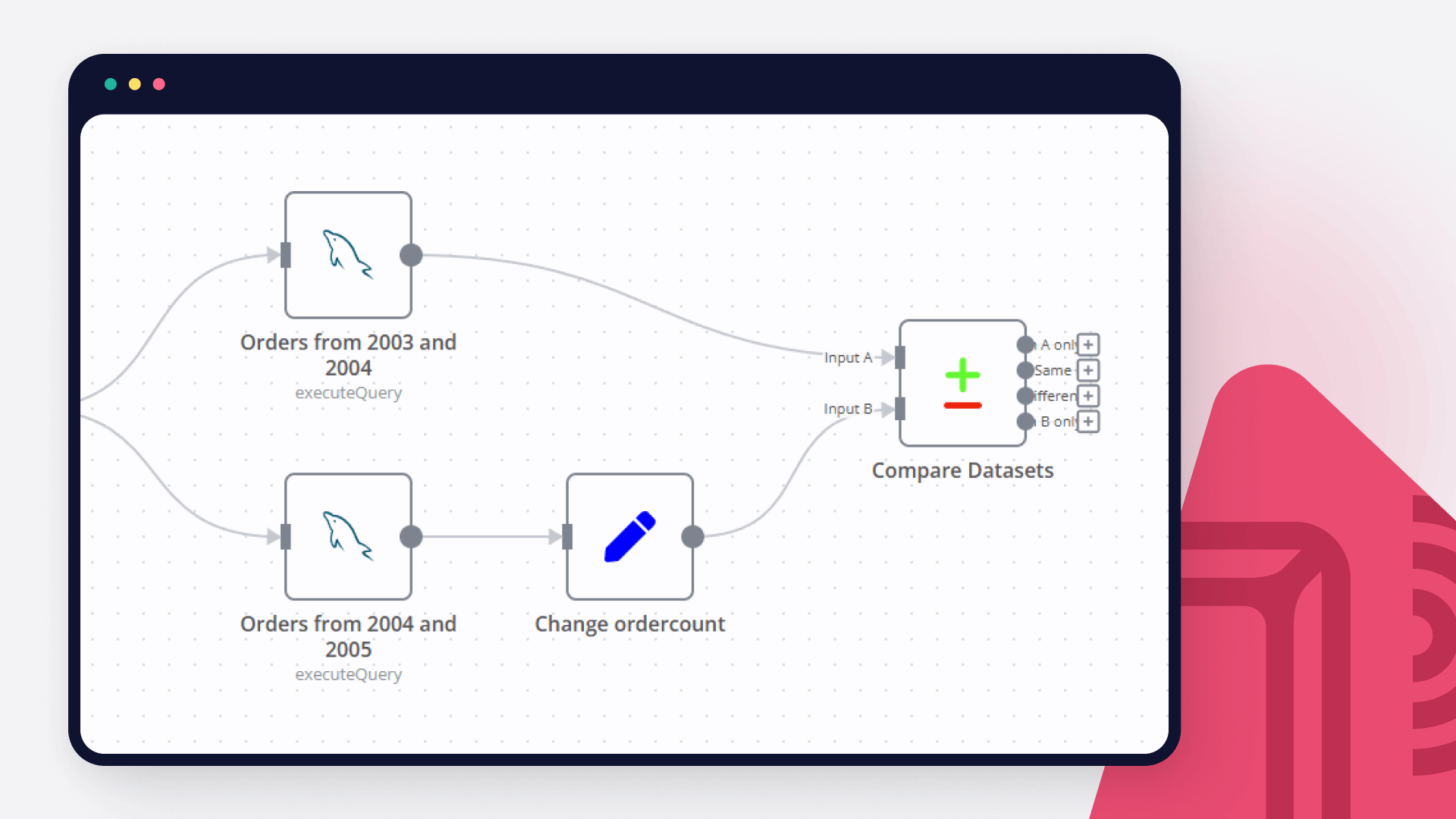
Join data from Postgres and MySQL

query data from two different databases handle and unify in a single return

Nodes used in this workflow

Popular HTTP Request and MySQL workflows

AI based Data Analysis, Data Visualization and Data Report with Ada.im

How it works: This template demonstrates how to build a low-code, AI-powered data analysis workflow in n8n. It enables you to connect to various data sources (such as MySQL, Google Sheets, or local files), process and analyze structured data, and generate natural language insights and visualizations using external AI APIs. Key Features: Flexible data source selection (MySQL, Google Sheets, Excel/CSV, etc.) AI-driven data analysis, interpretation, and visualization via HTTP Request nodes Automated email delivery of analysis results (Gmail node) Step-by-step sticky notes for credential setup and workflow customization Step-by-step: Apply for an API Key You can easily create and manage your API Key in the ADA official website - API. To begin with, You need to register for an ADA account. Once on the homepage, click the bottom left corner to access the API management dashboard. Here, you can create new APIs and set the credit consumption limit for each API. A single account can create up to 10 APIs. After successful creation, you can copy the API Key to set credentials. You can also view the credit consumption of each API and manage your APIs. Set credentials In HTTP nodes(DataAnalysis, DataInterpretation, and DataVisualization) select Authentication → Generic Credential Type Choose Header Auth → Create new credential Name the header Authorization, which must be exactly 'Authorization', and fill in the previously applied API key Data Source: The workflow starts by extracting structured data from your chosen source (e.g., database, spreadsheet, or file). AI Skills: Data is sent to external AI APIs for analysis, interpretation, and visualization, based on your configured queries. Result Processing: The AI-generated results are converted to HTML or Markdown as needed. Output: The final report or visualization is sent via email. You can easily adapt this step to other output channels. API Keys Required: Ada API Key: For AI data analysis Gmail OAuth2: For sending emails (if using Gmail node) (Optional) Data source credentials: For MySQL, Google Sheets, etc.

Automatic Magento 2 Product & Coupon Alerts to Telegram with Duplicate Protection

Boost Sales with Automated Magento 2 Product and Coupon Notifications This n8n workflow automatically posts new Magento products & coupons to Telegram while preventing duplicates. Key benefits: ✅ Increase conversions with time-sensitive alerts (creates urgency) ✅ Reduce missed opportunities with 24/7 monitoring ✅ Improve customer engagement through rich media posts ✅ Save hours per week by automating manual posting Why This Works: Triggers impulse buys with real-time notifications Eliminates human error in duplicate posting Scales effortlessly as your catalog grows Provides analytics through database tracking Perfect for e-commerce stores wanting to: Announce new arrivals instantly Promote limited-time offers effectively Maintain consistent social presence Track performance through MySQL This workflow automatically: ✅ Detects new products AND coupons in Magento ✅ Prevents duplicate postings with MySQL tracking ✅ Posts rich formatted alerts to Telegram ✅ Runs on a customizable schedule ✨ Key Features For Products: Product name, price, and image Direct store link Media gallery support For Coupons: Coupon code and status Usage limits (times used/available) Active/inactive status indicator Core System: 🔒 MySQL duplicate prevention⏰ 1-hour schedule (customizable)📱 Telegram notifications with Markdown 🛠️ Configuration Guide Database Setup CREATE TABLE IF NOT EXISTS posted_items (item_id INT PRIMARY KEY, item_type ENUM('product', 'coupon') NOT NULL, item_value VARCHAR(255), posted BOOLEAN DEFAULT FALSE, created_at TIMESTAMP DEFAULT CURRENT_TIMESTAMP, updated_at TIMESTAMP DEFAULT CURRENT_TIMESTAMP ON UPDATE CURRENT_TIMESTAMP); Required Credentials Magento API (HTTP Header Auth) MySQL Database Telegram Bot Sticky Notes `❗ IMPORTANT SETUP NOTES ❗ For products: Ensure 'url_key' exists in custom_attributes For coupons: Magento REST API must expose coupon rules MySQL user needs INSERT/SELECT privileges Telegram bot must be added to your channel first 🔄 SCHEDULING: - Default: Checks every 1 hours at :00 - Adjust in Schedule Trigger node ` ⚙️ Technical Details Workflow Logic: Checks for new products/coupons via Magento API Verifies against MySQL database Only posts if record doesn't exist Updates database after successful post Error Handling: Automatic skip if product/coupon exists Empty result handling Connection timeout protection 🌟 Why This Template? Complete Solution**: Handles both products AND coupons Battle-Tested**: Prevents all duplicates reliably Ready-to-Use**: Just add your credentials Fully Customizable**: Easy to modify for different needs Perfect for e-commerce stores using Magento 2 who want automated, duplicate-free social notifications!
+2

Score DNS threats with VirusTotal, Abuse.ch, HashiCorp Vault and Gemini

Stop fighting alerts and start orchestrating intelligence. This workflow is a complete ecosystem designed to combat network threats in real-time. It transforms raw DNS logs into structured knowledge, leveraging Artificial Intelligence to make decisions that previously required hours of manual work by a SOC analyst. Real-World Problems it Solves: Manual Threat Analysis: Automates the process of verifying suspicious domains and IP addresses across multiple CTI sources simultaneously. Security Credential Management: Eliminates the risk of API key leaks through native integration with HashiCorp Vault. Alert Fatigue: Thanks to built-in filtering logic, the system only notifies you when the AI Threat Score exceeds 5 (Malicious/Critical). Data Fragmentation: Consolidates data from multiple CTI providers into a single, cohesive technical report. Core System Components: The workflow manages and communicates with the following elements of your infrastructure: Traffic Capture: Monitors passive DNS traffic to identify new Indicators of Compromise (IoCs). Secret Engine: HashiCorp Vault provides database credentials and API tokens dynamically during workflow execution. Intelligence Layer: Features three independent scanning branches: VirusTotal, Abuse_URLhaus, and Abuse_ThreatFox. AI Brain: Google Gemini AI acts as a "Senior Security Analyst," correlating data and generating verdicts in both English and Polish. Automated Response: An email notification system triggered exclusively for confirmed high-risk threats. Release v1.0.0 Highlights This release (available on https://github.com/lukaszFD/cyber-sentinel/releases) marks the first fully stable production-ready version of the system. Key features of this release: Full Ansible Orchestration: The entire stack—including Nginx, Vault, databases, and n8n—is deployed automatically using Ansible playbooks. Infrastructure as Code (IaC): Secure deployment based on Ansible Vault, requiring only the population of credentials and the presence of a .vault_pass file. Production-Ready: The system has been rigorously tested for stability in both Debian (Proxmox) and Raspberry Pi 5 environments. Documentation : https://lukaszfd.github.io/cyber-sentinel/

Automate Demand Forecasting & Inventory Ordering with AI, MySQL & Optimal Supplier Selection

This workflow streamlines the entire inventory replenishment process by leveraging AI for demand forecasting and intelligent logic for supplier selection. It aggregates data from multiple sources—POS systems, weather forecasts, SNS trends, and historical sales—to predict future demand. Based on these predictions, it calculates shortages, requests quotes from multiple suppliers, selects the optimal vendor based on cost and lead time, and executes the order automatically. 🚀 Who is this for? Retail & E-commerce Managers** aiming to minimize stockouts and reduce overstock. Supply Chain Operations** looking to automate procurement and vendor selection. Data Analysts** wanting to integrate external factors (weather, trends) into inventory planning. 💡 How it works Data Aggregation: Fetches data from POS systems, MySQL (historical sales), OpenWeatherMap (weather), and SNS trend APIs. AI Forecasting: Formats the data and sends it to an AI prediction API to forecast demand for the next 7 days. Shortage Calculation: Compares the forecast against current stock and safety stock to determine necessary order quantities. Supplier Optimization: For items needing replenishment, the workflow requests quotes from multiple suppliers (A, B, C) in parallel. It selects the best supplier based on the lowest total cost within a 7-day lead time. Execution & Logging: Places the order via API, updates the inventory system, and logs the transaction to MySQL. Anomaly Detection: If the AI's confidence score is low, it skips the auto-order and sends an alert to Slack for manual review. ⚙️ Setup steps Configure Credentials: Set up credentials for MySQL and Slack in n8n. API Keys: You will need an API key for OpenWeatherMap (or a similar service). Update Endpoints: The HTTP Request nodes use placeholder URLs (e.g., pos-api.example.com, ai-prediction-api.example.com). Replace these with your actual internal APIs, ERP endpoints, or AI service (like OpenAI). Database Prep: Ensure your MySQL database has a table named forecast_order_log to store the order history. Schedule: The workflow is set to run daily at 03:00. Adjust the Schedule Trigger node as needed. 📋 Requirements n8n** (Self-hosted or Cloud) MySQL** database Slack** workspace External APIs for POS, Inventory, and Supplier communication (or mock endpoints for testing).
+2

Synchronize MySQL Database Schemas to Pinecone with OpenAI Embeddings

This workflow synchronizes MySQL database table schemas with a vector database in a controlled, idempotent manner. Each database table is indexed as a single vector to preserve complete schema context for AI-based retrieval and reasoning. The workflow prevents duplicate vectors and automatically handles schema changes by detecting differences and re-indexing only when required. How it works The workflow starts with a manual trigger and loads global configuration values. All database tables are discovered and processed one by one inside a loop. For each table, a normalized schema representation is generated, and a deterministic hash is calculated. A metadata table is checked to determine whether a vector already exists for the table. If a vector exists, the stored schema hash is compared with the current hash to detect schema changes. When a schema change is detected, the existing vector and metadata are deleted. The updated table schema is embedded as a single vector (without chunking) and upserted into the vector database. Vector identifiers and schema hashes are persisted for future executions. Setup steps Set the MySQL database name using mysql_database_name. Configure the Pinecone index name using pinecone_index. Set the vector namespace using vector_namespace. Configure the Pinecone index host using vector_index_host. Add your Pinecone API key using pinecone_apikey. Select the embedding model using embedding_model. Configure text processing options: chunk_size chunk_overlap Set the metadata table identifier using dataTable_Id. Save and run the workflow manually to perform the initial schema synchronization. Limitations This workflow indexes database table schemas only. Table data (rows) are not embedded or indexed. Each table is stored as a single vector. Very large or highly complex schemas may approach model token limits depending on the selected embedding model. Schema changes are detected using a hash-based comparison. Non-structural changes that do not affect the schema representation will not trigger re-indexing.

Track and Report App Store Featuring Nominations with MySQL, Slack and Google Drive

Apple App Store Connect: Featuring Nominations Report This workflow automates the process of tracking and reporting app nominations submitted to Apple for App Store featuring consideration. It connects to the App Store Connect API to fetch your list of apps and submitted nominations, stores the data in a MySQL database, and generates a report of all nominations. The report is then exported as a CSV file and can be automatically shared via Google Drive and Slack. Key features Authenticates with App Store Connect using JWT. Fetches all apps and submitted nominations, including details and related in-app events (API documentation: https://developer.apple.com/documentation/appstoreconnectapi/featuring-nominations) Stores and updates app and nomination data in MySQL tables. Generates a comprehensive nominations report with app and nomination details. Exports the report as a CSV file. Shares the report automatically to Google Drive and Slack. Runs on a weekly schedule, but can be triggered manually as well. Setup Instructions Obtain your App Store Connect API credentials (Issuer ID, Key ID, and private key) from your Apple Developer account. Set up a MySQL database and configure the connection details in the workflow’s MySQL node(s). (Optional) Connect your Google Drive and Slack accounts using the respective n8n nodes if you want to share the report automatically. Update any credentials in the workflow to match your setup. Activate the workflow and set the schedule as needed. This template is ideal for teams who regularly submit apps or updates for featuring on the App Store and want to keep track of their nomination history and status in a structured, automated way.

Build your own HTTP Request and MySQL integration

Create custom HTTP Request and MySQL workflows by choosing triggers and actions. Nodes come with global operations and settings, as well as app-specific parameters that can be configured. You can also use the HTTP Request node to query data from any app or service with a REST API.

MySQL supported actions

Delete
Delete an entire table or rows in a table
Execute SQL
Execute an SQL query
Insert
Insert rows in a table
Insert or Update
Insert or update rows in a table
Select
Select rows from a table
Update
Update rows in a table

FAQs

  • Can HTTP Request connect with MySQL?

  • Can I use HTTP Request’s API with n8n?

  • Can I use MySQL’s API with n8n?

  • Is n8n secure for integrating HTTP Request and MySQL?

  • How to get started with HTTP Request and MySQL integration in n8n.io?

Need help setting up your HTTP Request and MySQL integration?

Discover our latest community's recommendations and join the discussions about HTTP Request and MySQL integration.
Moiz Contractor
theo
Jon
Dan Burykin
Mohammadali

Looking to integrate HTTP Request and MySQL in your company?

Over 3000 companies switch to n8n every single week

Why use n8n to integrate HTTP Request with MySQL

Build complex workflows, really fast

Build complex workflows, really fast

Handle branching, merging and iteration easily.
Pause your workflow to wait for external events.

Code when you need it, UI when you don't

Simple debugging

Your data is displayed alongside your settings, making edge cases easy to track down.

Use templates to get started fast

Use 1000+ workflow templates available from our core team and our community.

Reuse your work

Copy and paste, easily import and export workflows.

Implement complex processes faster with n8n

red iconyellow iconred iconyellow icon