Back to Integrations
integrationHubSpot node
integrationPostgres node

HubSpot and Postgres integration

Save yourself the work of writing custom integrations for HubSpot and Postgres and use n8n instead. Build adaptable and scalable Sales, Development, and Data & Storage workflows that work with your technology stack. All within a building experience you will love.

How to connect HubSpot and Postgres

  • Step 1: Create a new workflow
  • Step 2: Add and configure nodes
  • Step 3: Connect
  • Step 4: Customize and extend your integration
  • Step 5: Test and activate your workflow

Step 1: Create a new workflow and add the first step

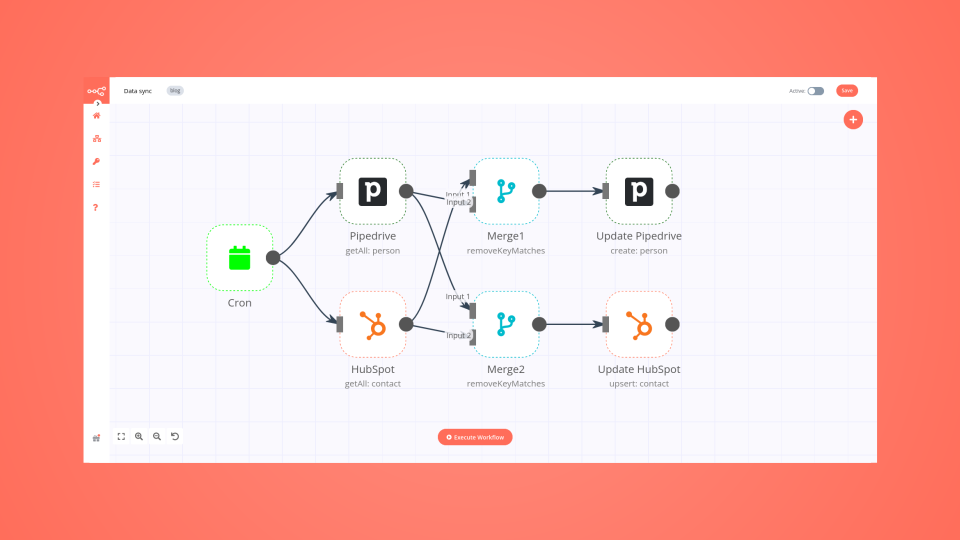
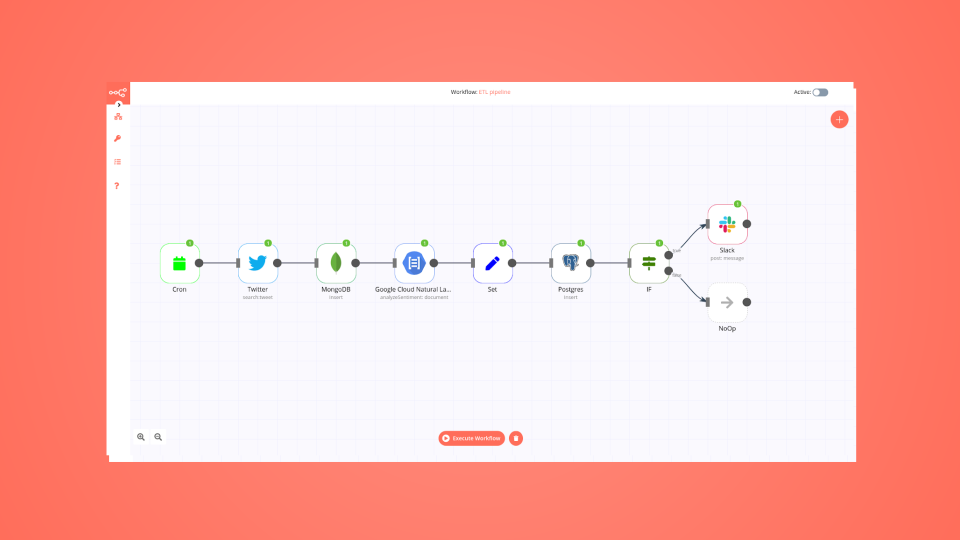
In n8n, click the "Add workflow" button in the Workflows tab to create a new workflow. Add the starting point – a trigger on when your workflow should run: an app event, a schedule, a webhook call, another workflow, an AI chat, or a manual trigger. Sometimes, the HTTP Request node might already serve as your starting point.

HubSpot and Postgres integration: Create a new workflow and add the first step

Step 2: Add and configure HubSpot and Postgres nodes

You can find HubSpot and Postgres in the nodes panel. Drag them onto your workflow canvas, selecting their actions. Click each node, choose a credential, and authenticate to grant n8n access. Configure HubSpot and Postgres nodes one by one: input data on the left, parameters in the middle, and output data on the right.

HubSpot and Postgres integration: Add and configure HubSpot and Postgres nodes

Step 3: Connect HubSpot and Postgres

A connection establishes a link between HubSpot and Postgres (or vice versa) to route data through the workflow. Data flows from the output of one node to the input of another. You can have single or multiple connections for each node.

HubSpot and Postgres integration: Connect HubSpot and Postgres

Step 4: Customize and extend your HubSpot and Postgres integration

Use n8n's core nodes such as If, Split Out, Merge, and others to transform and manipulate data. Write custom JavaScript or Python in the Code node and run it as a step in your workflow. Connect HubSpot and Postgres with any of n8n’s 1000+ integrations, and incorporate advanced AI logic into your workflows.

HubSpot and Postgres integration: Customize and extend your HubSpot and Postgres integration

Step 5: Test and activate your HubSpot and Postgres workflow

Save and run the workflow to see if everything works as expected. Based on your configuration, data should flow from HubSpot to Postgres or vice versa. Easily debug your workflow: you can check past executions to isolate and fix the mistake. Once you've tested everything, make sure to save your workflow and activate it.

HubSpot and Postgres integration: Test and activate your HubSpot and Postgres workflow

Smartlead to HubSpot performance analytics

Smartlead to HubSpot Performance Analytics
A streamlined workflow to analyze your Smartlead performance metrics by tracking lifecycle stages in HubSpot and generating automated reports.

Who is this for?

(Outbound) Automation Agencies, Sales and marketing teams using Smartlead for outreach campaigns who want to track their performance metrics and lead progression in HubSpot.

What problem does this workflow solve?

Manual tracking of lead performance across Smartlead and HubSpot is time-consuming and error-prone. This workflow automates performance reporting by connecting your Smartlead data with HubSpot lifecycle stages, providing clear insights into your outreach campaign effectiveness.

What this workflow does

Automatically pulls performance data from your Smartlead campaigns
Cross-references contact status with HubSpot lifecycle stages
Generates comprehensive performance reports in Google Sheets
Provides customizable reporting schedules to match your team's needs

Setup Requirements

PostgreSQL Database

Set up your PostgreSQL instance (includes $300 free GCP credits)
Follow our step-by-step setup guide: Find a step-by-step guide here

Google Account Integration

Connect your Google Account to n8n
Find the guide here

Smartlead Configuration

Connect your Smartlead instance:
Detailed connection guide included in workflow

How to customize this workflow

Configure the Trigger node to adjust report frequency
Modify the Google Sheets template to match your specific KPIs
Customize HubSpot lifecycle stage mapping in the Function node
Adjust PostgreSQL queries to track additional metrics

Need assistance or have suggestions?
lmk here

Nodes used in this workflow

Popular HubSpot and Postgres workflows

+2

Automate Event Follow-Ups with GPT-4, LinkedIn & HubSpot Multi-Channel Outreach

Automate your post-event networking with this intelligent n8n workflow. Triggered instantly after an event, it collects attendee and interaction data, enriches profiles with LinkedIn insights, and uses GPT-4 to analyze engagement and generate tailored follow-up messages. High-value leads are prioritized, messages are sent via email, LinkedIn, or Slack, and all activity is logged in your CRM and database. Save hours of manual follow-up while boosting relationship-building and ROI. 🤝✨ Advanced Features Webhook automation** – Starts instantly on event completion Multi-Source Enrichment** – Combines event data, interactions, and LinkedIn profiles AI-Powered Insights** – GPT-4 analyzes behavior and suggests personalized talking points Smart Priority Filtering** – Routes leads into High, Medium, and Low priority paths Personalized Content Generation** – AI crafts custom emails and LinkedIn messages Multi-Channel Outreach** – Sends via Email, LinkedIn DM, and Slack CRM Integration** – Automatically updates HubSpot with contact notes and engagement PostgreSQL Logging** – Stores full interaction history and analytics ROI Dashboard** – Tracks response rates, meetings booked, and pipeline impact What It Does Collects attendee data from your event platform Enriches with LinkedIn profiles & real-time interaction logs Scores networking potential using engagement algorithms Uses AI to analyze conversations, roles, and mutual interests Generates hyper-personalized follow-up emails and LinkedIn messages Sends messages through preferred channels (email, LinkedIn, Slack) Updates HubSpot CRM with follow-up status and next steps Logs all actions and tracks analytics for performance reporting Workflow Process The Webhook Trigger initiates the workflow via POST request with event and attendee data. Get Attendees** fetches participant list from the event platform. Get Interactions** pulls Q&A, chat, poll, and networking activity logs. Enrich LinkedIn Data** retrieves professional profiles, job titles, and company details via LinkedIn API. Merge & Enrich Data** combines all sources into a unified lead profile. AI Analyze Profile** uses GPT-4 to evaluate interaction depth, role relevance, and conversation context. Filter High Priority** routes top-tier leads (e.g., decision-makers with strong engagement). Filter Medium Priority** handles warm prospects for lighter follow-up. AI Agent1** generates personalized email content using chat model and memory. Generate Email** creates a professional, context-aware follow-up email. Send Email** delivers the message to the lead’s inbox. AI Agent2** crafts a concise, friendly LinkedIn connection message. Generate LinkedIn Msg** produces a tailored outreach note. Send LinkedIn** posts the message via LinkedIn API. Slack Notification** alerts your team in real-time about high-priority outreach. Update CRM (HubSpot)** adds contact, tags, and follow-up tasks automatically. Save to Database (Insert)** logs full lead journey and message content in PostgreSQL. Generate Analytics** compiles engagement metrics and success rates. Send Response** confirms completion back to the event system. Setup Instructions Import the workflow JSON into n8n Configure credentials: Event Platform API (for attendees & interactions) LinkedIn API (OAuth2) OpenAI (GPT-4) SMTP (for email) or Email Service (SendGrid, etc.) HubSpot API Key PostgreSQL Database Slack Webhook URL Trigger with a webhook POST containing event ID and settings Watch personalized outreach happen automatically! Prerequisites Event platform with webhook + attendee/interaction API LinkedIn Developer App with API access OpenAI API key with GPT-4 access HubSpot account with API enabled PostgreSQL database (table for leads & logs) Slack workspace (optional, for team alerts) Example Webhook Payload { "eventId": "evt_spring2025", "eventName": "Annual Growth Summit", "triggerFollowUp": true, "priorityThreshold": { "high": 75, "medium": 50 } } Modification Options Adjust scoring logic in AI Analyze Profile (e.g., weight Q&A participation higher) Add custom email templates in Generate Email with your brand voice Include meeting booking links (Calendly) in high-priority messages Route VIP leads to Send SMS via Twilio Export analytics to Google Sheets or BI tools (Looker, Tableau) Add approval step before sending LinkedIn messages Ready to 10x your event ROI? Get in touch with us for custom n8n automation!
+5

Automate B2B SaaS Renewal Risk Management with CRM, Support & Usage Data

Description This workflow is designed for B2B/SaaS teams who want to secure renewals before it’s too late. It runs every day, identifies all accounts whose licenses are up for renewal in J–30, enriches them with CRM, product usage and support data, computes an internal churn risk level, and then triggers the appropriate playbook: HIGH risk** → full escalation (tasks, alerts, emails) MEDIUM risk** → proactive follow-up by Customer Success LOW risk** → light renewal touchpoint / monitoring Everything is logged into a database table so that you can build dashboards, run analysis, or plug additional automations on top. How it works Daily detection (J–30 renewals) A scheduled trigger runs every morning and queries your database (Postgres / Supabase) to fetch all active subscriptions expiring in 30 days. Each row includes the account identifier, name, renewal date and basic commercial data. Data enrichment across tools For each account, the workflow calls several business systems to collect context: HubSpot → engagement history Salesforce → account profile and segment Pipedrive → deal activities and associated products Analytics API → product feature usage and activity trends Zendesk → recent support tickets and potential friction signals All of this is merged into a single, unified item. Churn scoring & routing An internal scoring step evaluates the risk for each account based on multiple signals (engagement, usage, support, timing). The workflow then categorizes each account into one of three risk levels: HIGH – strong churn signals → needs immediate attention MEDIUM – some warning signs → needs proactive follow-up LOW – looks healthy → light renewal reminder A Switch node routes each account to the relevant playbook. Automated playbooks 🔴 HIGH risk Create a Trello card on a dedicated “High-Risk Renewals” board/list Create a Jira ticket for the CS / AM team Send a Slack alert in a designated channel Send a detailed email to the CSM and/or account manager 🟠 MEDIUM risk Create a Trello card in a “Renewals – Follow-up” list Send a contextual email to the CSM to recommend a proactive check-in 🟢 LOW risk Send a soft renewal email / internal note to keep the account on the radar Logging & daily reporting For every processed account, the workflow prepares a structured log record (account, renewal date, risk level, basic context). A Postgres node is used to insert the data into a churn_logs table. At the end of each run, all processed accounts are aggregated and a daily summary email is sent (for example to the Customer Success leadership team), listing the renewals and their risk levels. Requirements Database A table named churn_logs (or equivalent) to store workflow decisions and history. Example fields: account_id, account_name, end_date, riskScore, riskLevel, playbook, trello_link, jira_link, timestamp. External APIs HubSpot (engagement data) Salesforce (account profile) Pipedrive (deals & products) Zendesk (support tickets) Optional: product analytics API for usage metrics Communication & task tools Gmail (emails to CSM / AM / summary recipients) Slack (alert channel for high-risk cases) Trello (task creation for CS follow-up) Jira (escalation tickets for high-risk renewals) Configuration variables Thresholds are configured in the Init config & thresholds node: days_before_renewal churn_threshold_high churn_threshold_medium These parameters let you adapt the detection window and risk sensitivity to your own business rules. Typical use cases Customer Success teams who want a daily churn watchlist without exporting spreadsheets. RevOps teams looking to standardize renewal playbooks across tools. SaaS companies who need to prioritize renewals based on real risk signals rather than gut feeling. Product-led organizations that want to combine usage data + CRM + support into one automated process. Tutorial video Watch the Youtube Tutorial video About me : I’m Yassin a Project & Product Manager Scaling tech products with data-driven project management. 📬 Feel free to connect with me on Linkedin

Send cold outreach emails and follow-ups with Resend, Postgres and HubSpot

Automate your cold email outreach with this 3-stage workflow that sends emails, triggers follow-ups after 3 days, and syncs responses to HubSpot CRM automatically. Uses:** n8n, Postgres/Supabase, Resend API, HubSpot Features:** Scheduled triggers, automatic follow-ups, response tracking via webhooks, CRM auto-sync Perfect for sales teams and marketers who want to scale outreach without manual work. 📺 Full tutorial included 📧 Questions? Need customization? Connect with me on LinkedIn: Click here 👀 Check out my other automation workflows on my n8n creator profile for more productivity tools!

Screen and score resumes from Gmail with PDF parsing, HubSpot, Slack and PostgreSQL

Talent Sovereign: AI-Powered Resume Screener & Recruitment Hub 🎯 Description This is an elite enterprise-grade solution for Talent Acquisition and HR Ops teams. It automates the high-volume task of resume screening by transforming unstructured PDF applications into structured candidate profiles. Leveraging an advanced PDF-to-JSON parsing engine and a multi-factor scoring algorithm, it ensures only the highest-quality candidates reach your CRM while maintaining a professional feedback loop for all applicants. ✨ The Sovereign Lifecycle Intelligent Intake & Validation - Monitors Gmail for new submissions. A pre-validation layer ensures only healthy PDF binaries under 10MB enter the stream, filtering out noise and irrelevant attachments. Atomic Data Extraction - Utilizes the HTML to PDF (Parse PDF to JSON) node to decompose resumes into structured text data. Advanced AI Resume Parser - A sophisticated Code Node acts as a virtual Recruiter. It extracts contact info, LinkedIn URLs, and maps 45+ specific skills across 7 categories (Programming, Cloud, Data, etc.). It even calculates "Total Years of Experience" by analyzing date ranges within the text. Multi-Factor Scoring & Tiering - Candidates are automatically ranked on a 100-point scale: A+ Tier (90+): Exceptional talent; priority alerts. Qualified (70+): Standard qualified candidates. Below Threshold: Automatically prepared for the rejection track. Smart Routing Matrix - Green Track: Qualified leads are created in HubSpot CRM, archived in a "Qualified" Google Drive folder, and announced via Slack. Red Track: Unqualified candidates receive a personalized Gmail rejection including constructive feedback on skills they could improve. Closed-Loop Analytics - Logs every data point to PostgreSQL, calculating funnel metrics such as skill-match percentages and processing latency for continuous hiring strategy optimization. 💡 Key Technical Features Heuristic Skill Detection:** Uses NLP pattern matching to identify technical competencies even if they are phrased differently. Personalized Rejection Engine:** Automatically suggests specific skill areas (e.g., Cloud or Certifications) for candidates to work on based on what was missing from their resume. Forensic Archival:** Maintains a clean, searchable archive of all applicants in a hierarchical cloud structure. 🚀 Benefits ✅ 90% Faster Screening - Moves from manual reading to high-level candidate oversight instantly. ✅ Professional Employer Brand - Ensures every applicant receives a timely, personalized response. ✅ Data-Driven Hiring - Track exactly which sources and skill sets are performing best in your funnel. Tags: #recruitment #hr-tech #resume-parser #ai #hubspot #automation #pdf-to-json Category: Human Resources | Difficulty: Advanced
+6

Analyze customer feedback and send AI-written replies with GPT-4 and Gmail

How It Works This workflow automates customer feedback processing by analyzing sentiment, identifying key issues, generating personalized responses, and escalating critical cases to support teams when required. Designed for customer success managers, support teams, and product managers, it enables scalable feedback handling without compromising response quality or urgency. The workflow eliminates manual triage and response drafting by normalizing incoming feedback, performing sentiment and topic analysis, generating context-aware AI responses, validating tone and intent, escalating high-risk or negative feedback, logging all interactions for traceability, and delivering automated replies via email. Setup Steps Configure webhook trigger URL for feedback form integration or email parsing Add OpenAI API key for sentiment analysis and response generation Connect Anthropic Claude API for alternative response generation and validation Set up Google Sheets integration for feedback logging and analytics tracking Configure Gmail OAuth2 credentials for automated customer response delivery Integrate support ticket system (Zendesk, Freshdesk) for escalation routing Prerequisites OpenAI API key, Anthropic Claude API key (optional), Google Workspace account (Sheets, Gmail) Use Cases Product feedback management, customer support automation Customization Adjust sentiment scoring thresholds per industry standards, modify response templates Benefits Responds to feedback 95% faster, maintains consistent response quality across all interactions

Smartlead to HubSpot Performance Analytics

*Smartlead to HubSpot Performance Analytics A streamlined workflow to analyze your Smartlead performance metrics by tracking lifecycle stages in HubSpot and generating automated reports.* Who is this for? (Outbound) Automation Agencies, Sales and marketing teams using Smartlead for outreach campaigns who want to track their performance metrics and lead progression in HubSpot. What problem does this workflow solve? Manual tracking of lead performance across Smartlead and HubSpot is time-consuming and error-prone. This workflow automates performance reporting by connecting your Smartlead data with HubSpot lifecycle stages, providing clear insights into your outreach campaign effectiveness. What this workflow does Automatically pulls performance data from your Smartlead campaigns Cross-references contact status with HubSpot lifecycle stages Generates comprehensive performance reports in Google Sheets Provides customizable reporting schedules to match your team's needs Setup Requirements PostgreSQL Database Set up your PostgreSQL instance (includes $300 free GCP credits) Follow our step-by-step setup guide: Find a step-by-step guide here Google Account Integration Connect your Google Account to n8n Find the guide here Smartlead Configuration Connect your Smartlead instance: Detailed connection guide included in workflow How to customize this workflow Configure the Trigger node to adjust report frequency Modify the Google Sheets template to match your specific KPIs Customize HubSpot lifecycle stage mapping in the Function node Adjust PostgreSQL queries to track additional metrics Need assistance or have suggestions? lmk here

Build your own HubSpot and Postgres integration

Create custom HubSpot and Postgres workflows by choosing triggers and actions. Nodes come with global operations and settings, as well as app-specific parameters that can be configured. You can also use the HTTP Request node to query data from any app or service with a REST API.

HubSpot supported actions

Create
Create a company
Delete
Delete a company
Get
Get a company
Get Many
Get many companies
Get Recently Created/Updated
Get recently created/updated companies
Search
Search companies by their website domain
Update
Update a company
Create or Update
Create a new contact, or update the current one if it already exists (upsert)
Delete
Delete a contact
Get
Get a contact
Get Many
Get many contacts
Get Recently Created/Updated
Get recently created/updated contacts
Search
Search contacts
Add
Add contact to a list
Remove
Remove a contact from a list
Create
Create a deal
Delete
Delete a deal
Get
Get a deal
Get Many
Get many deals
Get Recently Created/Updated
Get recently created/updated deals
Search
Search deals
Update
Update a deal
Create
Create an engagement
Delete
Delete an engagement
Get
Get an engagement
Get Many
Get many engagements
Create
Create a ticket
Delete
Delete a ticket
Get
Get a ticket
Get Many
Get many tickets
Update
Update a ticket

Postgres supported actions

Delete
Delete an entire table or rows in a table
Execute Query
Execute an SQL query
Insert
Insert rows in a table
Insert or Update
Insert or update rows in a table
Select
Select rows from a table
Update
Update rows in a table
Use case

Supercharge your CRM

Need a more powerful integration with your CRM? n8n lets you go beyond standard integrations offered by popular CRMs!

Learn more
Use case

Save engineering resources

Reduce time spent on customer integrations, engineer faster POCs, keep your customer-specific functionality separate from product all without having to code.

Learn more

FAQs

  • Can HubSpot connect with Postgres?

  • Can I use HubSpot’s API with n8n?

  • Can I use Postgres’s API with n8n?

  • Is n8n secure for integrating HubSpot and Postgres?

  • How to get started with HubSpot and Postgres integration in n8n.io?

Need help setting up your HubSpot and Postgres integration?

Discover our latest community's recommendations and join the discussions about HubSpot and Postgres integration.
Mikhail Savenkov
Honza Pav
Vyacheslav Karbovnichy
Dennis
Dennis

Looking to integrate HubSpot and Postgres in your company?

Over 3000 companies switch to n8n every single week

Why use n8n to integrate HubSpot with Postgres

Build complex workflows, really fast

Build complex workflows, really fast

Handle branching, merging and iteration easily.
Pause your workflow to wait for external events.

Code when you need it, UI when you don't

Simple debugging

Your data is displayed alongside your settings, making edge cases easy to track down.

Use templates to get started fast

Use 1000+ workflow templates available from our core team and our community.

Reuse your work

Copy and paste, easily import and export workflows.

Implement complex processes faster with n8n

red iconyellow iconred iconyellow icon