Back to Integrations
integrationMongoDB node
integrationGoogle Sheets node

MongoDB and Google Sheets integration

Save yourself the work of writing custom integrations for MongoDB and Google Sheets and use n8n instead. Build adaptable and scalable Development, Data & Storage, and Productivity workflows that work with your technology stack. All within a building experience you will love.

How to connect MongoDB and Google Sheets

  • Step 1: Create a new workflow
  • Step 2: Add and configure nodes
  • Step 3: Connect
  • Step 4: Customize and extend your integration
  • Step 5: Test and activate your workflow

Step 1: Create a new workflow and add the first step

In n8n, click the "Add workflow" button in the Workflows tab to create a new workflow. Add the starting point – a trigger on when your workflow should run: an app event, a schedule, a webhook call, another workflow, an AI chat, or a manual trigger. Sometimes, the HTTP Request node might already serve as your starting point.

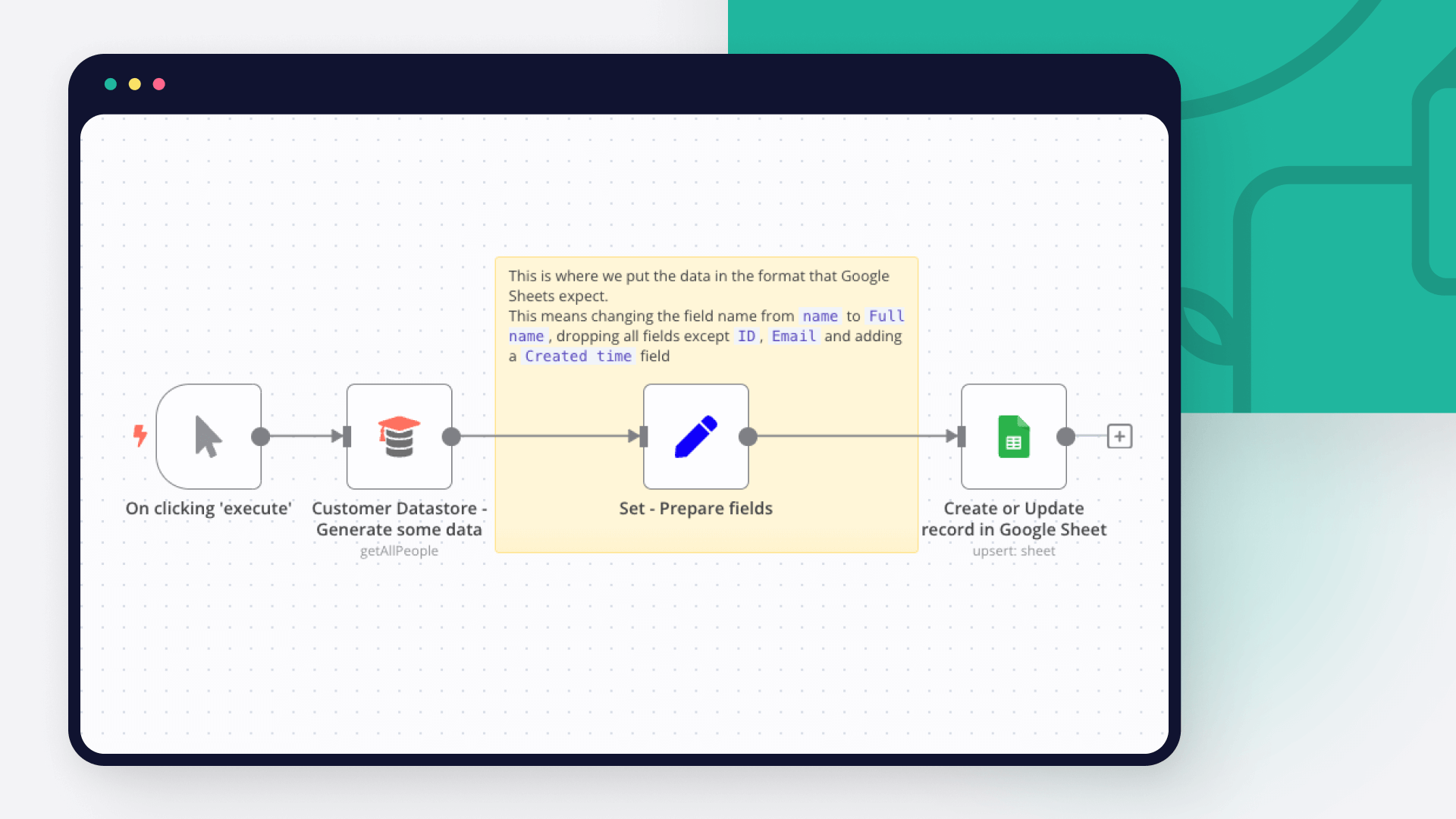
MongoDB and Google Sheets integration: Create a new workflow and add the first step

Step 2: Add and configure MongoDB and Google Sheets nodes

You can find MongoDB and Google Sheets in the nodes panel. Drag them onto your workflow canvas, selecting their actions. Click each node, choose a credential, and authenticate to grant n8n access. Configure MongoDB and Google Sheets nodes one by one: input data on the left, parameters in the middle, and output data on the right.

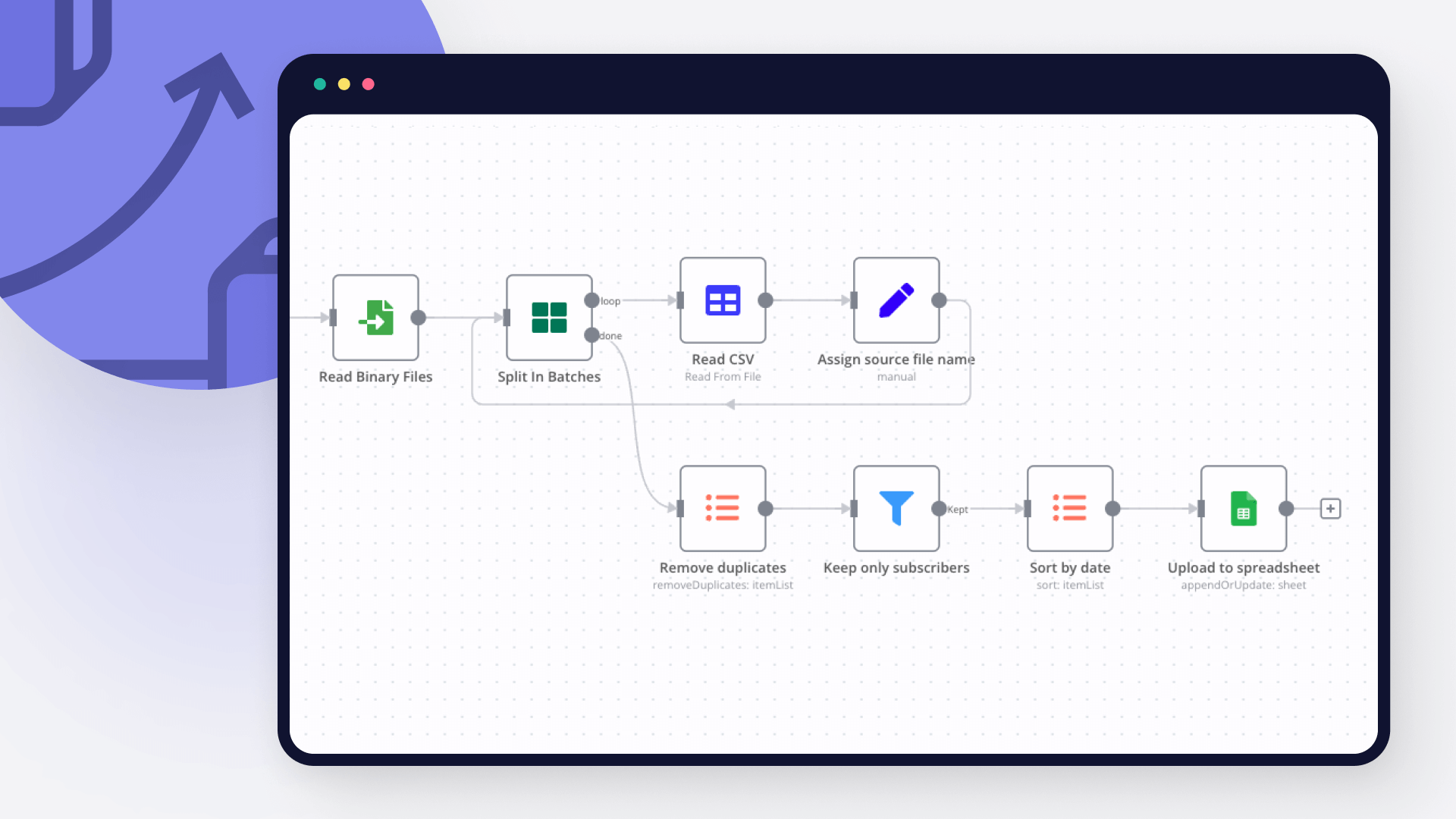
MongoDB and Google Sheets integration: Add and configure MongoDB and Google Sheets nodes

Step 3: Connect MongoDB and Google Sheets

A connection establishes a link between MongoDB and Google Sheets (or vice versa) to route data through the workflow. Data flows from the output of one node to the input of another. You can have single or multiple connections for each node.

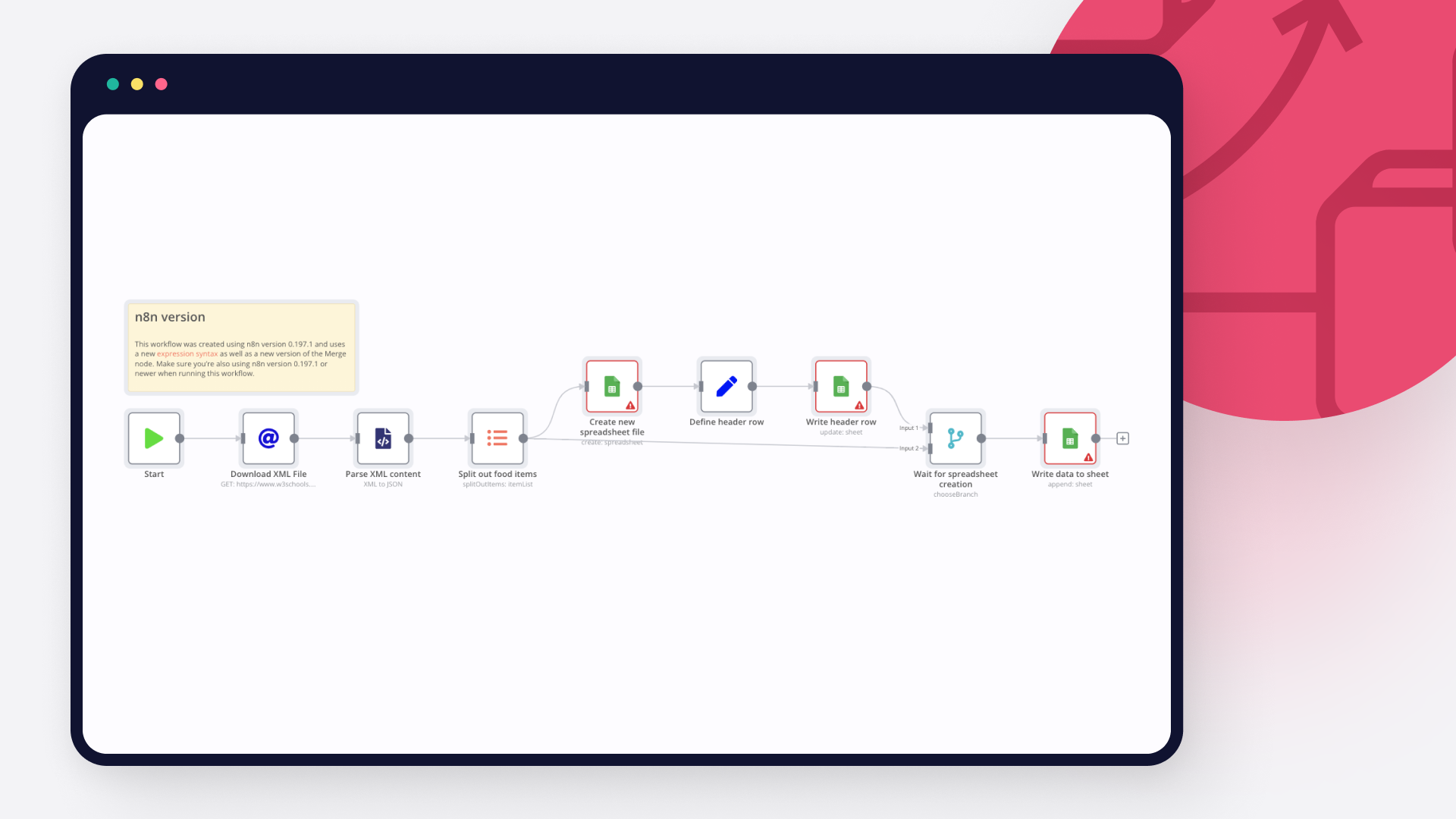
MongoDB and Google Sheets integration: Connect MongoDB and Google Sheets

Step 4: Customize and extend your MongoDB and Google Sheets integration

Use n8n's core nodes such as If, Split Out, Merge, and others to transform and manipulate data. Write custom JavaScript or Python in the Code node and run it as a step in your workflow. Connect MongoDB and Google Sheets with any of n8n’s 1000+ integrations, and incorporate advanced AI logic into your workflows.

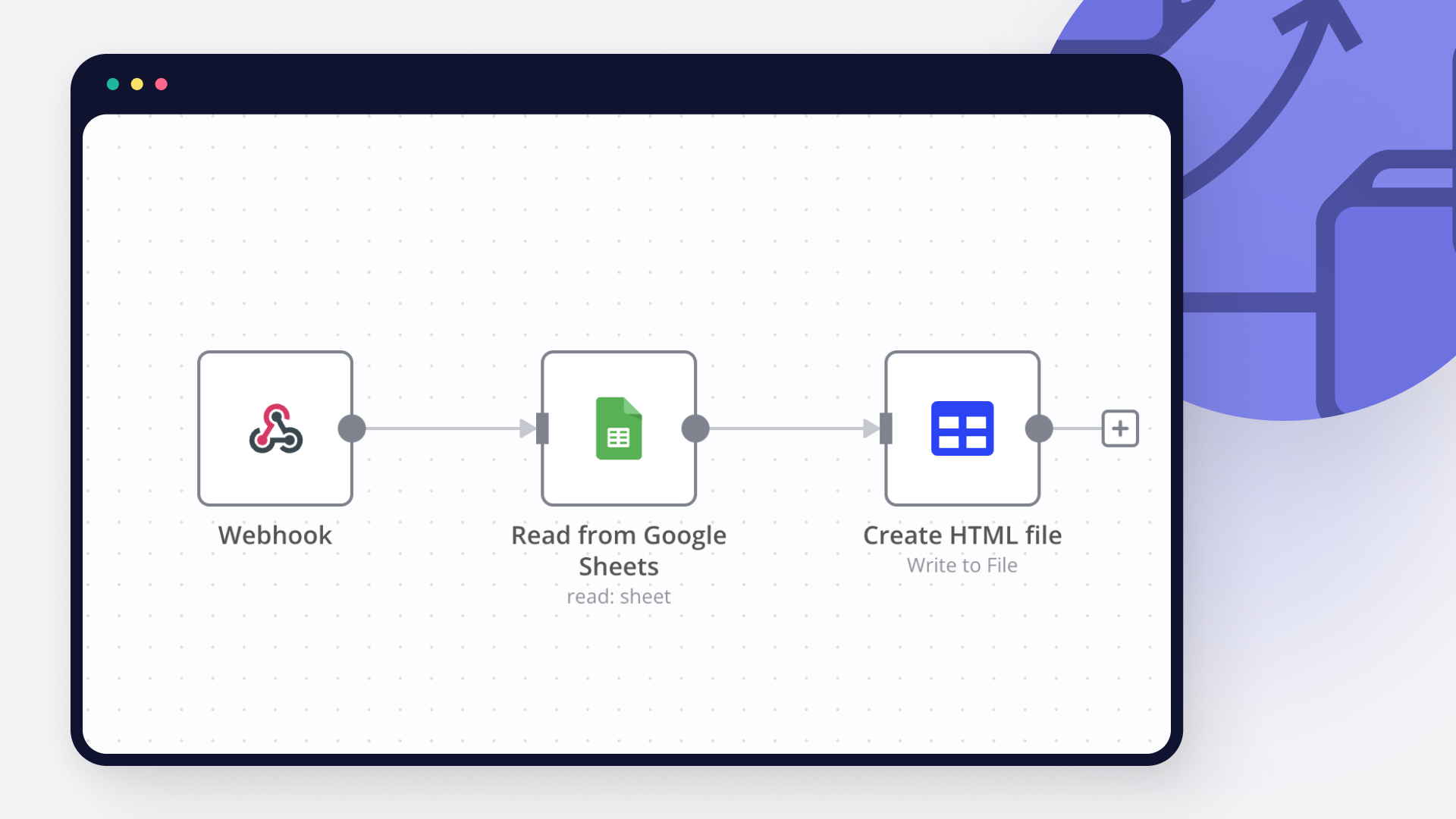
MongoDB and Google Sheets integration: Customize and extend your MongoDB and Google Sheets integration

Step 5: Test and activate your MongoDB and Google Sheets workflow

Save and run the workflow to see if everything works as expected. Based on your configuration, data should flow from MongoDB to Google Sheets or vice versa. Easily debug your workflow: you can check past executions to isolate and fix the mistake. Once you've tested everything, make sure to save your workflow and activate it.

MongoDB and Google Sheets integration: Test and activate your MongoDB and Google Sheets workflow

Content Farming v4 - Blog Automation for Wordpress using ChatGPT 5 and Gemini

AI Powered Blog Automation Workflow for WordPress and Twitter - v4 Revolution

> Watch the Youtube Tutorial video

This is the most advanced AI-powered blog content generation and distribution workflow ever built for the n8n automation platform. Version 4 introduces groundbreaking improvements including GPT-5 model integration, 50-70% cost reduction, intelligent internal linking, automatic FAQ generation, and enterprise-grade content validation. It's designed for solo founders, creators, indie hackers, marketers, SEO consultants, or lean startup teams who want to dominate their niche with high-quality, search-optimized articles that drive traffic and conversions.

> No technical experience ? use Ghost.Blog

Running a blog is essential to drive traffic, build authority, and rank on Google, but it's time consuming and expensive to manage. This workflow turns your blog into a self-optimizing content engine that generates, enhances, validates, and publishes articles every day using a team of autonomous AI agents powered by the latest GPT-5 models. If you want to boost your site's visibility, improve your internal linking structure, and promote content across multiple channels like WordPress, Twitter, and Dev.to, this is the most powerful solution available.

Important links

✨ V3 workflow on n8n - Previous version
📚 See articles generated with V4 - Live examples from this workflow
📊 Google Sheets Configuration Template - Copy and customize for your blog
🛒 V4 Available Now: Contact us for pricing and access
🔄 V3 Upgrade Path: Existing V3 customers get discounted V4 upgrade

Before You Start

To get the most out of this workflow, prepare the following:

Copy the Google Sheets Template** - Make a copy here and fill in your:
Content categories with WordPress IDs
Brand customization data
Prepare your WordPress site** with existing content for internal linking (the more posts, the better)
Set up Yoast SEO plugin** (optional but recommended for maximum SEO integration)
Know your audience** - Developers? Founders? Investors? Enterprises?

How It Works

Step 1**: Topic Discovery + Web Search + Vectorization
Step 2**: Topic Generation with Advanced Semantic Clustering
Step 3**: Article Intelligence + Keyword Extraction
Step 4**: Content Generation (Enhanced Multi-Agent Loop with Memory)
Step 5**: Blog Title Optimization with CTR Scoring
Step 6**: Yoast SEO Metadata Generation
Step 7**: AI Image Generation with Gemini (Gemini node/API)
Step 8**: WordPress Draft Creation with Internal Links
Step 9**: Multi-Platform Distribution (Twitter, Dev.to)

Read the complete technical architecture and setup guide

Google Sheets Configuration (NEW in V4)

V4 introduces centralized configuration via Google Sheets, making it easy to manage multiple blogs and customize your content strategy without editing the workflow.

📊 Configuration Template Structure

Make a copy of the template here

The template contains 2 sheets:

Sheet 1: category
Define your content pillars and map them to WordPress categories:

Sheet 2: data
Customize your brand and workflow behavior:

Sheet 3: rss feed
List out websites you would like to use as reference

Why Google Sheets?

✅ No workflow editing needed - Update categories and brand settings without touching n8n
✅ Multi-site management - One sheet per blog, easily switch between configurations
✅ Team collaboration - Share with your content team for easy updates
✅ Version control - Google Sheets tracks all changes automatically
✅ Centralized control - Manage all content pillars from one place

Clone the Google Sheets Configuration Example

See Technical Setup.md for complete Google Sheets integration instructions.

What's New in V4? Revolutionary Upgrades from V3

  1. GPT-5 Model Integration (MASSIVE Performance Boost)

Version 4 leverages OpenAI's latest GPT-5 model family for unprecedented quality and efficiency:

GPT-5-nano**: Ultra-fast reasoning for decision-making tasks
GPT-5-mini**: Standard content generation with 3x speed improvement
GPT-4.1-mini**: Title optimization and metadata
GPT-4o**: Complex multi-step reasoning for content writing

Impact: 40-50% faster execution, improved coherence, better SEO optimization

  1. 50-70% Cost Reduction on Images

V3**: Leonardo AI ($0.10-0.15 per image)
V4**: Gemini Flash 2.5 Nano Banana ($0.03 per image)
Bonus**: Brand mascot (cat-themed) images for higher engagement and memorability
Quality**: Consistent professional quality with improved WordPress rendering (no more broken/weird images)

Savings: $300-500 per month for high-volume blogs

  1. Intelligent Internal Linking System

The Game-Changer for SEO:

V4 automatically fetches your existing WordPress posts and intelligently weaves internal links throughout your content:

Fetches posts with Yoast SEO metadata (og_url, og_title)
Content Writer Agent uses MongoDB Memory to track link usage
Maximum 3 inbound links per article (configurable)
Smart placement in relevant paragraphs
Memory prevents duplicate link usage across sections

Impact: Dramatically improved site structure, better crawlability, higher page authority distribution

  1. Automatic FAQ Schema Generation

Every article includes a professionally styled FAQ section:

5 targeted questions** based on search intent
Custom HTML/CSS accordion** with black background and lime green accents
First FAQ item expanded by default
Optimized for Google Featured Snippets
Direct WordPress Custom HTML block compatibility

Impact: 3-5x higher chance of featured snippet ranking, improved dwell time

  1. Advanced Link Validation System

Zero broken links, guaranteed:

New "check link status" MCP tool validates every URL before insertion
Content Writer Agent instructed: "Test all the urls you want to add to the article is valid or not before writing. If it's not valid Replace it or Remove that link"
Automatic fallback to alternative sources
Explicit ban on placeholder URLs (example.com, placeholder.com)

Impact: Perfect link hygiene, improved user experience, better SEO

  1. Dual Vector Database Architecture

Optimized for performance and cost:

V3**: Single collection for all data (expensive, slower)
V4**: Separated architecture:
news articles - Full metadata storage
news chunks - Vectorized text for semantic search
Deduplication with SHA256 content fingerprints
Automatic cleanup operations
Improved query performance (50% faster)

Savings: 40-60% storage cost reduction

  1. Enhanced Agent System with Memory

9 Specialized AI Agents (upgraded from 3):

Topic Generation Agent - Semantic clustering with GPT-5-mini
Article Intelligence Agent - Entity extraction, fact gathering
Task Definition Agent - Content structure planning
Content Writer Agent (GPT-4o) - Section generation with MCP tools:
Web Search (outbound links)
Image Generator (Gemini Flash 2.5 Nano Banana)
Chart Generator (QuickChart)
Link Validator
Think Tool (reasoning)
Memory Tool (tracks inbound link usage)
Quality Check Agent - SEO validation and scoring
Blog Title Generator - CTR-optimized titles
Metadata Generator - Yoast SEO integration
Markdown to HTML Agent - Content conversion
Image Prompt Agent - Featured image generation

Memory System: MongoDB Chat Memory with 25-message context window ensures consistency across agent interactions

  1. Direct Yoast SEO Integration

Automatic yoast_description and yoast_keyword injection
WordPress REST API PUT requests to update meta fields
Focus keyword optimization
Meta description targeting

Impact: Seamless SEO workflow, no manual Yoast configuration needed

  1. Brand Integration in Conclusions

Every article includes your customized brand signature and call-to-action in the conclusion:

  1. Smarter Content Quality Rules

Flesch Reading Ease**: 60+ (college reading level)
Sentence length**: Under 20 words average
Transition words**: 30% minimum
Active voice**: Mandatory preference
Paragraph length**: 3-5 sentences maximum
Word count**: 1200 words (optimized from V3's 1500 for better engagement)
Visual content**: Exactly 1 image + 1 table per article
No back-to-back visuals**: Images/tables separated by text

  1. Enhanced Slug and Title Optimization

Slug Generation:
Must include main keyword
Maximum 5 words
Regex validated: ^[a-z0-9]+(?:-[a-z0-9]+)*$

Title Optimization:
Preference for question format ("How to...", "What are...")
Maximum 10 words
Scored on 4 metrics:
Emotional Impact (1-10)
Clarity & Relevance (1-10)
SEO Strength (1-10)
Clickability (1-10)
Highest average score wins

What makes this flow unique?

This isn't just automation. It's AI orchestration at scale. You get a full-scale, enterprise-grade content team simulated by multi-agent communication with persistent memory.

Multi-Agent Architecture with Memory

Unlike simple AI workflows that use a single prompt, V4 uses 9 specialized agents that collaborate through shared memory and JSON state:

Task Manager** defines objectives and assigns sections
Content Generator** (GPT-4o) equipped with 6 MCP tools
Quality Control** validates SEO metrics, readability, and structure
Memory System** ensures no duplicate links or repetitive content

Each agent operates on specific content blocks, reducing token usage by 40% while improving output quality.

MCP Tools for Professional Content

The Content Writer Agent has access to enterprise-grade tools:

Web Search Tool - Real-time internet search for factual support and outbound links

Image Generation - Gemini Flash 2.5 Nano Banana (brand mascot cat images)

Chart Generator - QuickChart for data visualization

Table Generator - Structured HTML tables

Link Validator - Real-time URL health checking

Think Tool - Allows agents to reason before acting

Memory Tool - Tracks inbound link usage to prevent duplicates

Example Article Generated by V4

See the complete article structure with all V4 features in action:

Revenue Potential & Monetization Use Cases

This workflow can generate substantial revenue if deployed strategically.

💸 Monetization Strategies

Affiliate Blog Empire**
Generate 10-20 long-form articles daily optimized for affiliate products, SaaS tools, or service reviews. With intelligent internal linking, each new article strengthens your entire site's authority. Insert CTAs and affiliate links to Amazon, Gumroad, Impact, or commission-based platforms.

Lead Generation Machine**
Target high-intent SEO keywords (e.g., "best CRM for freelancers", "how to automate Instagram"). V4's FAQ schema increases featured snippet chances by 3-5x. Capture emails via lead forms and nurture through ConvertKit or Substack—all automated.

Agency/Client Work**
White-label this workflow for SEO clients. Charge $500-2000/month per client for automated content generation. Your costs: ~$150/month. Profit margin: 70-90%. Scale to 10 clients = $5k-20k MRR.

Niche Authority Sites**
Build topical authority sites in lucrative niches (fintech, healthtech, SaaS, Web3). V4's internal linking builds a content web that Google rewards. Monetize via programmatic ads, sponsored content, or exits ($30-50k per site).

📈 Expected Traffic Results

Based on V3 real-world data and V4 improvements:

Daily traffic increase**: 30-50 visitors/day (50% improvement over V3)
Monthly cost**: ~$150 (50% reduction from V3's $250)
Content output**: 10-15 SEO-rich posts/day
Time to first 1k monthly visitors**: 2-3 months
Featured snippet chances**: 3-5x higher with FAQ schema

With V4's GPT-5 models, FAQ generation, internal linking, and link validation, expect higher engagement, lower bounce rate, better SERP visibility, and significantly improved conversion rates.

Cost Comparison: V3 vs V4

V3 Monthly Costs
OpenAI API (GPT-4): ~$100
Leonardo AI: ~$20
MongoDB Atlas: Free (M0)
n8n hosting: ~$20
Total**: ~$140-150/month

V4 Monthly Costs
OpenAI API (GPT-5 family): ~$60-80 (40% reduction)
Gemini Flash 2.5 Nano Banana: ~$10 (50% reduction)
MongoDB Atlas: Free (M0)
n8n hosting: ~$20
Total**: ~$90-110/month

V4 Savings: $40-50/month (35% cost reduction) while producing higher quality content

ROI: If generating 10 articles/day at market rate of $50/article = $15k/month value for $100/month cost

Need Help or Customization?

Need to customize this workflow for your niche? Or need help setting it up? We offer:

Free Setup Support**: Email assistance for V4 purchasers
Custom Integration**: Tailored modifications for your tech stack
Enterprise Deployment**: Multi-site, white-label solutions
Training & Consulting**: 1-on-1 workflow optimization sessions

⭐ Read Customer Reviews (V3 reviews - V4 reviews coming soon)
✍️ Write to us: [email protected]
?? Join AI + Automation Discord: https://discord.gg/qg3qVfFchV

Join the community

Other free n8n workflows
GitHub repository
Join AI + Automation Discord
Official website

Changelog: V3 to V4 Revolution

What's Changed?

✅ Upgraded to GPT-5 - 40-50% cost reduction + 3x speed improvement + better reasoning across all agents
✅ Switched to Gemini Flash 2.5 Nano Banana for image generation - 50-70% cheaper than Leonardo AI
✅ Google Sheets category tracking - Centralized content pillar management for easier configuration across multiple sites
✅ Fixed weird and broken images inside blog posts - improved rendering and WordPress compatibility
✅ Brand mascot images (cat-themed) to make content more catchy and engaging
✅ Separated news vector database into news articles and news chunks collections to reduce storage size by 40-60%
✅ Auto-delete news chunks after article generation to keep storage costs minimal
✅ MongoDB chat history integration - seamless agent coordination and memory for tracking inbound link usage
✅ WordPress data fetching to automatically add intelligent inbound links (max 3 per article)
✅ Removed redundant content blocks - cleaner article structure and better readability
✅ Direct Yoast SEO field integration - sends yoast_description and yoast_keyword to WordPress via REST API
✅ Optimized quality check loops - reduced iterations to increase accuracy and decrease token costs
✅ Link validator tool - checks if links are broken before insertion, guaranteeing zero 404s
✅ Reduced scheduler nodes - fewer execution counts for cheaper costs on n8n Cloud (optimized for cost efficiency)

V3 Limitations (All Solved in V4)

❌ No internal linking → weak site structure
❌ Expensive Leonardo AI → high image costs
❌ No FAQ sections → missed featured snippets
❌ Basic GPT-4 models → slower, more expensive
❌ No link validation → occasional broken links
❌ Single vector collection → high storage costs
❌ No memory system → inconsistent agent behavior
❌ Generic image prompts → lower engagement
❌ Broken/weird images → poor WordPress rendering
❌ Manual category management → hard to scale
❌ Redundant content blocks → bloated articles
❌ Too many scheduler nodes → expensive n8n Cloud costs

Comparison: V2 vs V3 vs V4

Feature V2 (Free) V3 ($29) V4 (Available Now)
AI Models GPT-4 GPT-4, GPT-4o GPT-5, GPT-4.1, GPT-4o
Word Count 600-800 1500 1200 (optimized)
Images None Leonardo AI Gemini Flash 2.5 (50% cheaper)
Tables/Charts None Yes Yes
Outbound Links Limited Yes Yes (validated)
Internal Links None None Yes (intelligent)
FAQ Section None None Yes (schema optimized)
Link Validation None None Yes
Memory System None None Yes
Yoast Integration None Basic Advanced
Vector DB None Single collection Dual collection
Monthly Cost $20 $150 ~$100
Articles/Day 5-10 10-15 10-15
SEO Quality Basic Advanced Enterprise
Featured Snippets Low chance Medium chance 3-5x higher

Technical Requirements

n8n instance** (Cloud or self-hosted on Railway/Hostinger)
For n8n Cloud, the standard plan ($20/month) is sufficient — V4 reduces scheduler nodes and execution frequency.
OpenAI API** account with GPT-5 access
MongoDB Atlas** account (free M0 tier sufficient to start)
WordPress* site with REST API enabled with Yoast SEO plugin* (optional but recommended)
Google account** (for Google Sheets categories)
Twitter Developer** account (for Twitter distribution) OPTIONAL
Dev.to** account (for cross-posting) OPTIONAL

See Technical Setup.md for complete installation guide.

Nodes used in this workflow

Popular MongoDB and Google Sheets workflows

+4

University FAQ & Calendar Assistant with Telegram, MongoDB and Gemini AI

🤖 Interactive Academic Chatbot (Telegram + MongoDB) Overview 📋 This project is a template for building a complete academic virtual assistant using n8n. It connects to Telegram, answers frequently asked questions by querying MongoDB, keeps the community informed about key dates (via web scraping), and collects user feedback for continuous improvement. How It Works Architecture and Workflow ⚙️ n8n: Orchestration of 3 workflows (chatbot, scraping worker, announcer). Telegram: Frontend for user interaction and sending announcements. MongoDB: Centralized database for FAQs, academic calendar, and feedback logs. Web Scraping: HTTP Request and HTML Extract nodes to read the university's web calendar. Cron: For automatic periodic executions (daily and weekly). Core Processes 🧠 Real-time reception of user queries via Telegram. Querying MongoDB collections for FAQ answers and calendar dates. Daily scraping of the university website to keep the calendar updated. Instant logging of user feedback (👍/👎) in MongoDB. Proactive sending of weekly announcements to the Telegram channel. Key Benefits ✅ Complete automation of student communication 24/7. An always-accurate academic calendar database without manual intervention. A built-in continuous improvement system through user feedback. Proactive communication of important events to the entire community. Use Cases 💼 Automation of student support in universities, colleges, and institutions. A virtual assistant for any organization needing to manage FAQs and a dynamic calendar. An automated announcements channel to keep a community informed. Requirements 👨‍💻 n8n instance (self-hosted or cloud). Credentials for a Telegram Bot (obtained from @BotFather). Credentials for a MongoDB database (Connection URI). URL of the academic calendar to be scraped. Authors 👥 Doménica Amores Nicole Guevara Adrián Villamar Mentor: Jaren Pazmiño Applicants to the CIAP Polytechnic Artificial Intelligence Club
+14

Generate & publish SEO-optimized Shopify blog articles with Gemini & ChatGPT

AI Powered Blog Automation for Shopify >Watch the Youtube Tutorial Video Transform Your Shopify Store with Automated, AI Generated Blog Content Stop struggling with content creation. This n8n workflow automatically generates high quality, SEO optimized blog posts for your Shopify store every single day while you focus on growing your business. See It In Action: Real Results from Pink Matcha Visit Pink Matcha Blog - A real Shopify store powered by this exact workflow. Real Traffic, Real Results 50+ SEO optimized articles** published automatically Consistent daily content** without hiring writers Multiple categories** with targeted content Professional formatting** that converts visitors to customers What You're Getting ✅ Automated Content Generation AI creates unique articles** from curated industry sources SEO optimized** with proper headings, keywords, and meta descriptions 800 to 1200 words per article** with actionable insights Plagiarism free** content that ranks in Google ✅ Multi Category Organization Fitness, Nutrition, Wellness, Personal Growth, or YOUR niche Each category gets targeted, relevant content Build authority across your entire product range Cross sell opportunities through strategic content ✅ Direct Shopify Integration One click publishing** to your Shopify blog Professional HTML formatting Automatic categorization SEO metadata included Draft or publish modes ✅ Multi Blog Support Manage multiple blogs** within the same Shopify store Create separate blogs for different product lines or audiences Each blog can have its own RSS feeds and categories Run workflows independently or simultaneously ✅ Smart Product Integration Automatically embed product links** within articles AI intelligently references relevant products from your catalog Include product cards, images, and CTAs Drive traffic directly to product pages Turn readers into buyers with strategic product placement ✅ AI Generated Featured Images Automatically creates branded images** for every blog post AI generates custom visuals that match your brand style Include your logo or signature products in every image Customizable style instructions for perfect brand consistency No need for stock photos or graphic designers Every article gets a unique, professional featured image ✅ Smart Content Intelligence MongoDB vector search** prevents duplicate topics Sources content from trusted RSS feeds in your niche Learns your brand voice Maintains consistency across all articles 🔥 Game Changing Features Multiple Blogs, One Workflow Run multiple blogs within the same Shopify store: Create separate blogs for different product lines (e.g., Men's vs Women's, Premium vs Budget) Target different audiences with customized content strategies Each blog has its own RSS feeds, categories, and publishing schedule Manage everything from a single n8n instance Perfect for multi brand stores or diverse product catalogs Example Use Cases: Fashion Store**: Separate blogs for Men, Women, Kids, and Accessories Wellness Store**: Different blogs for Fitness, Nutrition, Mental Health, and Supplements Tech Store**: Blogs for Gadgets, Software Reviews, How To Guides, and Industry News Intelligent Product Integration AI automatically embeds your products within blog content: Analyzes article topics and matches relevant products from your catalog Inserts product cards with images, descriptions, and "Buy Now" buttons Creates contextual product mentions throughout the article Links to product pages to drive direct sales Customizable product placement rules Turn Every Article Into a Sales Machine: Blog post about "Best Workout Routines" → Automatically includes your yoga mats, resistance bands, and protein powder Article on "Winter Skincare Tips" → Embeds your moisturizers, serums, and face masks Guide to "Home Office Setup" → Features your desk organizers, chairs, and lighting products AI Generated Featured Images with Brand Consistency Every article gets a unique, professionally designed featured image: AI generates custom images matching your brand aesthetic Automatically includes your logo or signature product in each image Configure your brand style once, AI applies it to all future images Customizable image generation instructions for perfect consistency Wide, natural looking scenes (no generic stock photo vibes) No need for Canva, designers, or stock photo subscriptions How It Works: Configure your Branding Logo (product image or logo URL) Set your Branding Style ("Image should contain a girl holding this drink") Define Image Style guidelines ("Wide, natural scene with no square framing") AI automatically generates unique images for each article topic Images are uploaded to Shopify and set as featured images Example: Article: "5 Morning Rituals for Better Energy" Generated Image: Wide, natural scene of a person holding Pink Matcha drink during sunrise, perfectly matching your brand aesthetic No more spending hours on: Finding stock photos Editing images in Canva Ensuring brand consistency Resizing for different platforms Worrying about image licensing Why Store Owners Love This Workflow 💰 Save Thousands on Content Creation Traditional Approach: Freelance writers: $100 to 300 per article 30 articles/month = $3,000 to 9,000/month Plus time for editing, SEO, uploading, formatting With This Workflow: $30 to 60/month** in API costs Unlimited articles Zero manual work Save $2,940 to 8,940 per month** ⏰ Reclaim Your Time Before: 4 to 6 hours writing each article 2 hours researching topics 1 hour formatting and uploading 7+ hours per article** After: Click one button AI generates, formats, and publishes 0 hours of your time** 📈 Grow Your Organic Traffic Fresh content signals to Google you're active More pages = more chances to rank Long tail keywords across every article Internal linking boosts your entire site 🎯 Perfect for E commerce Educational content** that supports your products How to guides** featuring your items Category pages** that drive purchase decisions Build trust** before customers buy Live Examples from Pink Matcha Fitness Content Nutrition Content Self Care Content Personal Growth Content Every single one of these articles was generated automatically by this workflow. Perfect For Every Shopify Store 🏋️ Health & Wellness Brands Generate workout tips, nutrition guides, supplement education, and wellness advice that positions your products as solutions. 👗 Fashion & Apparel Create style guides, trend reports, outfit inspiration, and care instructions that showcase your clothing line. 🏠 Home & Lifestyle Produce decorating tips, organization hacks, product care guides, and seasonal content that drives home goods sales. 💄 Beauty & Skincare Develop routine guides, ingredient education, application tutorials, and trend analysis that supports cosmetics sales. 🎮 Hobbies & Collectibles Write product reviews, how to guides, industry news, and collector tips that engage enthusiasts. 📱 Tech & Gadgets Generate setup guides, comparison articles, tech news, and troubleshooting content for electronics stores. What's Included in Your Purchase 4 Complete n8n Workflows Shopify Blog Automation - The core automation engine Gemini Image Generator Tool - AI powered featured image creation with brand consistency Web Search Tool - Real time web research using OpenAI GPT 4O Search Link Validator Tool - Ensures all URLs work before publishing Complete Documentation Step by step setup guide** (Technical Setup.md) Video walkthrough** (coming soon) Google Sheets templates** for RSS feeds and categories Example configurations** for multiple niches Lifetime Access & Updates All future workflow improvements New features as they're released Updated documentation Priority email support How It Works (Simple 3 Step Process) Step 1: Configure Your RSS Feeds Add trusted content sources from your industry into a Google Sheet. The workflow monitors these for fresh content daily. Step 2: AI Generates Unique Articles Google Gemini reads source articles, understands your niche, and creates completely original blog posts optimized for SEO and your brand voice. Step 3: Auto Publish to Shopify Articles are automatically formatted, categorized, and published to your Shopify blog—no manual work required. That's it. Your blog grows on autopilot. Technical Specs (For the Curious) AI Content Engine**: Google Gemini for blog content generation AI Image Engine**: Google Gemini 3 Pro Image Preview (16:9 branded images) Web Search**: OpenAI GPT-4O SEARCH PREVIEW for real time research Vector Search**: MongoDB Atlas (prevents duplicate topics) Embeddings**: OpenAI text-embedding-3-small for semantic matching Platform**: n8n workflow automation Integration**: Native Shopify Admin API & OAuth2 Social**: Auto post to Twitter (optional) Scalability**: 1 to 10+ articles per day with custom featured images Full technical documentation included with purchase. Frequently Asked Questions Q: Do I need coding skills? A: No! Import the workflows, configure your credentials, and you're ready. Full setup guide included (~60 to 90 minutes). Q: What are the monthly costs? A: ~$30 to 60/month (Google Gemini API + OpenAI + MongoDB free tier + n8n self to hosted). Way cheaper than hiring writers. Q: How many articles can it generate? A: Unlimited. Run it daily for 30 to 90 articles/month, or adjust frequency to your needs. Q: Will the content be unique? A: 100% original. AI creates new content inspired by sources, never copies. Vector search prevents duplicate topics. Q: Can I use this for my niche? A: Yes! Works for ANY niche. Just configure your RSS feeds and categories. Tech, fashion, home, beauty, gaming—anything. Q: Does it work with WordPress or other platforms? A: This version is built for Shopify. The workflow can be adapted for WordPress, Ghost, Medium, or custom sites. Q: How long are the articles? A: Configurable. Default is 800 to 1200 words. Adjust AI prompts for shorter (500w) or longer (2000w+) content. Q: Can I review articles before publishing? A: Yes! Set to "draft" mode, review in Shopify, edit if needed, then publish manually. Q: What languages does it support? A: Google Gemini supports 100+ languages. Configure the AI prompts to generate content in your target language. Q: What's your refund policy? A: No refunds. Please review this page and the live examples before purchasing. Still Not Sure? See The Results Visit pinkmatcha.co to see this workflow in action. Every article. Every category. All automated. Read the articles. Check the formatting. See the SEO optimization. Experience the quality. Then imagine this running on YOUR Shopify store. Questions? We're Here to Help 📧 Email: [email protected] 💬 Community: Join our Skool 📚 Documentation: Comprehensive guides included 🎥 Videos: Setup tutorials (coming soon) About emp0 We build production ready n8n automation workflows used by hundreds of businesses worldwide. Our workflows save companies thousands of hours and tens of thousands of dollars every month. 🛍️ Premium Workflows: store.emp0.com 🆓 Free Workflows: emp0.com/automation-workflows 🐦 Twitter: @emp0_com 🎯 Live Example: Pink Matcha Blog Don't Let Your Competitors Outrank You While you're manually writing one blog post per week, your competitors could be publishing daily with AI automation. Every day you wait is another day without: Fresh SEO content ranking in Google Educational articles converting visitors Authority building thought leadership Traffic flowing to your products The solution is one click away. Powered by n8n • Google Gemini • OpenAI • MongoDB • Shopify
+13

Content Farming v4 - Blog Automation for Wordpress using ChatGPT 5 and Gemini

AI Powered Blog Automation Workflow for WordPress and Twitter - v4 Revolution > Watch the Youtube Tutorial video This is the most advanced AI-powered blog content generation and distribution workflow ever built for the n8n automation platform. Version 4 introduces groundbreaking improvements including GPT-5 model integration, 50-70% cost reduction, intelligent internal linking, automatic FAQ generation, and enterprise-grade content validation. It's designed for solo founders, creators, indie hackers, marketers, SEO consultants, or lean startup teams who want to dominate their niche with high-quality, search-optimized articles that drive traffic and conversions. > No technical experience ? use Ghost.Blog Running a blog is essential to drive traffic, build authority, and rank on Google, but it's time consuming and expensive to manage. This workflow turns your blog into a self-optimizing content engine that generates, enhances, validates, and publishes articles every day using a team of autonomous AI agents powered by the latest GPT-5 models. If you want to boost your site's visibility, improve your internal linking structure, and promote content across multiple channels like WordPress, Twitter, and Dev.to, this is the most powerful solution available. Important links ✨ V3 workflow on n8n - Previous version 📚 See articles generated with V4 - Live examples from this workflow 📊 Google Sheets Configuration Template - Copy and customize for your blog 🛒 V4 Available Now: Contact us for pricing and access 🔄 V3 Upgrade Path: Existing V3 customers get discounted V4 upgrade Before You Start To get the most out of this workflow, prepare the following: Copy the Google Sheets Template** - Make a copy here and fill in your: Content categories with WordPress IDs Brand customization data Brand customization data Prepare your WordPress site** with existing content for internal linking (the more posts, the better) Set up Yoast SEO plugin** (optional but recommended for maximum SEO integration) Know your audience** - Developers? Founders? Investors? Enterprises? How It Works Step 1**: Topic Discovery \+ Web Search \+ Vectorization Step 2**: Topic Generation with Advanced Semantic Clustering Step 3**: Article Intelligence + Keyword Extraction Step 4**: Content Generation (Enhanced Multi-Agent Loop with Memory) Step 5**: Blog Title Optimization with CTR Scoring Step 6**: Yoast SEO Metadata Generation Step 7**: AI Image Generation with Gemini (Gemini node/API) Step 8**: WordPress Draft Creation with Internal Links Step 9**: Multi-Platform Distribution (Twitter, Dev.to) Read the complete technical architecture and setup guide Google Sheets Configuration (NEW in V4) V4 introduces centralized configuration via Google Sheets, making it easy to manage multiple blogs and customize your content strategy without editing the workflow. 📊 Configuration Template Structure Make a copy of the template here The template contains 2 sheets: Sheet 1: category Define your content pillars and map them to WordPress categories: Sheet 2: data Customize your brand and workflow behavior: Sheet 3: rss feed List out websites you would like to use as reference Why Google Sheets? ✅ No workflow editing needed - Update categories and brand settings without touching n8n ✅ Multi-site management - One sheet per blog, easily switch between configurations ✅ Team collaboration - Share with your content team for easy updates ✅ Version control - Google Sheets tracks all changes automatically ✅ Centralized control - Manage all content pillars from one place Clone the Google Sheets Configuration Example See Technical Setup.md for complete Google Sheets integration instructions. What's New in V4? Revolutionary Upgrades from V3 GPT-5 Model Integration (MASSIVE Performance Boost) Version 4 leverages OpenAI's latest GPT-5 model family for unprecedented quality and efficiency: GPT-5-nano**: Ultra-fast reasoning for decision-making tasks GPT-5-mini**: Standard content generation with 3x speed improvement GPT-4.1-mini**: Title optimization and metadata GPT-4o**: Complex multi-step reasoning for content writing Impact: 40-50% faster execution, improved coherence, better SEO optimization 50-70% Cost Reduction on Images V3**: Leonardo AI ($0.10-0.15 per image) V4**: Gemini Flash 2.5 Nano Banana ($0.03 per image) Bonus**: Brand mascot (cat-themed) images for higher engagement and memorability Quality**: Consistent professional quality with improved WordPress rendering (no more broken/weird images) Savings: $300-500 per month for high-volume blogs Intelligent Internal Linking System The Game-Changer for SEO: V4 automatically fetches your existing WordPress posts and intelligently weaves internal links throughout your content: Fetches posts with Yoast SEO metadata (og_url, og_title) Content Writer Agent uses MongoDB Memory to track link usage Maximum 3 inbound links per article (configurable) Smart placement in relevant paragraphs Memory prevents duplicate link usage across sections Impact: Dramatically improved site structure, better crawlability, higher page authority distribution Automatic FAQ Schema Generation Every article includes a professionally styled FAQ section: 5 targeted questions** based on search intent Custom HTML/CSS accordion** with black background and lime green accents First FAQ item expanded by default Optimized for Google Featured Snippets Direct WordPress Custom HTML block compatibility Impact: 3-5x higher chance of featured snippet ranking, improved dwell time Advanced Link Validation System Zero broken links, guaranteed: New "check link status" MCP tool validates every URL before insertion Content Writer Agent instructed: "Test all the urls you want to add to the article is valid or not before writing. If it's not valid Replace it or Remove that link" Automatic fallback to alternative sources Explicit ban on placeholder URLs (example.com, placeholder.com) Impact: Perfect link hygiene, improved user experience, better SEO Dual Vector Database Architecture Optimized for performance and cost: V3**: Single collection for all data (expensive, slower) V4**: Separated architecture: news articles - Full metadata storage news chunks - Vectorized text for semantic search Deduplication with SHA256 content fingerprints Automatic cleanup operations Improved query performance (50% faster) Savings: 40-60% storage cost reduction Enhanced Agent System with Memory 9 Specialized AI Agents (upgraded from 3): Topic Generation Agent - Semantic clustering with GPT-5-mini Article Intelligence Agent - Entity extraction, fact gathering Task Definition Agent - Content structure planning Content Writer Agent (GPT-4o) - Section generation with MCP tools: Web Search (outbound links) Image Generator (Gemini Flash 2.5 Nano Banana) Chart Generator (QuickChart) Link Validator Think Tool (reasoning) Memory Tool (tracks inbound link usage) Quality Check Agent - SEO validation and scoring Blog Title Generator - CTR-optimized titles Metadata Generator - Yoast SEO integration Markdown to HTML Agent - Content conversion Image Prompt Agent - Featured image generation Memory System: MongoDB Chat Memory with 25-message context window ensures consistency across agent interactions Direct Yoast SEO Integration Automatic yoast_description and yoast_keyword injection WordPress REST API PUT requests to update meta fields Focus keyword optimization Meta description targeting Impact: Seamless SEO workflow, no manual Yoast configuration needed Brand Integration in Conclusions Every article includes your customized brand signature and call-to-action in the conclusion: Smarter Content Quality Rules Flesch Reading Ease**: 60+ (college reading level) Sentence length**: Under 20 words average Transition words**: 30% minimum Active voice**: Mandatory preference Paragraph length**: 3-5 sentences maximum Word count**: 1200 words (optimized from V3's 1500 for better engagement) Visual content**: Exactly 1 image + 1 table per article No back-to-back visuals**: Images/tables separated by text Enhanced Slug and Title Optimization Slug Generation: Must include main keyword Maximum 5 words Regex validated: ^[a-z0-9]+(?:-[a-z0-9]+)*$ Title Optimization: Preference for question format ("How to...", "What are...") Maximum 10 words Scored on 4 metrics: Emotional Impact (1-10) Clarity & Relevance (1-10) SEO Strength (1-10) Clickability (1-10) Highest average score wins What makes this flow unique? This isn't just automation. It's AI orchestration at scale. You get a full-scale, enterprise-grade content team simulated by multi-agent communication with persistent memory. Multi-Agent Architecture with Memory Unlike simple AI workflows that use a single prompt, V4 uses 9 specialized agents that collaborate through shared memory and JSON state: Task Manager** defines objectives and assigns sections Content Generator** (GPT-4o) equipped with 6 MCP tools Quality Control** validates SEO metrics, readability, and structure Memory System** ensures no duplicate links or repetitive content Each agent operates on specific content blocks, reducing token usage by 40% while improving output quality. MCP Tools for Professional Content The Content Writer Agent has access to enterprise-grade tools: Web Search Tool - Real-time internet search for factual support and outbound links Image Generation - Gemini Flash 2.5 Nano Banana (brand mascot cat images) Chart Generator - QuickChart for data visualization Table Generator - Structured HTML tables Link Validator - Real-time URL health checking Think Tool - Allows agents to reason before acting Memory Tool - Tracks inbound link usage to prevent duplicates Example Article Generated by V4 See the complete article structure with all V4 features in action: Revenue Potential & Monetization Use Cases This workflow can generate substantial revenue if deployed strategically. 💸 Monetization Strategies Affiliate Blog Empire** Generate 10-20 long-form articles daily optimized for affiliate products, SaaS tools, or service reviews. With intelligent internal linking, each new article strengthens your entire site's authority. Insert CTAs and affiliate links to Amazon, Gumroad, Impact, or commission-based platforms. Lead Generation Machine** Target high-intent SEO keywords (e.g., "best CRM for freelancers", "how to automate Instagram"). V4's FAQ schema increases featured snippet chances by 3-5x. Capture emails via lead forms and nurture through ConvertKit or Substack—all automated. Agency/Client Work** White-label this workflow for SEO clients. Charge $500-2000/month per client for automated content generation. Your costs: ~$150/month. Profit margin: 70-90%. Scale to 10 clients = $5k-20k MRR. Niche Authority Sites** Build topical authority sites in lucrative niches (fintech, healthtech, SaaS, Web3). V4's internal linking builds a content web that Google rewards. Monetize via programmatic ads, sponsored content, or exits ($30-50k per site). 📈 Expected Traffic Results Based on V3 real-world data and V4 improvements: Daily traffic increase**: 30-50 visitors/day (50% improvement over V3) Monthly cost**: ~$150 (50% reduction from V3's $250) Content output**: 10-15 SEO-rich posts/day Time to first 1k monthly visitors**: 2-3 months Featured snippet chances**: 3-5x higher with FAQ schema With V4's GPT-5 models, FAQ generation, internal linking, and link validation, expect higher engagement, lower bounce rate, better SERP visibility, and significantly improved conversion rates. Cost Comparison: V3 vs V4 V3 Monthly Costs OpenAI API (GPT-4): ~$100 Leonardo AI: ~$20 MongoDB Atlas: Free (M0) n8n hosting: ~$20 Total**: ~$140-150/month V4 Monthly Costs OpenAI API (GPT-5 family): ~$60-80 (40% reduction) Gemini Flash 2.5 Nano Banana: ~$10 (50% reduction) MongoDB Atlas: Free (M0) n8n hosting: ~$20 Total**: ~$90-110/month V4 Savings: $40-50/month (35% cost reduction) while producing higher quality content ROI: If generating 10 articles/day at market rate of $50/article = $15k/month value for $100/month cost Need Help or Customization? Need to customize this workflow for your niche? Or need help setting it up? We offer: Free Setup Support**: Email assistance for V4 purchasers Custom Integration**: Tailored modifications for your tech stack Enterprise Deployment**: Multi-site, white-label solutions Training & Consulting**: 1-on-1 workflow optimization sessions ⭐ Read Customer Reviews (V3 reviews - V4 reviews coming soon) ✍️ Write to us: [email protected] ?? Join AI + Automation Discord: https://discord.gg/qg3qVfFchV Join the community Other free n8n workflows GitHub repository Join AI + Automation Discord Official website Changelog: V3 to V4 Revolution What's Changed? ✅ Upgraded to GPT-5 - 40-50% cost reduction + 3x speed improvement + better reasoning across all agents ✅ Switched to Gemini Flash 2.5 Nano Banana for image generation - 50-70% cheaper than Leonardo AI ✅ Google Sheets category tracking - Centralized content pillar management for easier configuration across multiple sites ✅ Fixed weird and broken images inside blog posts - improved rendering and WordPress compatibility ✅ Brand mascot images (cat-themed) to make content more catchy and engaging ✅ Separated news vector database into news articles and news chunks collections to reduce storage size by 40-60% ✅ Auto-delete news chunks after article generation to keep storage costs minimal ✅ MongoDB chat history integration - seamless agent coordination and memory for tracking inbound link usage ✅ WordPress data fetching to automatically add intelligent inbound links (max 3 per article) ✅ Removed redundant content blocks - cleaner article structure and better readability ✅ Direct Yoast SEO field integration - sends yoast_description and yoast_keyword to WordPress via REST API ✅ Optimized quality check loops - reduced iterations to increase accuracy and decrease token costs ✅ Link validator tool - checks if links are broken before insertion, guaranteeing zero 404s ✅ Reduced scheduler nodes - fewer execution counts for cheaper costs on n8n Cloud (optimized for cost efficiency) V3 Limitations (All Solved in V4) ❌ No internal linking → weak site structure ❌ Expensive Leonardo AI → high image costs ❌ No FAQ sections → missed featured snippets ❌ Basic GPT-4 models → slower, more expensive ❌ No link validation → occasional broken links ❌ Single vector collection → high storage costs ❌ No memory system → inconsistent agent behavior ❌ Generic image prompts → lower engagement ❌ Broken/weird images → poor WordPress rendering ❌ Manual category management → hard to scale ❌ Redundant content blocks → bloated articles ❌ Too many scheduler nodes → expensive n8n Cloud costs Comparison: V2 vs V3 vs V4 | Feature | V2 (Free) | V3 ($29) | V4 (Available Now) | |---------|-----------|----------|------------------| | AI Models | GPT-4 | GPT-4, GPT-4o | GPT-5, GPT-4.1, GPT-4o | | Word Count | 600-800 | 1500 | 1200 (optimized) | | Images | None | Leonardo AI | Gemini Flash 2.5 (50% cheaper) | | Tables/Charts | None | Yes | Yes | | Outbound Links | Limited | Yes | Yes (validated) | | Internal Links | None | None | Yes (intelligent) | | FAQ Section | None | None | Yes (schema optimized) | | Link Validation | None | None | Yes | | Memory System | None | None | Yes | | Yoast Integration | None | Basic | Advanced | | Vector DB | None | Single collection | Dual collection | | Monthly Cost | $20 | $150 | ~$100 | | Articles/Day | 5-10 | 10-15 | 10-15 | | SEO Quality | Basic | Advanced | Enterprise | | Featured Snippets | Low chance | Medium chance | 3-5x higher | Technical Requirements n8n instance** (Cloud or self-hosted on Railway/Hostinger) For n8n Cloud, the standard plan ($20/month) is sufficient — V4 reduces scheduler nodes and execution frequency. OpenAI API** account with GPT-5 access MongoDB Atlas** account (free M0 tier sufficient to start) WordPress* site with REST API enabled with Yoast SEO plugin* (optional but recommended) Google account** (for Google Sheets categories) Twitter Developer** account (for Twitter distribution) OPTIONAL Dev.to** account (for cross-posting) OPTIONAL See Technical Setup.md for complete installation guide.

Consolidate Data from 5 Sources for Automated Reporting with SQL, MongoDB & Google Tools

How it works This workflow consolidates data from five different systems — Google Sheets, PostgreSQL, MongoDB, Microsoft SQL Server, and Google Analytics — into a single master Google Sheet. It runs on a scheduled trigger three times a week. Each dataset is tagged with a unique source identifier before merging, ensuring data traceability. Finally, the merged dataset is cleaned, standardized, and written into the output Google Sheet for reporting and analysis. Step-by-step Trigger the workflow Schedule Trigger** – Runs the workflow at set weekly intervals. Collect data from sources Google Sheets Source** – Retrieves records from a specific sheet. PostgreSQL Source** – Extracts customer data from the database. MongoDB Source** – Pulls documents from the defined collection. Microsoft SQL Server** – Executes a SQL query and returns results. Google Analytics** – Captures user activity and engagement metrics. Tag each dataset Add Sheets Source ID** – Marks data from Google Sheets. Add PostgreSQL Source ID** – Marks data from PostgreSQL. Add MongoDB Source ID** – Marks data from MongoDB. Add SQL Server Source ID** – Marks data from SQL Server. Add Analytics Source ID** – Marks data from Google Analytics. Merge and process Merge** – Combines all tagged datasets into a single structure. Process Merged Data** – Cleans, aligns schemas, and standardizes key fields. Store consolidated output Final Google Sheet** – Appends or updates the master sheet with the processed data. Why use this? Centralizes multiple data sources into a single, consistent dataset. Ensures data traceability by tagging each source. Reduces manual effort in data cleaning and consolidation. Provides a reliable reporting hub for business analysis. Enables scheduled, automated updates for up-to-date visibility.

+7

Build a Multi-Modal Telegram AI Assistant with Gemini, Voice & Image Generation

How it works This workflow creates a multi-talented AI assistant named Simran that interacts with users via Telegram. It can handle text and voice messages, understand the user's intent, and perform various tasks. Step 1: Receive & Transcribe Input The workflow triggers on any new Telegram message. If it's a voice message, it uses AssemblyAI to transcribe it into text; otherwise, it processes the incoming text directly. Step 2: Understand User Intent Using a Large Language Model (LLM), the workflow analyzes the user's message to determine their goal, categorizing it as a general chat, a request to generate an image, a command to set a reminder, or a request to remember a specific piece of information. Step 3: Fetch Context & Route The assistant retrieves past conversation summaries from a MongoDB database to maintain context. Based on the user's intent, the workflow routes the task to the appropriate path. Step 4: Execute the Task Chat: Generates a response using an AI agent whose personality can be toggled between a standard assistant and a "Girlfriend Mode." It also analyzes the user's mood to tailor the response. Generate Image: Creates a detailed prompt and uses an image generation API to create and send a picture. Set Reminder: Parses the natural language request, creates an event in Google Calendar and a task in Google Tasks, and sends a confirmation. Remember Info: Saves specific user-provided information to a dedicated memory collection in MongoDB. Step 5: Respond and Save Memory The final output (text, voice message, or image) is sent back to the user on Telegram. The workflow then summarizes the interaction and saves it to the database to ensure continuity in future conversations. Set up steps Estimated Set up time: 20 - 30 minutes. Configure Credentials: You will need to add credentials for several services in your n8n instance: Telegram (Bot API Token) AssemblyAI (API Key) MongoDB Google (for Calendar, Tasks, Sheets, and Natural Language API) A Large Language Model (the workflow uses Google Gemini but can be adapted) An image generation service (the workflow uses the Together.xyz API) Set up External Services: Ensure your MongoDB instance has two collections: user_memory and memory_auto. Create a Google Sheet to manage the "Girlfriend Mode" status for different users. Ensure edge-tts is installed on the machine running your n8n instance for the text-to-speech functionality. Customize Nodes: Review the nodes with hardcoded IDs, such as Google Tasks and Google Sheets, and update them with your specific Task List ID and Sheet ID. The sticky notes inside the workflow provide more detailed instructions for specific nodes and segments.

Build your own MongoDB and Google Sheets integration

Create custom MongoDB and Google Sheets workflows by choosing triggers and actions. Nodes come with global operations and settings, as well as app-specific parameters that can be configured. You can also use the HTTP Request node to query data from any app or service with a REST API.

MongoDB supported actions

Create
Drop
List
Update
Aggregate
Aggregate documents
Delete
Delete documents
Find
Find documents
Find And Replace
Find and replace documents
Find And Update
Find and update documents
Insert
Insert documents
Update
Update documents

Google Sheets supported actions

Create
Create a spreadsheet
Delete
Delete a spreadsheet
Append or Update Row
Append a new row or update an existing one (upsert)
Append Row
Create a new row in a sheet
Clear
Delete all the contents or a part of a sheet
Create
Create a new sheet
Delete
Permanently delete a sheet
Delete Rows or Columns
Delete columns or rows from a sheet
Get Row(s)
Retrieve one or more rows from a sheet
Update Row
Update an existing row in a sheet

FAQs

  • Can MongoDB connect with Google Sheets?

  • Can I use MongoDB’s API with n8n?

  • Can I use Google Sheets’s API with n8n?

  • Is n8n secure for integrating MongoDB and Google Sheets?

  • How to get started with MongoDB and Google Sheets integration in n8n.io?

Need help setting up your MongoDB and Google Sheets integration?

Discover our latest community's recommendations and join the discussions about MongoDB and Google Sheets integration.
João Textor
Sergey Komardenkov
sérgio eduardo floresta filho
Julian
therealJMT

Looking to integrate MongoDB and Google Sheets in your company?

Over 3000 companies switch to n8n every single week

Why use n8n to integrate MongoDB with Google Sheets

Build complex workflows, really fast

Build complex workflows, really fast

Handle branching, merging and iteration easily.
Pause your workflow to wait for external events.

Code when you need it, UI when you don't

Simple debugging

Your data is displayed alongside your settings, making edge cases easy to track down.

Use templates to get started fast

Use 1000+ workflow templates available from our core team and our community.

Reuse your work

Copy and paste, easily import and export workflows.

Implement complex processes faster with n8n

red iconyellow iconred iconyellow icon