Back to Integrations
integrationMySQL node
integrationTelegram node

MySQL and Telegram integration

Save yourself the work of writing custom integrations for MySQL and Telegram and use n8n instead. Build adaptable and scalable Development, Data & Storage, Communication, and HITL workflows that work with your technology stack. All within a building experience you will love.

How to connect MySQL and Telegram

  • Step 1: Create a new workflow
  • Step 2: Add and configure nodes
  • Step 3: Connect
  • Step 4: Customize and extend your integration
  • Step 5: Test and activate your workflow

Step 1: Create a new workflow and add the first step

In n8n, click the "Add workflow" button in the Workflows tab to create a new workflow. Add the starting point – a trigger on when your workflow should run: an app event, a schedule, a webhook call, another workflow, an AI chat, or a manual trigger. Sometimes, the HTTP Request node might already serve as your starting point.

MySQL and Telegram integration: Create a new workflow and add the first step

Step 2: Add and configure MySQL and Telegram nodes

You can find MySQL and Telegram in the nodes panel. Drag them onto your workflow canvas, selecting their actions. Click each node, choose a credential, and authenticate to grant n8n access. Configure MySQL and Telegram nodes one by one: input data on the left, parameters in the middle, and output data on the right.

MySQL and Telegram integration: Add and configure MySQL and Telegram nodes

Step 3: Connect MySQL and Telegram

A connection establishes a link between MySQL and Telegram (or vice versa) to route data through the workflow. Data flows from the output of one node to the input of another. You can have single or multiple connections for each node.

MySQL and Telegram integration: Connect MySQL and Telegram

Step 4: Customize and extend your MySQL and Telegram integration

Use n8n's core nodes such as If, Split Out, Merge, and others to transform and manipulate data. Write custom JavaScript or Python in the Code node and run it as a step in your workflow. Connect MySQL and Telegram with any of n8n’s 1000+ integrations, and incorporate advanced AI logic into your workflows.

MySQL and Telegram integration: Customize and extend your MySQL and Telegram integration

Step 5: Test and activate your MySQL and Telegram workflow

Save and run the workflow to see if everything works as expected. Based on your configuration, data should flow from MySQL to Telegram or vice versa. Easily debug your workflow: you can check past executions to isolate and fix the mistake. Once you've tested everything, make sure to save your workflow and activate it.

MySQL and Telegram integration: Test and activate your MySQL and Telegram workflow

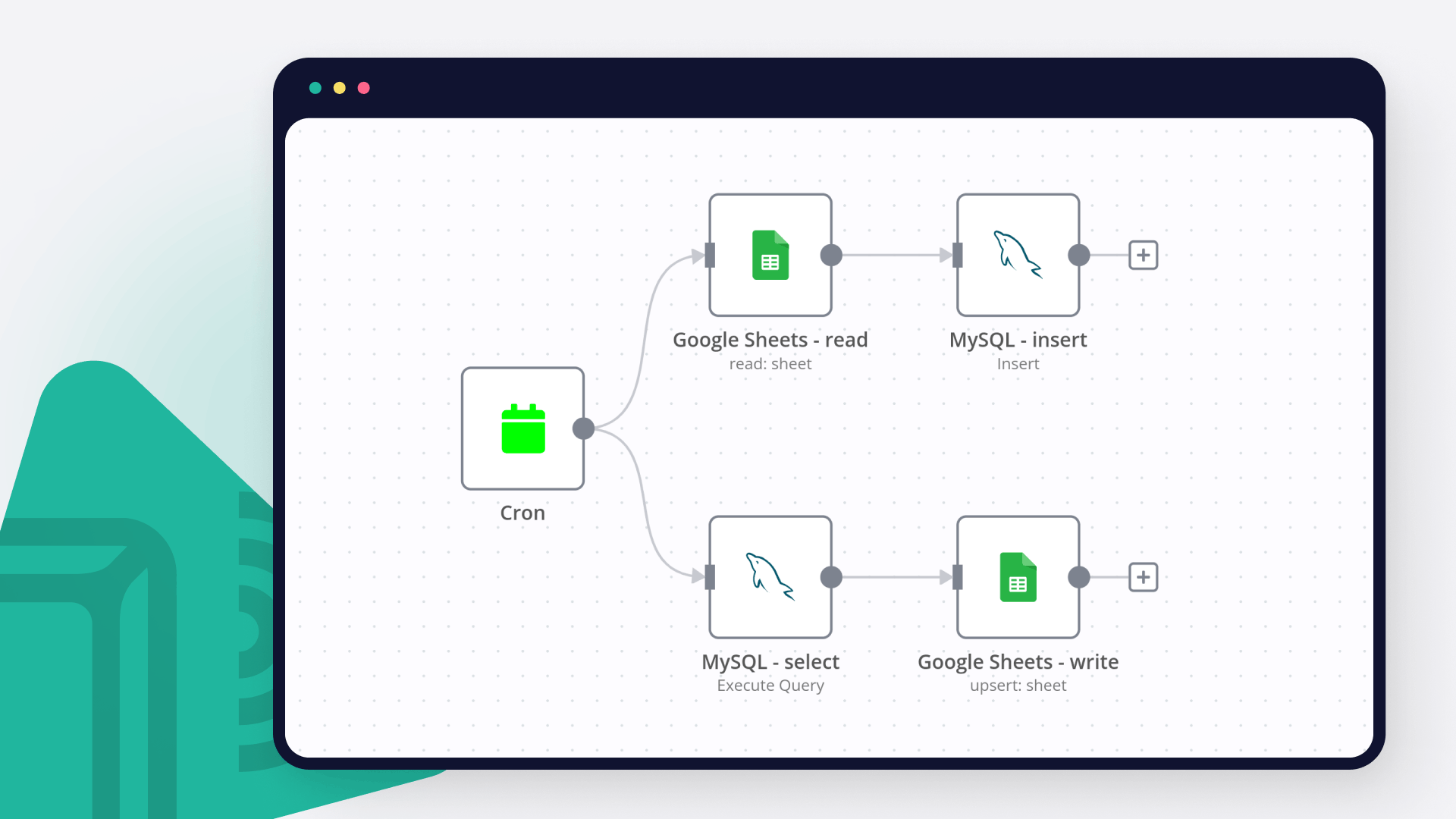
Cron routines with Telegram

Executes schedule routines, and triggers alerts via telegram

Nodes used in this workflow

Popular MySQL and Telegram workflows

Automatic Magento 2 Product & Coupon Alerts to Telegram with Duplicate Protection

Boost Sales with Automated Magento 2 Product and Coupon Notifications This n8n workflow automatically posts new Magento products & coupons to Telegram while preventing duplicates. Key benefits: ✅ Increase conversions with time-sensitive alerts (creates urgency) ✅ Reduce missed opportunities with 24/7 monitoring ✅ Improve customer engagement through rich media posts ✅ Save hours per week by automating manual posting Why This Works: Triggers impulse buys with real-time notifications Eliminates human error in duplicate posting Scales effortlessly as your catalog grows Provides analytics through database tracking Perfect for e-commerce stores wanting to: Announce new arrivals instantly Promote limited-time offers effectively Maintain consistent social presence Track performance through MySQL This workflow automatically: ✅ Detects new products AND coupons in Magento ✅ Prevents duplicate postings with MySQL tracking ✅ Posts rich formatted alerts to Telegram ✅ Runs on a customizable schedule ✨ Key Features For Products: Product name, price, and image Direct store link Media gallery support For Coupons: Coupon code and status Usage limits (times used/available) Active/inactive status indicator Core System: 🔒 MySQL duplicate prevention⏰ 1-hour schedule (customizable)📱 Telegram notifications with Markdown 🛠️ Configuration Guide Database Setup CREATE TABLE IF NOT EXISTS posted_items (item_id INT PRIMARY KEY, item_type ENUM('product', 'coupon') NOT NULL, item_value VARCHAR(255), posted BOOLEAN DEFAULT FALSE, created_at TIMESTAMP DEFAULT CURRENT_TIMESTAMP, updated_at TIMESTAMP DEFAULT CURRENT_TIMESTAMP ON UPDATE CURRENT_TIMESTAMP); Required Credentials Magento API (HTTP Header Auth) MySQL Database Telegram Bot Sticky Notes `❗ IMPORTANT SETUP NOTES ❗ For products: Ensure 'url_key' exists in custom_attributes For coupons: Magento REST API must expose coupon rules MySQL user needs INSERT/SELECT privileges Telegram bot must be added to your channel first 🔄 SCHEDULING: - Default: Checks every 1 hours at :00 - Adjust in Schedule Trigger node ` ⚙️ Technical Details Workflow Logic: Checks for new products/coupons via Magento API Verifies against MySQL database Only posts if record doesn't exist Updates database after successful post Error Handling: Automatic skip if product/coupon exists Empty result handling Connection timeout protection 🌟 Why This Template? Complete Solution**: Handles both products AND coupons Battle-Tested**: Prevents all duplicates reliably Ready-to-Use**: Just add your credentials Fully Customizable**: Easy to modify for different needs Perfect for e-commerce stores using Magento 2 who want automated, duplicate-free social notifications!

Cron routines with Telegram

Executes schedule routines, and triggers alerts via telegram

Build your own MySQL and Telegram integration

Create custom MySQL and Telegram workflows by choosing triggers and actions. Nodes come with global operations and settings, as well as app-specific parameters that can be configured. You can also use the HTTP Request node to query data from any app or service with a REST API.

MySQL supported actions

Delete
Delete an entire table or rows in a table
Execute SQL
Execute an SQL query
Insert
Insert rows in a table
Insert or Update
Insert or update rows in a table
Select
Select rows from a table
Update
Update rows in a table

Telegram supported actions

Get
Get up to date information about a chat
Get Administrators
Get the Administrators of a chat
Get Member
Get the member of a chat
Leave
Leave a group, supergroup or channel
Set Description
Set the description of a chat
Set Title
Set the title of a chat
Answer Query
Send answer to callback query sent from inline keyboard
Answer Inline Query
Send answer to callback query sent from inline bot
Get
Get a file
Delete Chat Message
Delete a chat message
Edit Message Text
Edit a text message
Pin Chat Message
Pin a chat message
Send Animation
Send an animated file
Send Audio
Send a audio file
Send Chat Action
Send a chat action
Send Document
Send a document
Send Location
Send a location
Send Media Group
Send group of photos or videos to album
Send Message
Send a text message
Send and Wait for Response
Send a message and wait for response
Send Photo
Send a photo
Send Sticker
Send a sticker
Send Video
Send a video
Unpin Chat Message
Unpin a chat message

FAQs

  • Can MySQL connect with Telegram?

  • Can I use MySQL’s API with n8n?

  • Can I use Telegram’s API with n8n?

  • Is n8n secure for integrating MySQL and Telegram?

  • How to get started with MySQL and Telegram integration in n8n.io?

Need help setting up your MySQL and Telegram integration?

Discover our latest community's recommendations and join the discussions about MySQL and Telegram integration.
Trigi Digital
Mohammadali
Michael Zareno
Neal A Richardson Sr
GabrielBackend

Looking to integrate MySQL and Telegram in your company?

Over 3000 companies switch to n8n every single week

Why use n8n to integrate MySQL with Telegram

Build complex workflows, really fast

Build complex workflows, really fast

Handle branching, merging and iteration easily.
Pause your workflow to wait for external events.

Code when you need it, UI when you don't

Simple debugging

Your data is displayed alongside your settings, making edge cases easy to track down.

Use templates to get started fast

Use 1000+ workflow templates available from our core team and our community.

Reuse your work

Copy and paste, easily import and export workflows.

Implement complex processes faster with n8n

red iconyellow iconred iconyellow icon