Back to Integrations
integrationPostgres node
integrationTwilio node

Postgres and Twilio integration

Save yourself the work of writing custom integrations for Postgres and Twilio and use n8n instead. Build adaptable and scalable Development, Data & Storage, and Communication workflows that work with your technology stack. All within a building experience you will love.

How to connect Postgres and Twilio

  • Step 1: Create a new workflow
  • Step 2: Add and configure nodes
  • Step 3: Connect
  • Step 4: Customize and extend your integration
  • Step 5: Test and activate your workflow

Step 1: Create a new workflow and add the first step

In n8n, click the "Add workflow" button in the Workflows tab to create a new workflow. Add the starting point – a trigger on when your workflow should run: an app event, a schedule, a webhook call, another workflow, an AI chat, or a manual trigger. Sometimes, the HTTP Request node might already serve as your starting point.

Postgres and Twilio integration: Create a new workflow and add the first step

Step 2: Add and configure Postgres and Twilio nodes

You can find Postgres and Twilio in the nodes panel. Drag them onto your workflow canvas, selecting their actions. Click each node, choose a credential, and authenticate to grant n8n access. Configure Postgres and Twilio nodes one by one: input data on the left, parameters in the middle, and output data on the right.

Postgres and Twilio integration: Add and configure Postgres and Twilio nodes

Step 3: Connect Postgres and Twilio

A connection establishes a link between Postgres and Twilio (or vice versa) to route data through the workflow. Data flows from the output of one node to the input of another. You can have single or multiple connections for each node.

Postgres and Twilio integration: Connect Postgres and Twilio

Step 4: Customize and extend your Postgres and Twilio integration

Use n8n's core nodes such as If, Split Out, Merge, and others to transform and manipulate data. Write custom JavaScript or Python in the Code node and run it as a step in your workflow. Connect Postgres and Twilio with any of n8n’s 1000+ integrations, and incorporate advanced AI logic into your workflows.

Postgres and Twilio integration: Customize and extend your Postgres and Twilio integration

Step 5: Test and activate your Postgres and Twilio workflow

Save and run the workflow to see if everything works as expected. Based on your configuration, data should flow from Postgres to Twilio or vice versa. Easily debug your workflow: you can check past executions to isolate and fix the mistake. Once you've tested everything, make sure to save your workflow and activate it.

Postgres and Twilio integration: Test and activate your Postgres and Twilio workflow

Send SMS alerts based on database queries (Twilio and Postgres)

This workflow automatically queries a Postgres database to find outlier readings for which SMS notifications have not been sent.
This is Workflow 2 in the blog tutorial Database activity monitoring and alerting.

Prerequisites

A Postgres database set up and credentials
A Twilio account and credentials

Nodes

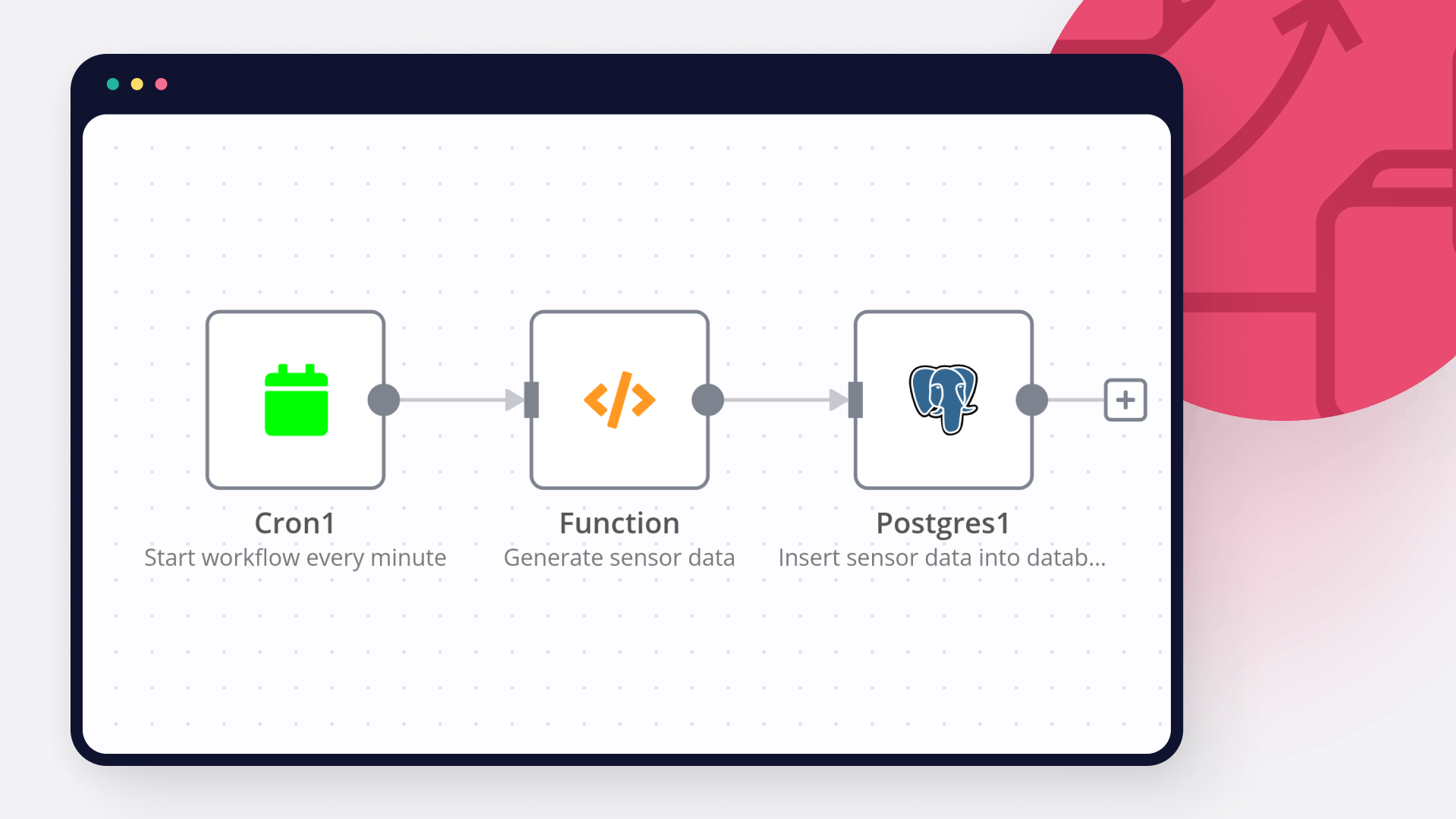
Cron node triggers the workflow every minute, so the database is queried at regular intervals.
Postgres nodes extract values from, and update values in the database.
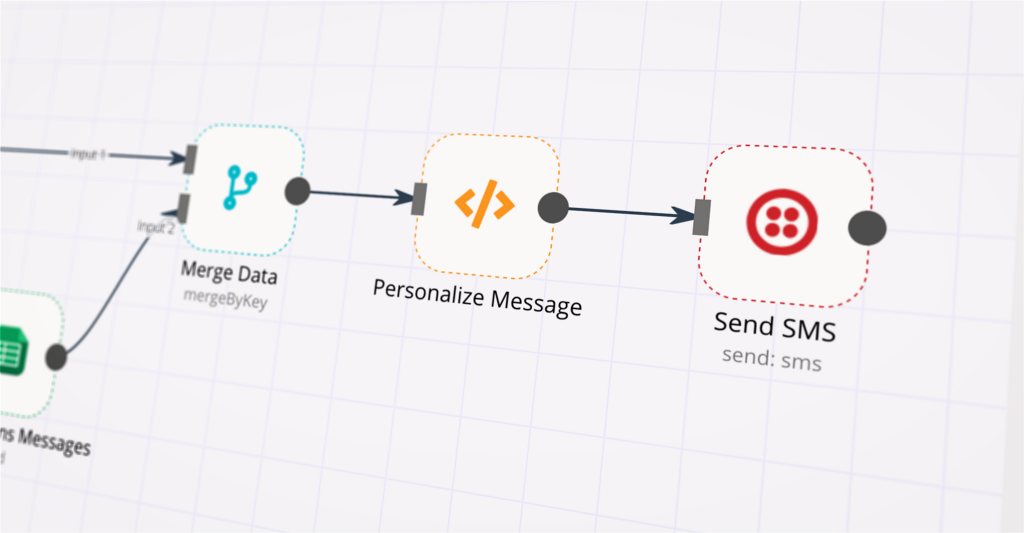
Twilio node sends an alert SMS about the outlier reading to a specified phone number.
Set node sets the notification value to true.

Nodes used in this workflow

Popular Postgres and Twilio workflows

+2

Qualify Real Estate Leads via SMS with GPT-4o, Twilio, and Google Sheets

🏡 AI-Powered Real Estate Lead Qualifier (n8n Workflow) Description This n8n workflow automates lead engagement and qualification for real estate buyers. When someone submits a form on your real estate website, the system instantly responds via SMS, starting a conversation powered by an AI Agent. The AI asks pre-qualifying questions (like budget, location, and timeline), logs the entire conversation, and then summarizes and sends the lead info to a real estate agent. Chat history is stored in a PostgreSQL database (via Supabase) and tied to each buyer's phone number. Key Features 📩 Instant SMS Response: Follows up immediately after form submission. 🤖 AI Chat-Based Qualification: Conversational agent gathers buyer needs and preferences. 🗂 Supabase Chat Memory: Stores chat history tied to the buyer’s phone number to maintain context. 📊 Lead Summary & Agent Handoff: Summarizes conversation and logs it to Google Sheets for the agent. 🔁 Customizable AI Questions: Easily edit the questions asked by the AI to suit your process. 🤝 Connect with Me Description I’m Robert Breen, founder of Ynteractive — a consulting firm that helps businesses automate operations using n8n, AI agents, and custom workflows. I’ve helped clients build everything from intelligent chatbots to complex sales automations, and I’m always excited to collaborate or support new projects. If you found this workflow helpful or want to talk through an idea, I’d love to hear from you. Links 🌐 Website: https://www.ynteractive.com 📺 YouTube: @ynteractivetraining 💼 LinkedIn: https://www.linkedin.com/in/robert-breen 📬 Email: [email protected]
+6

Predictive Health Monitoring & Alert System with GPT-4o-mini

How It Works The system collects real-time wearable health data, normalizes it, and uses AI to analyze trends and risk scores. It detects anomalies by comparing with historical patterns and automatically triggers alerts and follow-up actions when thresholds are exceeded. Setup Steps Configure Webhook Endpoint - Set up webhook to receive data from wearable devices Connect Database - Initialize storage for health metrics and historical data Set Normalization Rules - Define data standardization parameters for different devices Configure AI Model - Set up health score calculation and risk prediction algorithms Define Thresholds - Establish alert triggers for critical health metrics Connect Notification Channels - Configure email and Slack integrations Set Up Reporting - Create automated report templates and schedules Test Workflow - Run end-to-end tests with sample health data Workflow Template Webhook → Store Database → Normalize Data → Calculate Health Score → Analyze Metrics → Compare Previous → Check Threshold → Generate Reports/Alerts → Email/Slack → Schedule Follow-up Workflow Steps Ingest real-time wearable data via webhook, store and standardize it, and use GPT-4 for trend analysis and risk scoring. Monitor metrics against thresholds, trigger SMS, email, or Slack alerts, generate reports, and schedule follow-ups. Setup Instructions Configure webhook, database, GPT-4 API, notifications, calendar integration, and customize alert thresholds. Prerequisites Wearable API, patient database, GPT-4 key, email SMTP, optional Slack/Twilio, calendar integration. Use Cases Monitor glucose for diabetics, track elderly vitals/fall risk, assess corporate wellness, and post-surgery recovery alerts. Customization Adjust risk algorithms, add metrics, integrate telemedicine. Benefits Early intervention reduces readmissions and automates 80% of monitoring tasks.

Automate Xero invoices and payments using webhooks, PostgreSQL and WhatsApp

This workflow automates the full invoicing and payment process using n8n and Xero. It allows businesses to generate invoices, track payments, send WhatsApp notifications, and keep records synced automatically, without manual follow-ups or repetitive admin work. It’s designed to plug into your existing tools and scale as your operations grow. How It Works A webhook receives invoice or payment data from your app, form, or system Xero automatically creates or updates the invoice Payments are tracked and verified in real time Clients receive WhatsApp notifications for invoices, reminders, or payments All records are logged in a database and synced to Google Calendar and Google Sheets Automated responses confirm successful actions or errors Everything runs in the background once connected. Setup Connect your Xero account to n8n Set up a database (PostgreSQL via Supabase) for logging invoices and payments Connect Google Calendar for scheduling and tracking Connect Twilio WhatsApp for client notifications Point your system or payment source to the provided webhook URL No complex coding required. I guide you through the setup and ensure everything is tested. Need Help or Customization? If you’d like this workflow customized for your business or want help setting it up properly, feel free to reach out. 🔗 Connect with me on LinkedIn: 👉 Click here to connect I’m happy to walk you through it or adapt it to your specific use case.
+3

Generate HIPAA-safe patient-friendly EMR summaries with GPT-4, PDF tools and Google Drive

Medical Sovereign: Atomic Patient Portal Generator & HIPAA Triage Hub 🎯 Description This is an elite-tier HealthTech solution designed for the secure processing of high-volume medical records. Monolithic EMR exports (often 200+ pages) are atomized into individual pages, allowing for granular, clinical-grade redaction and AI-driven summarization before being re-assembled into a secure patient portal summary. ✨ The Sovereign Lifecycle Phase 1: Intake & Atomic Splitting - Ingests monolithic EMR PDFs and utilizes the Split PDF node to explode the chart into isolated "Atomic Pages." This prevents "PII leakage"—a common failure in batch processing where data from one section accidentally remains visible in another. Phase 2: Clinical Classification & Triage - A sophisticated Code Node analyzes the text DNA of each page to identify its type: Labs, Prescriptions, Imaging, or Clinical Notes. Phase 3: HIPAA-Compliant Redaction - Applies a heavy-duty regex engine across the atomized stream to scrub sensitive PII, including SSNs, technician names, and provider-to-provider notes that should not be in a patient-facing portal. Phase 4: AI Intelligence & Anomaly Detection - An AI Agent (GPT-4) translates complex medical terminology into patient-friendly language. Simultaneously, an Anomaly Detector flags critical lab values (e.g., critical glucose levels) for immediate provider intervention. Phase 5: Secure Re-Assembly & Archival - Sanitized pages are re-assembled using the Merge PDF node. The final document is vaulted in Google Drive, while a forensic audit trail (including SHA-256 hashes of every action) is logged to PostgreSQL. Phase 6: Multi-Channel Alerts - High-severity findings trigger urgent Email Alerts to providers, while patients receive a secure Twilio SMS notification once their record is ready for viewing. 💡 Key Technical Features Fail-Safe Validation:* A compliance validator ensures that every page has undergone PII scrubbing before the final merge. Any failure triggers a Stop & Error* to prevent data breaches. Perceptual Integrity:** Every redaction and clinical finding is assigned a severity score to prioritize provider review. Forensic Auditing:** Every processed record creates an immutable paper trail for HIPAA/GDPR oversight. 🚀 Benefits ✅ 99.9% Redaction Precision - Page-level atomization ensures maximum data security. ✅ Enhanced Patient Engagement - Translates overwhelming clinical data into clear, actionable summaries. ✅ Regulatory Readiness - Built-in audit logs satisfy strict "Right to Access" and data privacy laws. Tags: #healthtech #hipaa #medical-records #pdf-split #automation #ai #compliance Category: Healthcare & Security | Difficulty: Advanced
+4

Coordinate patient care and alerts with EHR/FHIR, GPT-4, Twilio, Gmail and Slack

How It Works This workflow automates end-to-end patient care coordination by monitoring appointment schedules, clinical events, and care milestones while orchestrating personalized communications across multiple channels. Designed for healthcare operations teams, care coordinators, and patient engagement specialists, it solves the challenge of manual patient follow-up, missed appointments, and fragmented communication across care teams. The system triggers on scheduled intervals and real-time clinical events, ingesting data from EHR systems, appointment schedulers, and lab result feeds. Patient records flow through validation and risk stratification layers using AI models that identify high-risk patients, predict no-show probability, and recommend intervention timing. The workflow applies clinical protocols for appointment reminders, medication adherence checks, and post-discharge follow-ups. Critical cases automatically route to care coordinators via Slack alerts, while routine communications deploy via SMS, email, and patient portal notifications. All interactions log to secure databases for compliance documentation. This eliminates manual outreach coordination, reduces no-shows by 40%, and ensures HIPAA-compliant patient engagement at scale. Setup Steps Configure EHR/FHIR API credentialsfor patient data access Set up webhook endpoints for real-time clinical event notifications Add OpenAI API key for patient risk stratification and communication personalization Configure Twilio credentials for SMS and voice call delivery Set Gmail OAuth or SMTP credentials for email appointment reminders Connect Slack workspace and define care coordination alert channels Prerequisites Active EHR system with FHIR API access or HL7 integration capability. Use Cases Automated appointment reminder campaigns reducing no-shows. Customization Modify risk scoring models for specialty-specific patient populations. Benefits Reduces patient no-show rates by 40% through timely, personalized reminders.

Send Automated Patient Appointment Reminders via Email & SMS with Multi-Database Support

🏥 PATIENT APPOINTMENT REMINDER SYSTEM MULTI-DATABASE SUPPORT PURPOSE: Automatically send professional appointment reminders via email and SMS to reduce no-shows and improve patient experience. FEATURES: ✅ Dual reminders (3-day + 1-day before) ✅ Email + SMS notifications ✅ Phone number auto-formatting ✅ Timezone handling ✅ Professional HTML email templates ✅ Multi-database support: • PostgreSQL (Enterprise) • Google Sheets (Easy) • Airtable (Recommended) ✅ Flexible webhook support BUSINESS IMPACT: 📈 Reduce no-shows by 30-50% 💰 Increase revenue from better attendance ⏰ Save staff time on manual reminders 📱 Professional patient communication SETUP: Activate ONLY the database nodes your client needs!

Build your own Postgres and Twilio integration

Create custom Postgres and Twilio workflows by choosing triggers and actions. Nodes come with global operations and settings, as well as app-specific parameters that can be configured. You can also use the HTTP Request node to query data from any app or service with a REST API.

Postgres supported actions

Delete
Delete an entire table or rows in a table
Execute Query
Execute an SQL query
Insert
Insert rows in a table
Insert or Update
Insert or update rows in a table
Select
Select rows from a table
Update
Update rows in a table

Twilio supported actions

Make
Send
Send SMS/MMS/WhatsApp message

FAQs

  • Can Postgres connect with Twilio?

  • Can I use Postgres’s API with n8n?

  • Can I use Twilio’s API with n8n?

  • Is n8n secure for integrating Postgres and Twilio?

  • How to get started with Postgres and Twilio integration in n8n.io?

Need help setting up your Postgres and Twilio integration?

Discover our latest community's recommendations and join the discussions about Postgres and Twilio integration.
Mikhail Savenkov
Honza Pav
Vyacheslav Karbovnichy
Dennis
Dennis

Looking to integrate Postgres and Twilio in your company?

Over 3000 companies switch to n8n every single week

Why use n8n to integrate Postgres with Twilio

Build complex workflows, really fast

Build complex workflows, really fast

Handle branching, merging and iteration easily.
Pause your workflow to wait for external events.

Code when you need it, UI when you don't

Simple debugging

Your data is displayed alongside your settings, making edge cases easy to track down.

Use templates to get started fast

Use 1000+ workflow templates available from our core team and our community.

Reuse your work

Copy and paste, easily import and export workflows.

Implement complex processes faster with n8n

red iconyellow iconred iconyellow icon