Back to Integrations
integrationTelegram node
integrationPostgres node

Telegram and Postgres integration

Save yourself the work of writing custom integrations for Telegram and Postgres and use n8n instead. Build adaptable and scalable Communication, HITL, Development, and Data & Storage workflows that work with your technology stack. All within a building experience you will love.

How to connect Telegram and Postgres

  • Step 1: Create a new workflow
  • Step 2: Add and configure nodes
  • Step 3: Connect
  • Step 4: Customize and extend your integration
  • Step 5: Test and activate your workflow

Step 1: Create a new workflow and add the first step

In n8n, click the "Add workflow" button in the Workflows tab to create a new workflow. Add the starting point – a trigger on when your workflow should run: an app event, a schedule, a webhook call, another workflow, an AI chat, or a manual trigger. Sometimes, the HTTP Request node might already serve as your starting point.

Telegram and Postgres integration: Create a new workflow and add the first step

Step 2: Add and configure Telegram and Postgres nodes

You can find Telegram and Postgres in the nodes panel. Drag them onto your workflow canvas, selecting their actions. Click each node, choose a credential, and authenticate to grant n8n access. Configure Telegram and Postgres nodes one by one: input data on the left, parameters in the middle, and output data on the right.

Telegram and Postgres integration: Add and configure Telegram and Postgres nodes

Step 3: Connect Telegram and Postgres

A connection establishes a link between Telegram and Postgres (or vice versa) to route data through the workflow. Data flows from the output of one node to the input of another. You can have single or multiple connections for each node.

Telegram and Postgres integration: Connect Telegram and Postgres

Step 4: Customize and extend your Telegram and Postgres integration

Use n8n's core nodes such as If, Split Out, Merge, and others to transform and manipulate data. Write custom JavaScript or Python in the Code node and run it as a step in your workflow. Connect Telegram and Postgres with any of n8n’s 1000+ integrations, and incorporate advanced AI logic into your workflows.

Telegram and Postgres integration: Customize and extend your Telegram and Postgres integration

Step 5: Test and activate your Telegram and Postgres workflow

Save and run the workflow to see if everything works as expected. Based on your configuration, data should flow from Telegram to Postgres or vice versa. Easily debug your workflow: you can check past executions to isolate and fix the mistake. Once you've tested everything, make sure to save your workflow and activate it.

Telegram and Postgres integration: Test and activate your Telegram and Postgres workflow

Generate Instagram content from top trends with AI image generation

How it works

This automated workflow discovers trending Instagram posts and creates similar AI-generated content. Here's the high-level process:

  1. Content Discovery & Analysis
    Scrapes trending posts from specific hashtags
    Analyzes visual elements using AI
    Filters out videos and duplicates

  2. AI Content Generation
    Creates unique images based on trending content
    Generates engaging captions with relevant hashtags
    Maintains brand consistency while being original

  3. Automated Publishing
    Posts content directly to Instagram
    Monitors publication status
    Sends notifications via Telegram

Set up steps

Setting up this workflow takes approximately 15-20 minutes:

  1. API Configuration (7-10 minutes)
    Instagram Business Account setup
    Telegram Bot creation
    API key generation (OpenAI, Replicate, Rapid Api)

  2. Database Setup (3-5 minutes)
    Create required database table
    Configure PostgreSQL credentials

  3. Workflow Configuration (5-7 minutes)
    Set scheduling preferences
    Configure notification settings
    Test connection and permissions

Detailed technical specifications and configurations are available in sticky notes within the workflow.

Nodes used in this workflow

Popular Telegram and Postgres workflows

+3

Process Multiple Media Files in Telegram with Gemini AI & PostgreSQL Database

🤖📨 Telegram AI Assistant with Multi-File Media Group Handling, Smart File Processing & PostgreSQL Integration > AI-powered Telegram bot for text, voice, video, documents & media — with database-driven grouping and Telegram-safe formatting. 📋 Description This n8n template creates a next-generation Telegram AI assistant 🧠💬 capable of handling text messages, media files, and documents with advanced processing, PostgreSQL integration, and AI-powered responses. It is designed to solve Telegram’s media group challenge 📦 — when multiple files are sent together, they are stored, processed, and combined into one coherent AI-generated reply. ✨ Key Features 📂 Multi-file media group management with PostgreSQL: media_group media_queue chat_histories 📑 Document parsing for CSV, HTML, ICS, JSON, ODS, PDF (with AI fallback), RTF, TXT, XML, and spreadsheets. 🎤 Voice & video transcription for AI analysis. 🖼️ Image, audio, and video description for richer AI context. 🛡️ Telegram-safe MarkdownV2 formatting with auto-splitting for messages over 4096 chars. ⚠️ Error fallback for unsupported file types. 💡 Acknowledgment A huge thank you to Ezema Gingsley Chibuzo 🙌 for the inspiration of the first version of this workflow: Create a Multi-Modal Telegram Support Bot with GPT-4 and Supabase RAG Your pioneering work laid the foundation for this improved, database-powered multi-modal assistant 🚀 🏷 Tags telegram ai-assistant postgresql multi-file media-group file-processing voice-transcription document-parser pdf-extraction markdown-formatting n8n-template 💼 Use Case Use this template if you need an AI-powered Telegram bot that can: 📦 Handle multiple files sent in a single message (albums, multiple PDFs, etc.). 🧾 Extract & analyze content from many file formats. 🎙️ Transcribe voice and video messages. 🗂️ Maintain chat memory for contextual AI answers. 🛡️ Avoid Telegram formatting errors and length limit issues. This workflow automates the full chain: Receive → Process → AI Analysis → Telegram-safe Reply. 💬 Example User Interactions 📄 Multiple PDFs with a caption** → AI extracts and summarizes all PDFs in one combined reply. 🎤 Voice message** → AI transcribes and replies with a contextual answer. 📊 CSV or spreadsheet file** → AI parses and summarizes the data. 🖼️ Multiple images** → AI describes each image and replies in a single message. 🔑 Required Credentials Telegram Bot API** (Bot Token) PostgreSQL** (Connection credentials) AI Provider API** (OpenAI, Google Gemini, or compatible LLM) ⚙️ Setup Instructions 🗄️ Create the PostgreSQL tables (Gray section SQL): media_group media_queue chat_histories 🔌 Configure the Telegram Trigger with your bot token. 🤖 Connect your AI provider credentials. 🗂️ Set up PostgreSQL credentials in the database nodes. ▶️ Deploy the workflow in n8n. 🎯 Start sending messages and files to your bot. 📌 Extra Notes ✅ Green section ensures only one trigger per media group. 📌 Yellow section guarantees captions and files are stored in the correct sequence. ✨ Purple section formats AI output to be Telegram-safe and split if needed. 🧠 AI prompt is not fixed, allowing full customization. 💡 Need Assistance? If you’d like help customizing or extending this workflow, feel free to reach out: 📧 Email: [email protected] 🔗 LinkedIn: John Alejandro Silva Rodríguez
+4

AI-Powered Lead Generation with Apollo, GPT-4, and Telegram to Database

AI-Powered Lead Generation with Apollo, GPT-4, and Telegram to Database Overview This intelligent lead generation workflow transforms voice commands or text input into verified prospect lists through automated Apollo.io scraping. The system processes natural language requests, extracts search parameters using AI, and delivers clean, verified contact data directly to your database. Key Features 🎤 Voice & Text Input Processing Voice Recognition**: Converts audio messages to text using OpenAI's transcription API Natural Language Processing**: AI agent interprets requests and extracts search criteria Flexible Input**: Supports both voice commands and text messages 🔍 Smart Lead Scraping Apollo.io Integration**: Automated scraping using official Apollo.io API Dynamic URL Generation**: Builds search URLs based on extracted parameters Intelligent Parsing**: Processes location, industry, and job title criteria ✅ Email Verification & Filtering Verified Emails Only**: Filters results to include only verified email addresses Duplicate Prevention**: Compares against existing database to avoid duplicates Data Quality Control**: Ensures high-quality prospect data 📊 Automated Data Management Database Integration**: Automatic storage in PostgreSQL/Supabase Structured Data**: Organizes contacts with complete profile information Real-time Updates**: Instant database updates with new prospects How It Works Input Processing: Receive voice message or text command AI Analysis: Extract search parameters (location, industry, job titles) URL Construction: Build Apollo.io search URL with extracted criteria Data Scraping: Retrieve prospect data via Apollo.io API Email Verification: Filter for verified email addresses only Duplicate Check: Compare against existing database records Data Storage: Save new prospects to database Confirmation: Send success notification with count of new leads Supported Search Parameters Location**: City, state, country combinations Industry**: Business sectors and verticals Job Titles**: Executive roles, departments, seniority levels Company Size**: Organization scale and employee count Data Fields Extracted Contact Information First Name & Last Name Email Address (verified only) LinkedIn Profile URL Phone Number (when available) Professional Details Current Job Title Company Name Industry Seniority Level Employment History Location Data City & State Country Full Location String Company Information Website URL Business Industry Organization Details Technical Architecture Core Components n8n Workflow Engine**: Orchestrates the entire process OpenAI Integration**: Powers voice transcription and AI analysis Apollo.io API**: Source for prospect data PostgreSQL/Supabase**: Database storage and management API Integrations OpenAI Whisper API for voice transcription OpenAI GPT for natural language processing Apollo.io API for lead data retrieval Supabase API for database operations Use Cases Sales Teams Quickly build prospect lists for outreach campaigns Target specific industries or job roles Maintain clean, verified contact databases Marketing Professionals Generate targeted lead lists for campaigns Research prospects in specific markets Build comprehensive contact databases Business Development Identify potential partners or clients Research competitive landscapes Generate contact lists for networking Recruitment Find candidates in specific locations Target particular job roles or industries Build talent pipeline databases Benefits ⚡ Speed & Efficiency Voice commands for instant lead generation Automated processing eliminates manual work Batch processing for large prospect lists 🎯 Precision Targeting AI-powered parameter extraction Flexible search criteria combinations Industry and role-specific filtering 📈 Data Quality Verified email addresses only Duplicate prevention Structured, consistent data format 🔄 Automation End-to-end automated workflow Real-time database updates Instant confirmation notifications Setup Requirements Prerequisites n8n workflow platform OpenAI API access Apollo.io API credentials PostgreSQL or Supabase database Messaging platform integration Configuration Steps Import workflow into n8n Configure API credentials Set up database connections Customize search parameters Test with sample voice/text input Customization Options Search Parameters Modify location formats Add custom industry categories Adjust job title variations Set result limits Data Processing Customize field mappings Add data validation rules Implement additional filters Configure output formats Integration Options Connect to CRM systems Add email marketing tools Integrate with sales platforms Export to various formats Success Metrics Processing Speed**: Voice-to-database in under 30 seconds Data Accuracy**: 95%+ verified email addresses Automation Level**: 100% hands-free operation Scalability**: Process 500+ leads per request Transform your lead generation process with intelligent automation that understands natural language and delivers verified prospects directly to your database.

Generate Instagram Content from Top Trends with AI Image Generation

How it works This automated workflow discovers trending Instagram posts and creates similar AI-generated content. Here's the high-level process: Content Discovery & Analysis Scrapes trending posts from specific hashtags Analyzes visual elements using AI Filters out videos and duplicates AI Content Generation Creates unique images based on trending content Generates engaging captions with relevant hashtags Maintains brand consistency while being original Automated Publishing Posts content directly to Instagram Monitors publication status Sends notifications via Telegram Set up steps Setting up this workflow takes approximately 15-20 minutes: API Configuration (7-10 minutes) Instagram Business Account setup Telegram Bot creation API key generation (OpenAI, Replicate, Rapid Api) Database Setup (3-5 minutes) Create required database table Configure PostgreSQL credentials Workflow Configuration (5-7 minutes) Set scheduling preferences Configure notification settings Test connection and permissions Detailed technical specifications and configurations are available in sticky notes within the workflow.
+3

Natural Language Database Queries with Dual-Agent AI & PostgreSQL Integration

AI Database Assistant with Smart Query's & PostgreSQL Integration Description: 🚀 Transform Your Database into an Intelligent AI Assistant This workflow creates a smart database assistant that safely handles natural language queries without crashing your system. Features dual-agent architecture with built-in query limits and PostgreSQL optimization – perfect for commercial applications! ✅ Ideal for: SaaS developers building database search features 🔍 Database administrators providing safe AI access 🛡️ Business teams needing user-friendly data queries 📊 Anyone wanting ChatGPT-like database interaction 🤖 🔧 How It Works 1️⃣ User asks a question – "Show me top 10 popular products" 2️⃣ Main AI Agent – Interprets the request and ensures safety limits 3️⃣ SQL Sub-Agent – Generates precise PostgreSQL queries 4️⃣ Database executes – Returns formatted, limited results safely ⚡ Setup Instructions 1️⃣ Prepare Your Database Ensure PostgreSQL is accessible from n8n Note your table structure and column names Set up database connection credentials 2️⃣ Customize the Templates Replace [YOUR_TABLE_NAME] with your actual table name Update [YOUR_FIELDS] with your column names Modify examples to match your use case Important**: Keep all LIMIT clauses intact! 3️⃣ Configure the Agents Copy Main Agent system message to your primary AI node Copy Sub-Agent system message to your SQL generator node Connect the sub-workflow between both agents 4️⃣ Test & Deploy Test with sample queries like "Show me 5 recent items" Verify query limits work (max 50 results) Deploy and monitor performance 🎯 Why Use This Workflow? ✔️ System Protection – Built-in limits prevent crashes from large queries ✔️ Natural Language – Users ask questions in plain English ✔️ Commercial Ready – Generic templates work with any database ✔️ Dual-Agent Safety – Smart interpretation + precise SQL generation ✔️ PostgreSQL Optimized – Handles complex schemas and data types 🚨 Critical Features Query Limits**: Default 10, maximum 50 results (can be modified) Error Prevention**: No unlimited data retrieval Smart Routing**: Natural language → Safe SQL → Formatted results Customizable**: Works with any PostgreSQL database schema 🔗 Start building your AI database assistant today – safe, smart, and scalable!
+7

Automated US Stock Portfolio Analysis with Telegram, Perplexity AI & PDF Reports

System Architecture Two integrated N8N workflows providing automated US stock portfolio management through Telegram: FLOW 1: Conversational Portfolio Manager Telegram bot for interactive portfolio management PDF upload & analysis via LlamaIndex Cloud API Natural language portfolio updates via GPT-4.1-mini Real-time user registration and data management FLOW 2: Automated Weekly Reports Schedule-triggered weekly analysis (every 7 days) Perplexity AI sonar-deep-research for market analysis Professional PDF report generation via PDFco Automatic Telegram delivery to all registered users

Create Dynamic Crypto Market Monitors with Gemini AI and Telegram Bot

Template Description This description details the template's purpose, how it works, and its key features. You can copy and use it directly. Overview This is a powerful n8n "meta-workflow" that acts as a Supervisor. Through a simple Telegram bot, you can dynamically create, manage, and delete countless independent, AI-driven market monitoring agents (Watchdogs). This template is a perfect implementation of the "Workflowception" (workflow managing workflows) concept in n8n, showcasing how to achieve ultimate automation by leveraging the the n8n API. How It Works ? Telegram Bot Interface: Execute all operations by sending commands to your own Telegram Bot: /add SYMBOL INTERVAL PROMPT: Add a new monitoring task. /delete SYMBOL: Delete an existing monitoring task. /list: List all currently running monitoring tasks. /help: Get help information. Use Telegram Bot to control The watchdog workfolw created in the below Dynamic Workflow Management: Upon receiving an /add command, the Supervisor system reads a "Watchdog" template, fills in your provided parameters (like trading pair and time interval), and then automatically creates a brand new, independent workflow via the n8n API and activates it. Persistent Storage: All monitoring tasks are stored in a PostgreSQL database, ensuring your configurations are safe even if n8n restarts. The ID of each newly created workflow is also written back to the database to facilitate future deletion operations. AI-Powered Analysis: Each created "Watchdog" workflow runs on schedule. It fetches the latest candlestick chart by calling a self-hosted tradingview-snapshot service. This service, available at https://github.com/0xcathiefish/tradingview-snapshot, works by simulating a login to your account and then using TradingView's official snapshot feature to generate an unrestricted, high-quality chart image. An example of a generated snapshot can be seen here: https://s3.tradingview.com/snapshots/u/uvxylM1Z.png. To use this, you need to download the Docker image from the packages in the GitHub repository mentioned above, and run it as a container. The n8n workflow then communicates directly with this container via an HTTP API to request and receive the chart snapshot. After obtaining the image, the workflow calls a multimodal AI model (Gemini). It sends both the chart image and your custom text-based conditions (e.g., "breakout above previous high on high volume" or "break below 4-hour MA20") to the AI for analysis, enabling truly intelligent chart interpretation and alert triggering. Key Features Workflowception: A prime example of one workflow using an API to create, activate, and delete other workflows. Full Control via Telegram: Manage your monitoring bots from anywhere, anytime, without needing to log into the n8n interface. AI Visual Analysis: Move beyond simple price alerts. Let an AI "read" the charts for you to enable complex, pattern-based, and indicator-based intelligent alerts. Persistent & Extensible: Built on PostgreSQL for stability and reliability. You can easily add more custom commands.

Build your own Telegram and Postgres integration

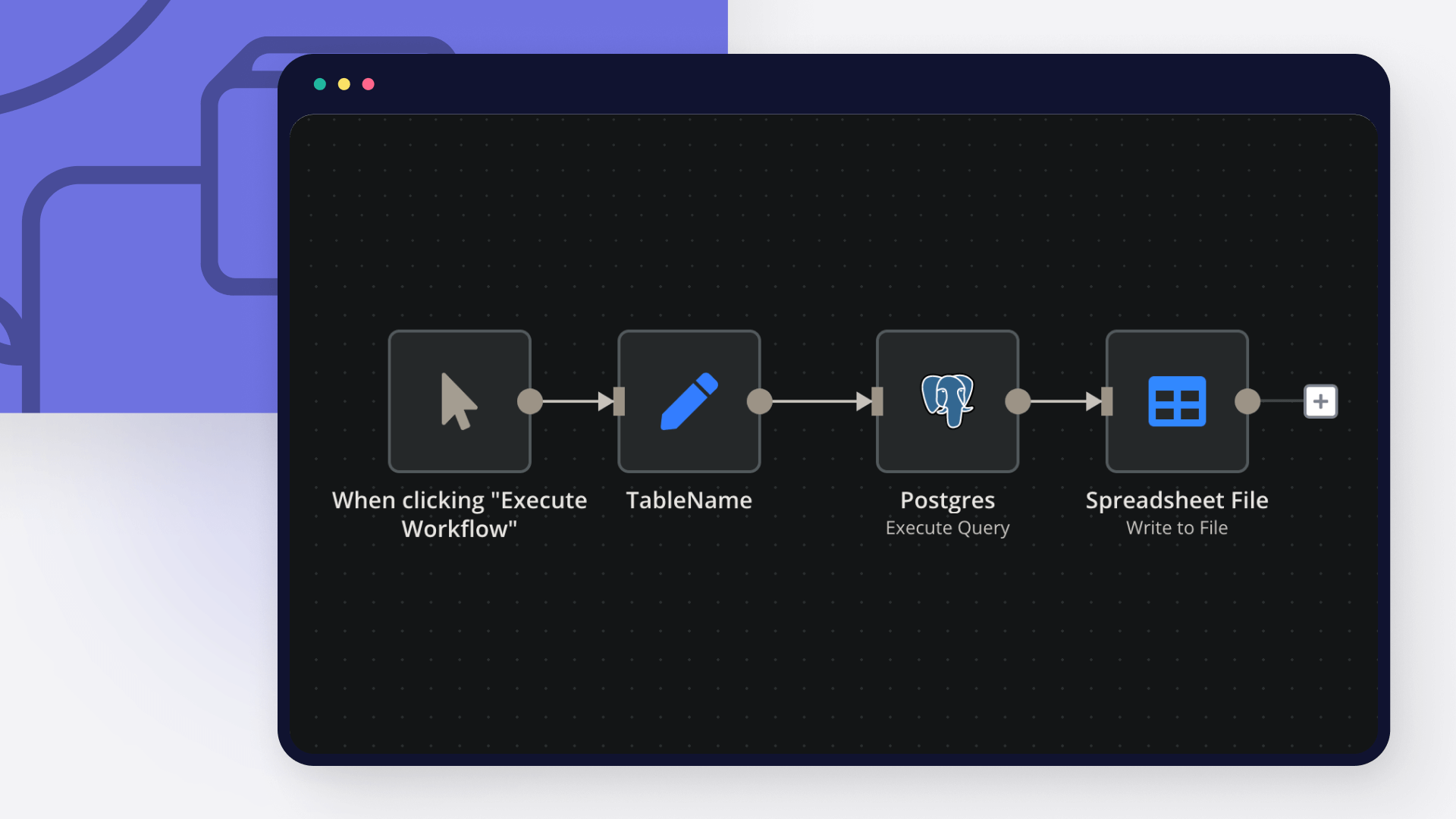
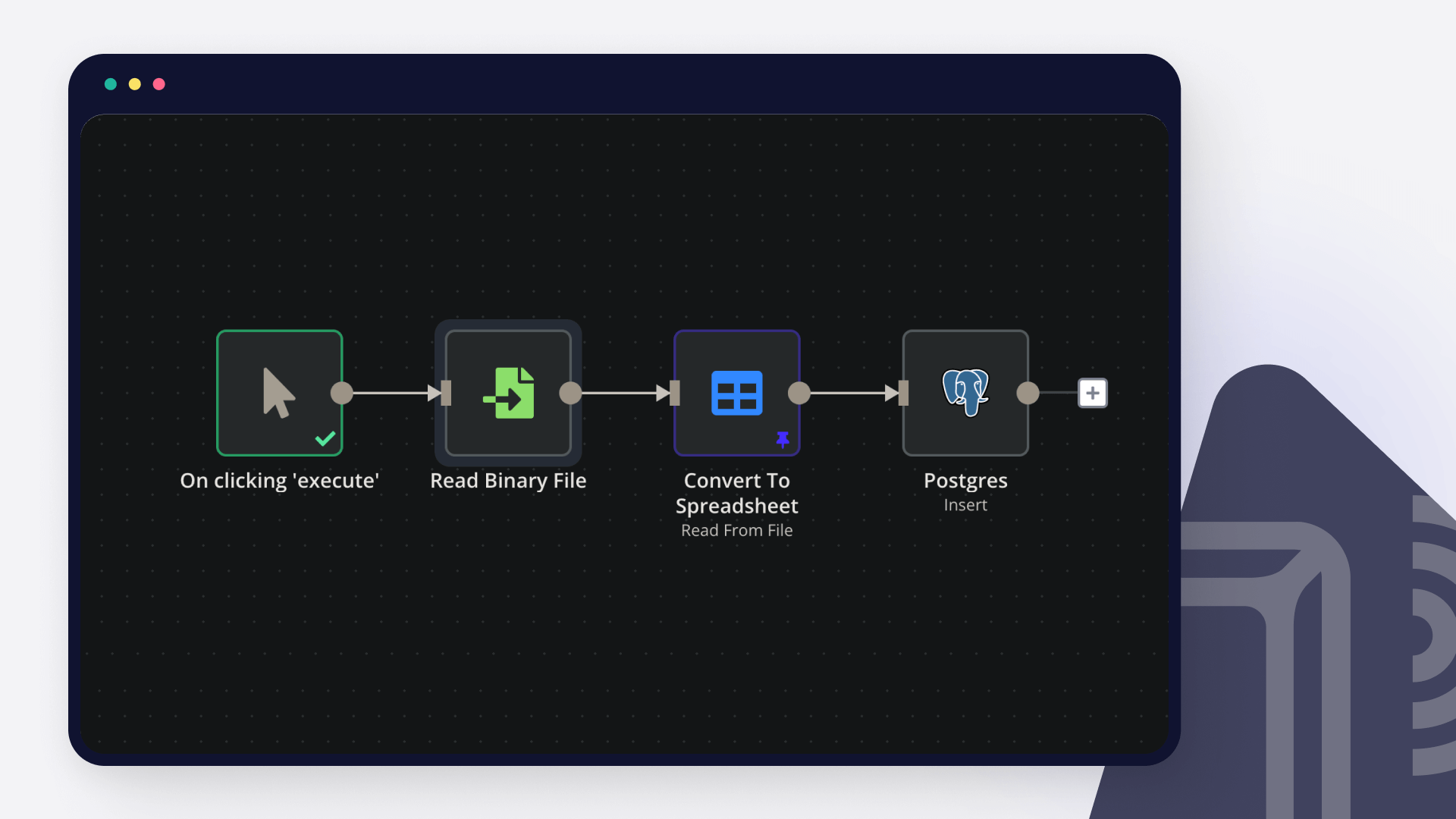
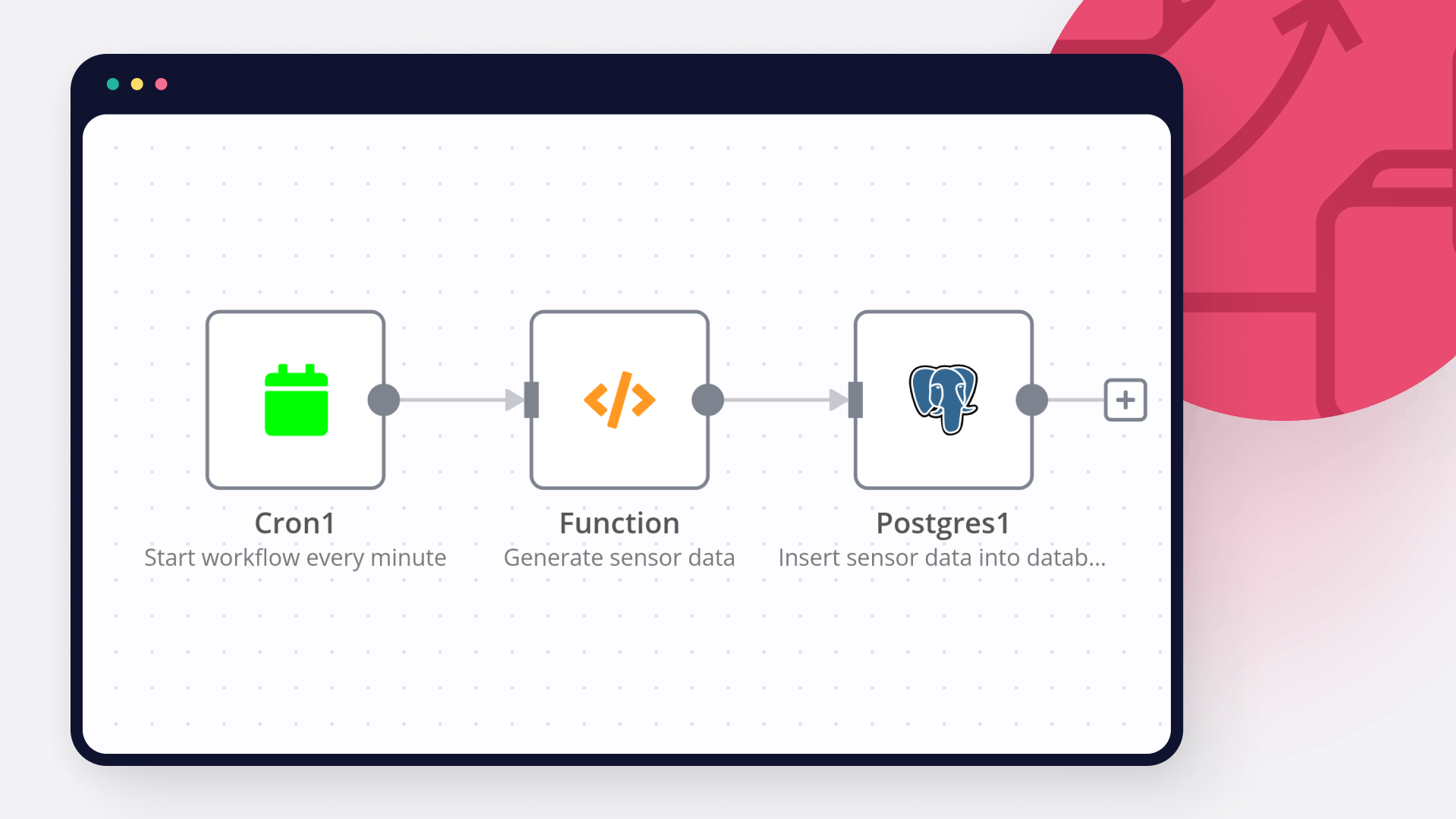
Create custom Telegram and Postgres workflows by choosing triggers and actions. Nodes come with global operations and settings, as well as app-specific parameters that can be configured. You can also use the HTTP Request node to query data from any app or service with a REST API.

Telegram supported actions

Get
Get up to date information about a chat
Get Administrators
Get the Administrators of a chat
Get Member
Get the member of a chat
Leave
Leave a group, supergroup or channel
Set Description
Set the description of a chat
Set Title
Set the title of a chat
Answer Query
Send answer to callback query sent from inline keyboard
Answer Inline Query
Send answer to callback query sent from inline bot
Get
Get a file
Delete Chat Message
Delete a chat message
Edit Message Text
Edit a text message
Pin Chat Message
Pin a chat message
Send Animation
Send an animated file
Send Audio
Send a audio file
Send Chat Action
Send a chat action
Send Document
Send a document
Send Location
Send a location
Send Media Group
Send group of photos or videos to album
Send Message
Send a text message
Send and Wait for Response
Send a message and wait for response
Send Photo
Send a photo
Send Sticker
Send a sticker
Send Video
Send a video
Unpin Chat Message
Unpin a chat message

Postgres supported actions

Delete
Delete an entire table or rows in a table
Execute Query
Execute an SQL query
Insert
Insert rows in a table
Insert or Update
Insert or update rows in a table
Select
Select rows from a table
Update
Update rows in a table

FAQs

  • Can Telegram connect with Postgres?

  • Can I use Telegram’s API with n8n?

  • Can I use Postgres’s API with n8n?

  • Is n8n secure for integrating Telegram and Postgres?

  • How to get started with Telegram and Postgres integration in n8n.io?

Need help setting up your Telegram and Postgres integration?

Discover our latest community's recommendations and join the discussions about Telegram and Postgres integration.
Mikhail Savenkov
Trigi Digital
Honza Pav
Vyacheslav Karbovnichy
Dennis

Looking to integrate Telegram and Postgres in your company?

Over 3000 companies switch to n8n every single week

Why use n8n to integrate Telegram with Postgres

Build complex workflows, really fast

Build complex workflows, really fast

Handle branching, merging and iteration easily.
Pause your workflow to wait for external events.

Code when you need it, UI when you don't

Simple debugging

Your data is displayed alongside your settings, making edge cases easy to track down.

Use templates to get started fast

Use 1000+ workflow templates available from our core team and our community.

Reuse your work

Copy and paste, easily import and export workflows.

Implement complex processes faster with n8n

red iconyellow iconred iconyellow icon