Back to Integrations
integrationAirtable node
integrationGitHub node

Airtable and GitHub integration

Save yourself the work of writing custom integrations for Airtable and GitHub and use n8n instead. Build adaptable and scalable Data & Storage, and Development workflows that work with your technology stack. All within a building experience you will love.

How to connect Airtable and GitHub

  • Step 1: Create a new workflow
  • Step 2: Add and configure nodes
  • Step 3: Connect
  • Step 4: Customize and extend your integration
  • Step 5: Test and activate your workflow

Step 1: Create a new workflow and add the first step

In n8n, click the "Add workflow" button in the Workflows tab to create a new workflow. Add the starting point – a trigger on when your workflow should run: an app event, a schedule, a webhook call, another workflow, an AI chat, or a manual trigger. Sometimes, the HTTP Request node might already serve as your starting point.

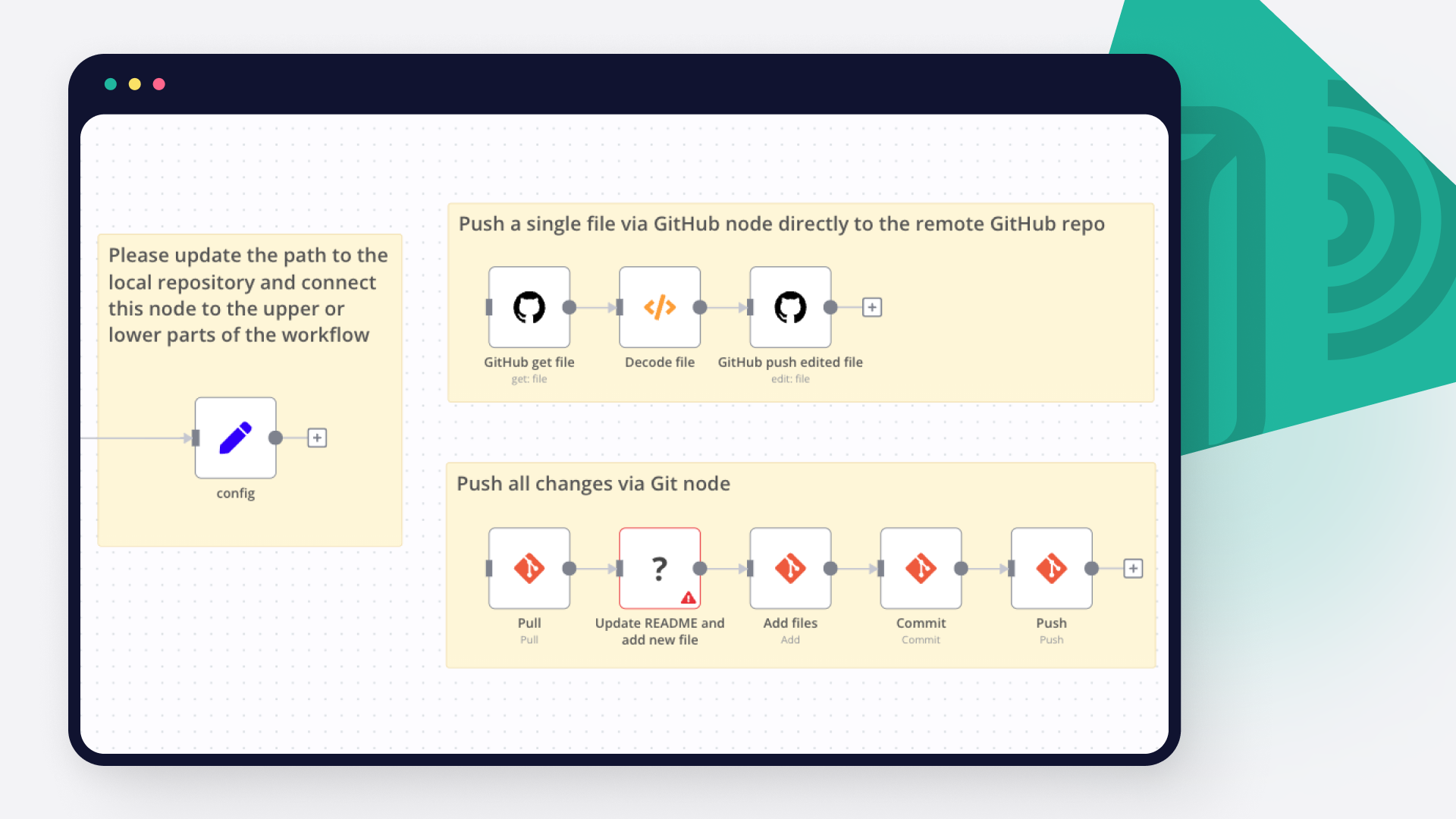
Airtable and GitHub integration: Create a new workflow and add the first step

Step 2: Add and configure Airtable and GitHub nodes

You can find Airtable and GitHub in the nodes panel. Drag them onto your workflow canvas, selecting their actions. Click each node, choose a credential, and authenticate to grant n8n access. Configure Airtable and GitHub nodes one by one: input data on the left, parameters in the middle, and output data on the right.

Airtable and GitHub integration: Add and configure Airtable and GitHub nodes

Step 3: Connect Airtable and GitHub

A connection establishes a link between Airtable and GitHub (or vice versa) to route data through the workflow. Data flows from the output of one node to the input of another. You can have single or multiple connections for each node.

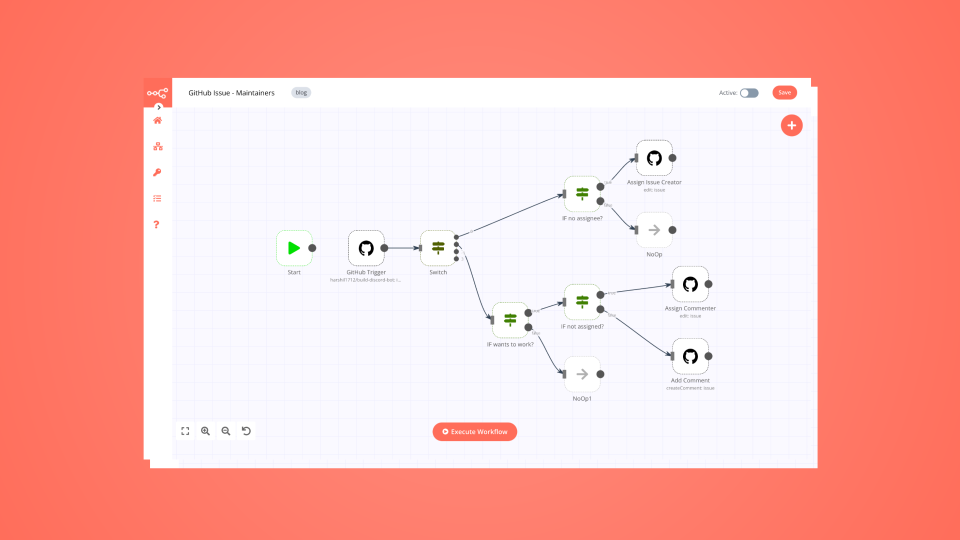
Airtable and GitHub integration: Connect Airtable and GitHub

Step 4: Customize and extend your Airtable and GitHub integration

Use n8n's core nodes such as If, Split Out, Merge, and others to transform and manipulate data. Write custom JavaScript or Python in the Code node and run it as a step in your workflow. Connect Airtable and GitHub with any of n8n’s 1000+ integrations, and incorporate advanced AI logic into your workflows.

Airtable and GitHub integration: Customize and extend your Airtable and GitHub integration

Step 5: Test and activate your Airtable and GitHub workflow

Save and run the workflow to see if everything works as expected. Based on your configuration, data should flow from Airtable to GitHub or vice versa. Easily debug your workflow: you can check past executions to isolate and fix the mistake. Once you've tested everything, make sure to save your workflow and activate it.

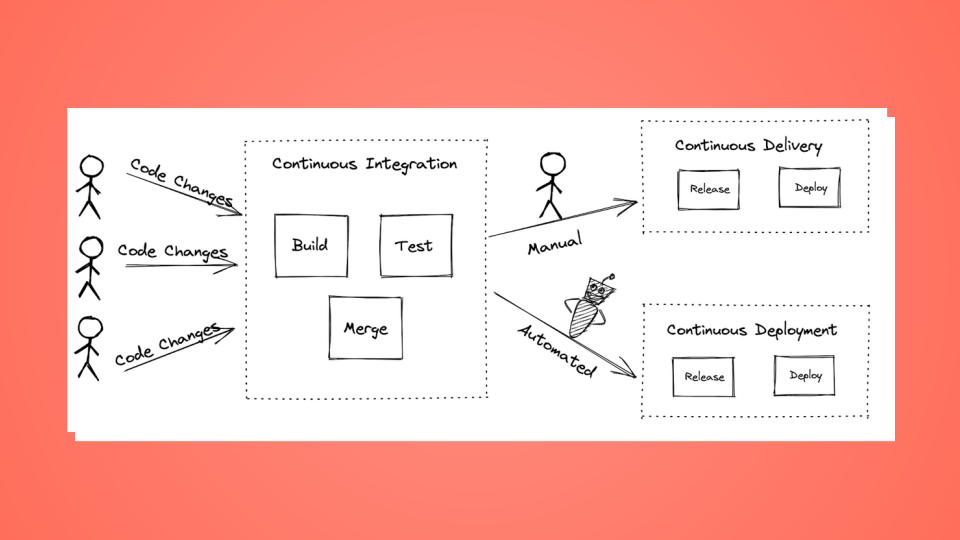
Airtable and GitHub integration: Test and activate your Airtable and GitHub workflow

Analyze mobile app build-time hotspots with Gradle, CocoaPods, Airtable, GitHub, Gmail and GPT-4.1-mini

Mobile App Build Time Hotspot Tracker - Gradle/CocoaPods Analyzer Alerting

This workflow automates the monitoring and analysis of CI/CD build performance for mobile projects using Gradle and CocoaPods. It triggers upon build completion, compares metrics against historical performance stored in Airtable, and leverages AI to identify regressions. The system provides automated feedback via GitHub PR comments and email alerts for critical performance drops.

⚡ Quick Implementation Steps

Configure CI Pipeline: Set your CI job to send a POST request with build metrics to the workflow's Webhook URL.
Set Configuration: Adjust the regressionThreshold (default: 20%) and excludeModules in the Set Configuration node.
Connect Airtable: Link your credentials to the Fetch Historical Builds and Store Build Data nodes.
Connect GitHub & Gmail: Authenticate your GitHub and Gmail OAuth2 credentials for reporting.
Verify AI Model: Ensure the OpenAI Chat Model is connected to power the performance analysis.

What It Does

The workflow acts as an intelligent performance gatekeeper for development pipelines:

Metric Collection: Captures detailed task durations, build IDs, and PR context directly from CI/CD webhooks.
Historical Comparison: Automatically retrieves the last 10 builds for a specific repository to calculate average baselines.
AI-Powered Diagnostics: Uses a specialized AI agent to analyze slowdowns, identify root causes, and provide optimization recommendations.
Automated Reporting: Categorizes findings by severity (Critical, Warning, Info) and updates stakeholders through PR comments and high-priority emails.

Who’s It For

Mobile Engineering Teams looking to prevent "death by a thousand cuts" in build time slowdowns.
DevOps/Platform Engineers who need automated auditing of build infrastructure health.
Release Managers requiring an audit trail of performance regressions across different pull requests.

Technical Workflow Breakdown

Entry Points (Triggers)

Webhook: Listens for POST requests at /webhook/build-hotspot-tracker containing build metrics and repository metadata.

Processing & Logic

Set Configuration: Defines static variables like regression sensitivity and modules to ignore (e.g., test modules).
Historical Analysis: Aggregate nodes calculate min, max, and average build times from historical records.
AI Build Analyzer: An AI Agent utilizing GPT-4.1-mini to synthesize current build data with historical trends and PR context.
Route by Severity: A switch node that directs the workflow based on whether the AI classifies the regression as Critical, Warning, or Info.

Output & Integrations

GitHub (Comment on PR): Posts a formatted markdown report including a severity badge, regressions list, and root causes.
Airtable (Store Build Data): Logs the build ID, total duration, and AI recommendations for long-term tracking.
Gmail (Notify Email): Sends immediate alerts to the team for critical regressions, including a direct link to the affected PR.

Customization

Adjust Sensitivity

Modify the regressionThreshold in the Set Configuration node to change how aggressive the system is in flagging slowdowns (e.g., set to 10 for stricter monitoring).

Module Filtering

Update the excludeModules parameter to ignore specific tasks like linting or unit tests that may have volatile durations but do not represent core build performance.

Analysis Detail

The AI Build Analyzer prompt can be customized to focus on specific platform needs, such as focusing heavily on CocoaPods link times or Gradle configuration phases.

Troubleshooting Guide

Issue Possible Cause Solution
No PR Comments GitHub permissions or incorrect PR number. Verify your GitHub token has write access and the CI payload includes a valid prNumber.
Historical Data Missing Airtable Filter failure. Ensure the repository and prNumber fields in Airtable match the incoming Webhook data.
AI Analysis Errors OpenAI credits or model timeout. Check your OpenAI API quota and verify the gpt-4.1-mini model is available in your region.
Emails Not Sending Gmail OAuth2 expired. Re-authenticate the Gmail node in your n8n credentials settings.

Need Help?

If you need assistance customizing this workflow, adding new features or integrating more systems (like JIRA, Slack or Google Sheets), feel free to reach out. Our n8n automation experts at WeblineIndia are here to support you in scaling your automation journey.

Nodes used in this workflow

Popular Airtable and GitHub workflows

+2

Analyze mobile app build-time hotspots with Gradle, CocoaPods, Airtable, GitHub, Gmail and GPT-4.1-mini

Mobile App Build Time Hotspot Tracker - Gradle/CocoaPods Analyzer Alerting This workflow automates the monitoring and analysis of CI/CD build performance for mobile projects using Gradle and CocoaPods. It triggers upon build completion, compares metrics against historical performance stored in Airtable, and leverages AI to identify regressions. The system provides automated feedback via GitHub PR comments and email alerts for critical performance drops. ⚡ Quick Implementation Steps Configure CI Pipeline: Set your CI job to send a POST request with build metrics to the workflow's Webhook URL. Set Configuration: Adjust the regressionThreshold (default: 20%) and excludeModules in the Set Configuration node. Connect Airtable: Link your credentials to the Fetch Historical Builds and Store Build Data nodes. Connect GitHub & Gmail: Authenticate your GitHub and Gmail OAuth2 credentials for reporting. Verify AI Model: Ensure the OpenAI Chat Model is connected to power the performance analysis. What It Does The workflow acts as an intelligent performance gatekeeper for development pipelines: Metric Collection: Captures detailed task durations, build IDs, and PR context directly from CI/CD webhooks. Historical Comparison: Automatically retrieves the last 10 builds for a specific repository to calculate average baselines. AI-Powered Diagnostics: Uses a specialized AI agent to analyze slowdowns, identify root causes, and provide optimization recommendations. Automated Reporting: Categorizes findings by severity (Critical, Warning, Info) and updates stakeholders through PR comments and high-priority emails. Who’s It For Mobile Engineering Teams looking to prevent "death by a thousand cuts" in build time slowdowns. DevOps/Platform Engineers who need automated auditing of build infrastructure health. Release Managers requiring an audit trail of performance regressions across different pull requests. Technical Workflow Breakdown Entry Points (Triggers) Webhook: Listens for POST requests at /webhook/build-hotspot-tracker containing build metrics and repository metadata. Processing & Logic Set Configuration: Defines static variables like regression sensitivity and modules to ignore (e.g., test modules). Historical Analysis: Aggregate nodes calculate min, max, and average build times from historical records. AI Build Analyzer: An AI Agent utilizing GPT-4.1-mini to synthesize current build data with historical trends and PR context. Route by Severity: A switch node that directs the workflow based on whether the AI classifies the regression as Critical, Warning, or Info. Output & Integrations GitHub (Comment on PR): Posts a formatted markdown report including a severity badge, regressions list, and root causes. Airtable (Store Build Data): Logs the build ID, total duration, and AI recommendations for long-term tracking. Gmail (Notify Email): Sends immediate alerts to the team for critical regressions, including a direct link to the affected PR. Customization Adjust Sensitivity Modify the regressionThreshold in the Set Configuration node to change how aggressive the system is in flagging slowdowns (e.g., set to 10 for stricter monitoring). Module Filtering Update the excludeModules parameter to ignore specific tasks like linting or unit tests that may have volatile durations but do not represent core build performance. Analysis Detail The AI Build Analyzer prompt can be customized to focus on specific platform needs, such as focusing heavily on CocoaPods link times or Gradle configuration phases. Troubleshooting Guide | Issue | Possible Cause | Solution | | :-------------------------- | :----------------------------------------- | :----------------------------------------------------------------------------------------- | | No PR Comments | GitHub permissions or incorrect PR number. | Verify your GitHub token has write access and the CI payload includes a valid prNumber. | | Historical Data Missing | Airtable Filter failure. | Ensure the repository and prNumber fields in Airtable match the incoming Webhook data. | | AI Analysis Errors | OpenAI credits or model timeout. | Check your OpenAI API quota and verify the gpt-4.1-mini model is available in your region. | | Emails Not Sending | Gmail OAuth2 expired. | Re-authenticate the Gmail node in your n8n credentials settings. | Need Help? If you need assistance customizing this workflow, adding new features or integrating more systems (like JIRA, Slack or Google Sheets), feel free to reach out. Our n8n automation experts at WeblineIndia are here to support you in scaling your automation journey.
+3

Automatically Detect & Classify GitHub API Errors with GPT-4o to Airtable, Notion & Slack

Automatically detect, classify, and document GitHub API errors using AI. This workflow connects GitHub, OpenAI (GPT-4o), Airtable, Notion, and Slack to build a real-time, searchable API error knowledge base — helping engineering and support teams respond faster, stay aligned, and maintain clean documentation. ⚙️📘💬 🚀 What This Template Does 1️⃣ Triggers on new or updated GitHub issues (API-related). 🪝 2️⃣ Extracts key fields (title, body, repo, and link). 📄 3️⃣ Classifies issues using OpenAI GPT-4o, identifying error type, category, root cause, and severity. 🤖 4️⃣ Validates & parses AI output into structured JSON format. ✅ 5️⃣ Creates or updates organized FAQ-style entries in Airtable for quick lookup. 🗂️ 6️⃣ Logs detailed entries into Notion, maintaining an ongoing issue knowledge base. 📘 7️⃣ Notifies the right Slack team channel (DevOps, Backend, API, Support) with concise summaries. 💬 8️⃣ Tracks & prevents duplicates, keeping your error catalog clean and auditable. 🔄 💡 Key Benefits ✅ Converts unstructured GitHub issues into AI-analyzed documentation ✅ Centralizes API error intelligence across teams ✅ Reduces time-to-resolution for recurring issues ✅ Maintains synchronized records in Airtable & Notion ✅ Keeps DevOps and Support instantly informed through Slack alerts ✅ Fully automated, scalable, and low-cost using GPT-4o ⚙️ Features Real-time GitHub trigger for API or backend issues GPT-4o-based AI classification (error type, cause, severity, confidence) Smart duplicate prevention logic Bi-directional sync to Airtable + Notion Slack alerts with contextual AI insights Modular design — easy to extend with Jira, Teams, or email integrations 🧰 Requirements GitHub OAuth2 credentials OpenAI API key (GPT-4o recommended) Airtable Base & Table IDs (with fields like Error Code, Category, Severity, Root Cause) Notion integration with database access Slack Bot token with chat:write scope 👥 Target Audience Engineering & DevOps teams managing APIs Customer support & SRE teams maintaining FAQs Product managers tracking recurring API issues SaaS orgs automating documentation & error visibility 🪜 Step-by-Step Setup Instructions 1️⃣ Connect your GitHub account and enable the “issues” webhook event. 2️⃣ Add OpenAI credentials (GPT-4o model for classification). 3️⃣ Create an Airtable base with fields: Error Code, Category, Root Cause, Severity, Confidence. 4️⃣ Configure your Notion database with matching schema and access. 5️⃣ Set up Slack credentials and choose your alert channels. 6️⃣ Test with a sample GitHub issue to validate AI classification. 7️⃣ Enable the workflow — enjoy continuous AI-powered issue documentation!

Build your own Airtable and GitHub integration

Create custom Airtable and GitHub workflows by choosing triggers and actions. Nodes come with global operations and settings, as well as app-specific parameters that can be configured. You can also use the HTTP Request node to query data from any app or service with a REST API.

Airtable supported actions

Get Many
List all the bases
Get Schema
Get the schema of the tables in a base
Create
Create a new record in a table
Create or Update
Create a new record, or update the current one if it already exists (upsert)
Delete
Delete a record from a table
Get
Retrieve a record from a table
Search
Search for specific records or list all
Update
Update a record in a table

GitHub supported actions

Create
Create a new file in repository
Delete
Delete a file in repository
Edit
Edit a file in repository
Get
Get the data of a single file
List
List contents of a folder
Create
Create a new issue
Create Comment
Create a new comment on an issue
Edit
Edit an issue
Get
Get the data of a single issue
Lock
Lock an issue
Get Repositories
Returns all repositories of an organization
Create
Creates a new release
Delete
Delete a release
Get
Get a release
Get Many
Get many repository releases
Update
Update a release
Get
Get the data of a single repository
Get Issues
Returns issues of a repository
Get License
Returns the contents of the repository's license file, if one is detected
Get Profile
Get the community profile of a repository with metrics, health score, description, license, etc
Get Pull Requests
Returns pull requests of a repository
List Popular Paths
Get the top 10 popular content paths over the last 14 days
List Referrers
Get the top 10 referrering domains over the last 14 days
Create
Creates a new review
Get
Get a review for a pull request
Get Many
Get many reviews for a pull request
Update
Update a review
Get Repositories
Returns the repositories of a user
Get Issues
Returns the issues assigned to the user
Invite
Invites a user to an organization
Disable
Disable a workflow
Dispatch
Dispatch a workflow event
Dispatch and Wait for Completion
Dispatch a workflow event and wait for a webhook to be called before proceeding
Enable
Enable a workflow
Get
Get a workflow
Get Usage
Get the usage of a workflow
List
List workflows

FAQs

  • Can Airtable connect with GitHub?

  • Can I use Airtable’s API with n8n?

  • Can I use GitHub’s API with n8n?

  • Is n8n secure for integrating Airtable and GitHub?

  • How to get started with Airtable and GitHub integration in n8n.io?

Need help setting up your Airtable and GitHub integration?

Discover our latest community's recommendations and join the discussions about Airtable and GitHub integration.
Michael Wells

Looking to integrate Airtable and GitHub in your company?

Over 3000 companies switch to n8n every single week

Why use n8n to integrate Airtable with GitHub

Build complex workflows, really fast

Build complex workflows, really fast

Handle branching, merging and iteration easily.
Pause your workflow to wait for external events.

Code when you need it, UI when you don't

Simple debugging

Your data is displayed alongside your settings, making edge cases easy to track down.

Use templates to get started fast

Use 1000+ workflow templates available from our core team and our community.

Reuse your work

Copy and paste, easily import and export workflows.

Implement complex processes faster with n8n

red iconyellow iconred iconyellow icon