Back to Integrations
integrationSlack node
integrationPostgres node

Slack and Postgres integration

Save yourself the work of writing custom integrations for Slack and Postgres and use n8n instead. Build adaptable and scalable Communication, HITL, Development, and Data & Storage workflows that work with your technology stack. All within a building experience you will love.

How to connect Slack and Postgres

  • Step 1: Create a new workflow
  • Step 2: Add and configure nodes
  • Step 3: Connect
  • Step 4: Customize and extend your integration
  • Step 5: Test and activate your workflow

Step 1: Create a new workflow and add the first step

In n8n, click the "Add workflow" button in the Workflows tab to create a new workflow. Add the starting point – a trigger on when your workflow should run: an app event, a schedule, a webhook call, another workflow, an AI chat, or a manual trigger. Sometimes, the HTTP Request node might already serve as your starting point.

Slack and Postgres integration: Create a new workflow and add the first step

Step 2: Add and configure Slack and Postgres nodes

You can find Slack and Postgres in the nodes panel. Drag them onto your workflow canvas, selecting their actions. Click each node, choose a credential, and authenticate to grant n8n access. Configure Slack and Postgres nodes one by one: input data on the left, parameters in the middle, and output data on the right.

Slack and Postgres integration: Add and configure Slack and Postgres nodes

Step 3: Connect Slack and Postgres

A connection establishes a link between Slack and Postgres (or vice versa) to route data through the workflow. Data flows from the output of one node to the input of another. You can have single or multiple connections for each node.

Slack and Postgres integration: Connect Slack and Postgres

Step 4: Customize and extend your Slack and Postgres integration

Use n8n's core nodes such as If, Split Out, Merge, and others to transform and manipulate data. Write custom JavaScript or Python in the Code node and run it as a step in your workflow. Connect Slack and Postgres with any of n8n’s 1000+ integrations, and incorporate advanced AI logic into your workflows.

Slack and Postgres integration: Customize and extend your Slack and Postgres integration

Step 5: Test and activate your Slack and Postgres workflow

Save and run the workflow to see if everything works as expected. Based on your configuration, data should flow from Slack to Postgres or vice versa. Easily debug your workflow: you can check past executions to isolate and fix the mistake. Once you've tested everything, make sure to save your workflow and activate it.

Slack and Postgres integration: Test and activate your Slack and Postgres workflow

Pyragogy AI-driven handbook generator with multi-agent orchestration

AI-Driven Handbook Generator with Multi-Agent Orchestration (Pyragogy AI Village)

This n8n workflow is a modular, multi-agent AI orchestration system designed for the collaborative generation of Markdown-based handbooks. Inspired by peer learning and open publishing workflows, it simulates a content pipeline where specialized AI agents act in defined roles, enabling true AI–human co-creation and iterative refinement.

This project is a core component of Pyragogy, an open framework dedicated to ethical cognitive co-creation, peer AI–human learning, and human-in-the-loop automation for open knowledge systems. It implements the master orchestration architecture for the Pyragogy AI Village, managing a complex sequence of AI agents to process input, perform review, synthesis, and archiving, with a crucial human oversight step for final approval.

How It Works: A Deep Dive into the Workflow's Architecture

The workflow orchestrates a sophisticated content generation and review process, ideal for creating AI-driven knowledge bases or handbooks with human oversight.

Webhook Trigger & Input:* The process begins when the workflow receives a JSON input via a Webhook* (specifically at /webhook/pyragogy/process). This input typically includes details like the handbook's title, initial text, and relevant tags.

Database Verification:* It first verifies the connection to a PostgreSQL database* to ensure data persistence.

Meta-Orchestrator:* A powerful Meta-Orchestrator* (powered by gpt-4o from OpenAI) analyzes the initial request. Its role is to dynamically determine and activate the optimal sequence of specialized AI agents required to fulfill the input, ensuring tasks are dynamically routed and assigned based on each agent’s responsibility.

Agent Execution & Iteration:** Each activated agent executes its step using OpenAI or custom endpoints. This involves:

Content Generation: Agents like the Summarizer and the Synthesizer generate new content or refine existing text.

Peer Review Board: A crucial aspect is the Peer Review Board, comprised of AI agents like the Peer Reviewer, the Sensemaking Agent, and the Prompt Engineer. This board evaluates the output for quality, coherence, and accuracy.

Reprocessing & Redrafting: If the review agents flag a major_issue, they trigger redrafting loops by generating specific feedback for the Synthesizer. This mechanism ensures iterative refinement until the content meets the required standards.

Human-in-the-Loop (HITL) Review:* For final approval, particularly for the Archivist agent's output, a human review process is initiated. An email is sent to a human reviewer, prompting them to approve, reject, or comment via a "Wait for Webhook" node. This ensures human oversight* and quality control.

Content Persistence & Versioning:** If the content is approved by the human reviewer:

It's saved to a PostgreSQL database (specifically to the handbook_entries and agent_contributions tables).

Optionally, the content can be committed to a GitHub repository for version control, provided the necessary environment variables are configured.

Notifications:* The final output and the sequence of executed agents can be sent as a notification to Slack*, if configured.

Observe the dynamic loop: orchestrate → assign → generate → review (AI/human) → store

Included AI Agents

This workflow leverages a suite of specialized AI agents, each with a distinct role in the content pipeline:

Meta-Orchestrator:** Determines the optimal sequence of agents to execute based on the input.

Summarizer Agent:** Summarizes text into key points (e.g., 3 key points).

Synthesizer Agent:** Synthesizes new text and effectively incorporates reprocessing feedback from review agents.

Peer Reviewer Agent:** Reviews generated text, highlighting strengths, weaknesses, and suggestions, and indicates major_issue flags.

Sensemaking Agent:** Analyzes input within existing context, identifying patterns, gaps, and areas for improvement.

Prompt Engineer Agent:** Refines or generates prompts for subsequent agents, optimizing their output.

Onboarding/Explainer Agent:** Provides explanations of the process or offers guidance to users.

Archivist Agent:** Prepares content for the handbook, manages the human review process, and handles archiving to the database and GitHub.

Setup Steps & Prerequisites

To get this powerful workflow up and running, follow these steps:

Import the Workflow: Import the pyragogy_master_workflow.json (or generate-collaborative-handbooks-with-gpt4o-multi-agent-orchestration-human-review.json) into your n8n instance.

Connect Credentials:

Postgres: Set up a Postgres Pyragogy DB credential (ID: pyragogy-postgres).

OpenAI: Configure an OpenAI Pyragogy credential (ID: pyragogy-openai) for all OpenAI agents. GPT-4o is highly suggested for optimal performance.

Email Send: Set up a configured email credential (e.g., for sending human review requests).

Define Environment Variables: Define essential environment variables (an .env.template is included in the repository). These include:

API base for OpenAI.

Database connection details.

(Optional) GitHub: For content persistence and versioning, configure GITHUB_ACCESS_TOKEN, GITHUB_REPOSITORY_OWNER, and GITHUB_REPOSITORY_NAME.

(Optional) Slack: For notifications, configure SLACK_WEBHOOK_URL.

Send a sample payload to your webhook URL (/webhook/pyragogy/process):

{
"title": "History of Peer Learning",
"text": "Peer learning is an educational approach where students learn from and with each other...",
"tags": ["education", "pedagogy"],
"requireHitl": true
}

Ideal For

This workflow is perfectly suited for:

Educators and researchers exploring AI-assisted publishing and co-authoring with AI.

Knowledge teams looking to automate content pipelines for internal or external documentation.

Anyone building collaborative Markdown-driven tools or AI-powered knowledge bases.

Documentation & Contributions: An Open Source and Collaborative Project

This workflow is an open-source project and community-driven. Its development is transparent and open to everyone.

We warmly invite you to:

Review it:** Contribute your analysis, identify potential improvements, or report issues.

Remix it:** Adapt it to your specific needs, integrate new features, or modify it for a different use case.

Improve it:** Propose and implement changes that enhance its efficiency, robustness, or capabilities.

Share it back:** Return your contributions to the community, either through pull requests or by sharing your implementations.

Every contribution is welcome and valued! All relevant information for verification, improvement, and collaboration can be found in the official repository:

🔗 GitHub – pyragogy-handbook-n8n-workflow

Nodes used in this workflow

Popular Slack and Postgres workflows

Pyragogy AI-Driven Handbook Generator with Multi-Agent Orchestration

AI-Driven Handbook Generator with Multi-Agent Orchestration (Pyragogy AI Village) This n8n workflow is a modular, multi-agent AI orchestration system designed for the collaborative generation of Markdown-based handbooks. Inspired by peer learning and open publishing workflows, it simulates a content pipeline where specialized AI agents act in defined roles, enabling true AI–human co-creation and iterative refinement. This project is a core component of Pyragogy, an open framework dedicated to ethical cognitive co-creation, peer AI–human learning, and human-in-the-loop automation for open knowledge systems. It implements the master orchestration architecture for the Pyragogy AI Village, managing a complex sequence of AI agents to process input, perform review, synthesis, and archiving, with a crucial human oversight step for final approval. How It Works: A Deep Dive into the Workflow's Architecture The workflow orchestrates a sophisticated content generation and review process, ideal for creating AI-driven knowledge bases or handbooks with human oversight. Webhook Trigger & Input:* The process begins when the workflow receives a JSON input via a Webhook* (specifically at /webhook/pyragogy/process). This input typically includes details like the handbook's title, initial text, and relevant tags. Database Verification:* It first verifies the connection to a PostgreSQL database* to ensure data persistence. Meta-Orchestrator:* A powerful Meta-Orchestrator* (powered by gpt-4o from OpenAI) analyzes the initial request. Its role is to dynamically determine and activate the optimal sequence of specialized AI agents required to fulfill the input, ensuring tasks are dynamically routed and assigned based on each agent’s responsibility. Agent Execution & Iteration:** Each activated agent executes its step using OpenAI or custom endpoints. This involves: Content Generation: Agents like the Summarizer and the Synthesizer generate new content or refine existing text. Peer Review Board: A crucial aspect is the Peer Review Board, comprised of AI agents like the Peer Reviewer, the Sensemaking Agent, and the Prompt Engineer. This board evaluates the output for quality, coherence, and accuracy. Reprocessing & Redrafting: If the review agents flag a major_issue, they trigger redrafting loops by generating specific feedback for the Synthesizer. This mechanism ensures iterative refinement until the content meets the required standards. Human-in-the-Loop (HITL) Review:* For final approval, particularly for the Archivist agent's output, a human review process is initiated. An email is sent to a human reviewer, prompting them to approve, reject, or comment via a "Wait for Webhook" node. This ensures human oversight* and quality control. Content Persistence & Versioning:** If the content is approved by the human reviewer: It's saved to a PostgreSQL database (specifically to the handbook_entries and agent_contributions tables). Optionally, the content can be committed to a GitHub repository for version control, provided the necessary environment variables are configured. Notifications:* The final output and the sequence of executed agents can be sent as a notification to Slack*, if configured. Observe the dynamic loop: orchestrate → assign → generate → review (AI/human) → store Included AI Agents This workflow leverages a suite of specialized AI agents, each with a distinct role in the content pipeline: Meta-Orchestrator:** Determines the optimal sequence of agents to execute based on the input. Summarizer Agent:** Summarizes text into key points (e.g., 3 key points). Synthesizer Agent:** Synthesizes new text and effectively incorporates reprocessing feedback from review agents. Peer Reviewer Agent:** Reviews generated text, highlighting strengths, weaknesses, and suggestions, and indicates major_issue flags. Sensemaking Agent:** Analyzes input within existing context, identifying patterns, gaps, and areas for improvement. Prompt Engineer Agent:** Refines or generates prompts for subsequent agents, optimizing their output. Onboarding/Explainer Agent:** Provides explanations of the process or offers guidance to users. Archivist Agent:** Prepares content for the handbook, manages the human review process, and handles archiving to the database and GitHub. Setup Steps & Prerequisites To get this powerful workflow up and running, follow these steps: Import the Workflow: Import the pyragogy_master_workflow.json (or generate-collaborative-handbooks-with-gpt4o-multi-agent-orchestration-human-review.json) into your n8n instance. Connect Credentials: Postgres: Set up a Postgres Pyragogy DB credential (ID: pyragogy-postgres). OpenAI: Configure an OpenAI Pyragogy credential (ID: pyragogy-openai) for all OpenAI agents. GPT-4o is highly suggested for optimal performance. Email Send: Set up a configured email credential (e.g., for sending human review requests). Define Environment Variables: Define essential environment variables (an .env.template is included in the repository). These include: API base for OpenAI. Database connection details. (Optional) GitHub: For content persistence and versioning, configure GITHUB_ACCESS_TOKEN, GITHUB_REPOSITORY_OWNER, and GITHUB_REPOSITORY_NAME. (Optional) Slack: For notifications, configure SLACK_WEBHOOK_URL. Send a sample payload to your webhook URL (/webhook/pyragogy/process): { "title": "History of Peer Learning", "text": "Peer learning is an educational approach where students learn from and with each other...", "tags": ["education", "pedagogy"], "requireHitl": true } Ideal For This workflow is perfectly suited for: Educators and researchers exploring AI-assisted publishing and co-authoring with AI. Knowledge teams looking to automate content pipelines for internal or external documentation. Anyone building collaborative Markdown-driven tools or AI-powered knowledge bases. Documentation & Contributions: An Open Source and Collaborative Project This workflow is an open-source project and community-driven. Its development is transparent and open to everyone. We warmly invite you to: Review it:** Contribute your analysis, identify potential improvements, or report issues. Remix it:** Adapt it to your specific needs, integrate new features, or modify it for a different use case. Improve it:** Propose and implement changes that enhance its efficiency, robustness, or capabilities. Share it back:** Return your contributions to the community, either through pull requests or by sharing your implementations. Every contribution is welcome and valued! All relevant information for verification, improvement, and collaboration can be found in the official repository: 🔗 GitHub – pyragogy-handbook-n8n-workflow
+5

Automate B2B SaaS Renewal Risk Management with CRM, Support & Usage Data

Description This workflow is designed for B2B/SaaS teams who want to secure renewals before it’s too late. It runs every day, identifies all accounts whose licenses are up for renewal in J–30, enriches them with CRM, product usage and support data, computes an internal churn risk level, and then triggers the appropriate playbook: HIGH risk** → full escalation (tasks, alerts, emails) MEDIUM risk** → proactive follow-up by Customer Success LOW risk** → light renewal touchpoint / monitoring Everything is logged into a database table so that you can build dashboards, run analysis, or plug additional automations on top. How it works Daily detection (J–30 renewals) A scheduled trigger runs every morning and queries your database (Postgres / Supabase) to fetch all active subscriptions expiring in 30 days. Each row includes the account identifier, name, renewal date and basic commercial data. Data enrichment across tools For each account, the workflow calls several business systems to collect context: HubSpot → engagement history Salesforce → account profile and segment Pipedrive → deal activities and associated products Analytics API → product feature usage and activity trends Zendesk → recent support tickets and potential friction signals All of this is merged into a single, unified item. Churn scoring & routing An internal scoring step evaluates the risk for each account based on multiple signals (engagement, usage, support, timing). The workflow then categorizes each account into one of three risk levels: HIGH – strong churn signals → needs immediate attention MEDIUM – some warning signs → needs proactive follow-up LOW – looks healthy → light renewal reminder A Switch node routes each account to the relevant playbook. Automated playbooks 🔴 HIGH risk Create a Trello card on a dedicated “High-Risk Renewals” board/list Create a Jira ticket for the CS / AM team Send a Slack alert in a designated channel Send a detailed email to the CSM and/or account manager 🟠 MEDIUM risk Create a Trello card in a “Renewals – Follow-up” list Send a contextual email to the CSM to recommend a proactive check-in 🟢 LOW risk Send a soft renewal email / internal note to keep the account on the radar Logging & daily reporting For every processed account, the workflow prepares a structured log record (account, renewal date, risk level, basic context). A Postgres node is used to insert the data into a churn_logs table. At the end of each run, all processed accounts are aggregated and a daily summary email is sent (for example to the Customer Success leadership team), listing the renewals and their risk levels. Requirements Database A table named churn_logs (or equivalent) to store workflow decisions and history. Example fields: account_id, account_name, end_date, riskScore, riskLevel, playbook, trello_link, jira_link, timestamp. External APIs HubSpot (engagement data) Salesforce (account profile) Pipedrive (deals & products) Zendesk (support tickets) Optional: product analytics API for usage metrics Communication & task tools Gmail (emails to CSM / AM / summary recipients) Slack (alert channel for high-risk cases) Trello (task creation for CS follow-up) Jira (escalation tickets for high-risk renewals) Configuration variables Thresholds are configured in the Init config & thresholds node: days_before_renewal churn_threshold_high churn_threshold_medium These parameters let you adapt the detection window and risk sensitivity to your own business rules. Typical use cases Customer Success teams who want a daily churn watchlist without exporting spreadsheets. RevOps teams looking to standardize renewal playbooks across tools. SaaS companies who need to prioritize renewals based on real risk signals rather than gut feeling. Product-led organizations that want to combine usage data + CRM + support into one automated process. Tutorial video Watch the Youtube Tutorial video About me : I’m Yassin a Project & Product Manager Scaling tech products with data-driven project management. 📬 Feel free to connect with me on Linkedin


+6

Predictive Health Monitoring & Alert System with GPT-4o-mini

How It Works The system collects real-time wearable health data, normalizes it, and uses AI to analyze trends and risk scores. It detects anomalies by comparing with historical patterns and automatically triggers alerts and follow-up actions when thresholds are exceeded. Setup Steps Configure Webhook Endpoint - Set up webhook to receive data from wearable devices Connect Database - Initialize storage for health metrics and historical data Set Normalization Rules - Define data standardization parameters for different devices Configure AI Model - Set up health score calculation and risk prediction algorithms Define Thresholds - Establish alert triggers for critical health metrics Connect Notification Channels - Configure email and Slack integrations Set Up Reporting - Create automated report templates and schedules Test Workflow - Run end-to-end tests with sample health data Workflow Template Webhook → Store Database → Normalize Data → Calculate Health Score → Analyze Metrics → Compare Previous → Check Threshold → Generate Reports/Alerts → Email/Slack → Schedule Follow-up Workflow Steps Ingest real-time wearable data via webhook, store and standardize it, and use GPT-4 for trend analysis and risk scoring. Monitor metrics against thresholds, trigger SMS, email, or Slack alerts, generate reports, and schedule follow-ups. Setup Instructions Configure webhook, database, GPT-4 API, notifications, calendar integration, and customize alert thresholds. Prerequisites Wearable API, patient database, GPT-4 key, email SMTP, optional Slack/Twilio, calendar integration. Use Cases Monitor glucose for diabetics, track elderly vitals/fall risk, assess corporate wellness, and post-surgery recovery alerts. Customization Adjust risk algorithms, add metrics, integrate telemedicine. Benefits Early intervention reduces readmissions and automates 80% of monitoring tasks.
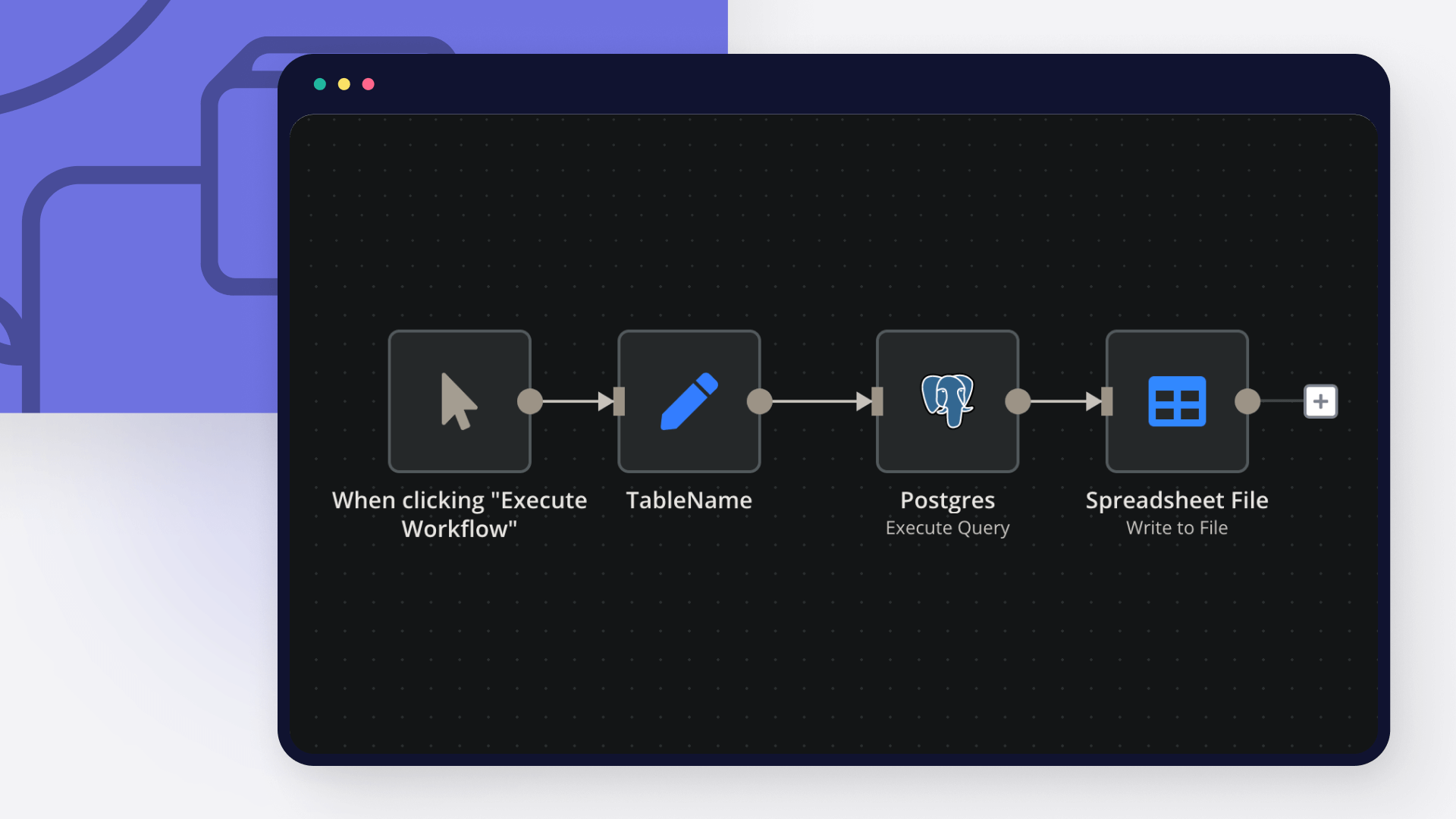
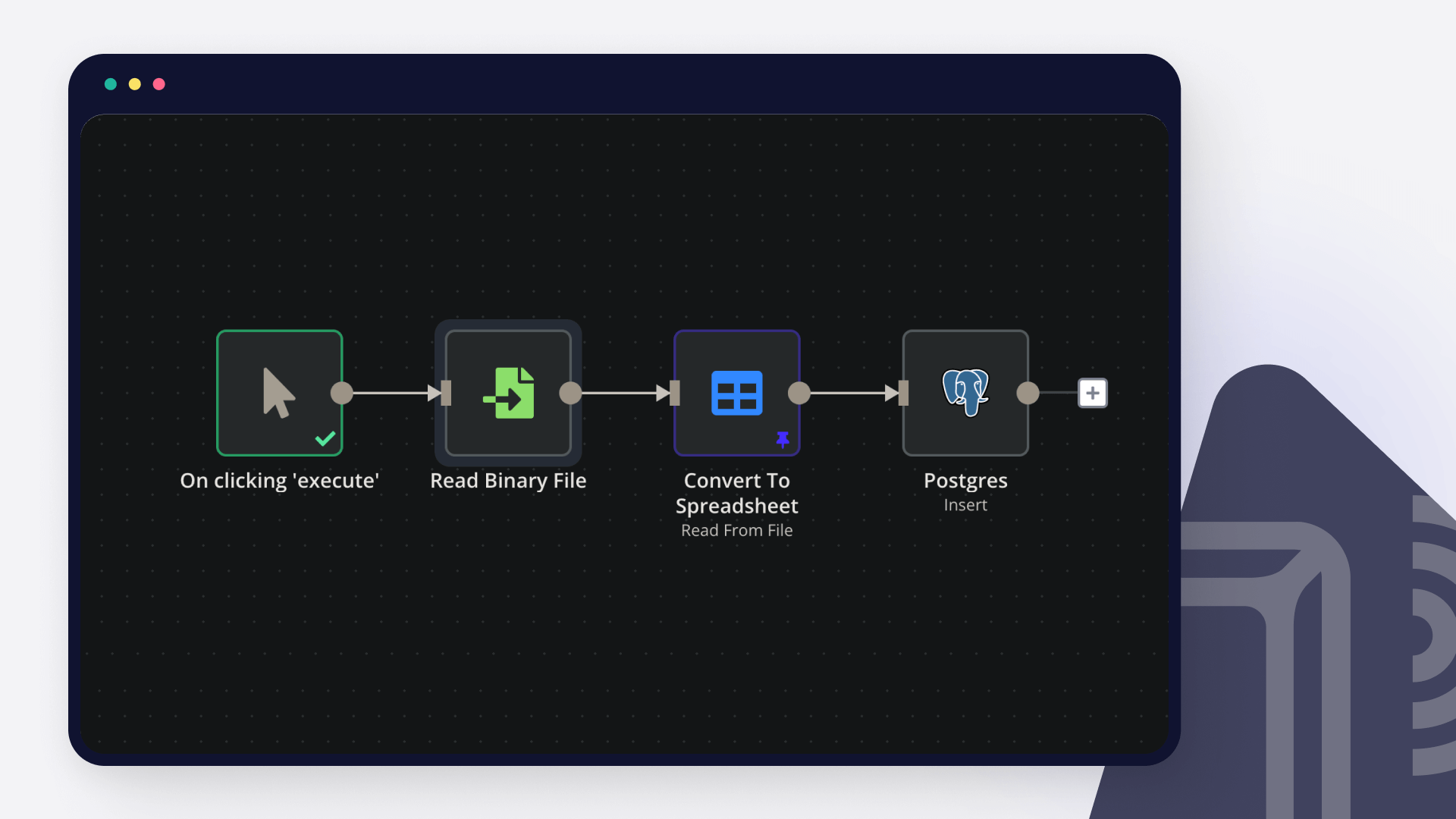
+3

Automate Peer Review Assignments with GPT-4-nano, Slack and Email Notifications

Introduction Automate peer review assignment and grading with AI-powered evaluation. Designed for educators managing collaborative assessments efficiently. How It Works Webhook receives assignments, distributes them, AI generates review rubrics, emails reviewers, collects responses, calculates scores, stores results, emails reports, updates dashboards, and posts analytics to Slack. Workflow Template Webhook → Store Assignment → Distribute → Generate Review Rubric → Notify Slack → Email Reviewers → Prepare Response → Calculate Score → Store Results → Check Status → Generate Report → Email Report → Update Dashboard → Analytics → Post to Slack → Respond to Webhook Workflow Steps Receive & Store: Webhook captures assignments, stores data. Distribute & Generate: Assigns peer reviewers, AI creates rubrics. Notify & Email: Alerts via Slack, sends review requests. Collect & Score: Gathers responses, calculates peer scores. Report & Update: Generates reports, emails results, updates dashboard. Analyze & Alert: Posts analytics to Slack, confirms completion. Setup Instructions Webhook & Storage: Configure endpoint, set up database. AI Configuration: Add OpenAI key, customize rubric prompts. Communication: Connect Gmail, Slack credentials. Dashboard: Link analytics platform, configure metrics. Prerequisites OpenAI API key Gmail account Slack workspace Database or storage system Dashboard tool Use Cases University peer review assignments Corporate training evaluations Research paper assessments Customization Multi-round review cycles Custom scoring algorithms Benefits Eliminates manual distribution Ensures consistent evaluation

Detect fraud in user activity with PostgreSQL, OpenAI and Slack

AI Fraud Detection Workflow > n8n + PostgreSQL + OpenAI + Slack This AI Fraud Detection Workflow is an automated n8n pipeline that analyzes user activity in real time using a combination of rule-based fraud detection, AI interpretation and historical behavioral context. It processes events like login attempts, password changes or transactions, evaluates risk, stores results in PostgreSQL and triggers alerts for high-risk activity. Quick Implementation Steps Import workflow into n8n Configure webhook endpoint /user-activity Set up PostgreSQL connection and user_activity_logs table Add OpenAI API credentials Configure alerting node (Slack or alternative) Activate workflow and test with sample payload What It Does This workflow continuously monitors user activity events and evaluates them for suspicious behavior. When a user event is received, the system: Validates the incoming request Fetches last 10 user activity logs from PostgreSQL Builds behavioral context Applies rule-based fraud scoring Sends structured data to AI for interpretation Combines AI + rule-based decisions Stores results in the database Sends alerts for HIGH-risk cases It helps detect anomalies like: New device usage Impossible travel (rapid location change) Foreign access attempts Sensitive actions like password changes Who It's For Fintech applications Banking & payment platforms SaaS applications with authentication systems E-commerce platforms Security and fraud prevention teams DevOps and backend engineers Requirements to Use This Workflow n8n account (cloud or self-hosted) PostgreSQL database OpenAI API key Alerting system (Slack / Email / Teams / etc.) Webhook support for incoming user activity events Database Schema CREATE TABLE user_activity_logs ( id BIGSERIAL PRIMARY KEY, user_id TEXT, event TEXT, ip TEXT, location TEXT, device TEXT, risk_score INT, ai_flag TEXT, created_at TIMESTAMP DEFAULT NOW() ); How It Works & Setup Guide Webhook Trigger Receives user activity via POST request: Endpoint: /user-activity Payload: { "user_id": "user_002", "event": "password_change", "ip": "192.165.1.45", "location": "United States", "device": "Chrome Browser - Windows" } Request Validation Ensures required fields exist: user_id event ip location device Fetch User History (PostgreSQL) Retrieves last 10 activity logs for the user to build behavioral context. Context Builder Merges: Current event Historical activity logs This helps detect behavioral anomalies. Rule-Based Fraud Engine Applies deterministic fraud logic: New device detection Impossible travel detection Foreign location access Sensitive operations (password change, withdrawal) Outputs: rule_score rule_risk (LOW / MEDIUM / HIGH) risk_reasons AI Fraud Interpreter (OpenAI) The AI does not calculate risk. It only interprets rule-based output and returns: { "risk_level": "LOW | MEDIUM | HIGH", "reason": "short explanation" } AI Response Cleaner Parses AI output safely Extracts: ai_risk ai_reason Decision Fusion Layer Final risk logic: If rule OR AI = HIGH → FINAL = HIGH Else if either = MEDIUM → FINAL = MEDIUM Else → LOW Database Logger Stores final result in PostgreSQL: user_id event ip location device risk_score (rule-based) ai_flag (AI risk level) High Risk Filter Triggers only when: final_risk === "HIGH" Alert Dispatcher Sends fraud alert via Slack (or can be replaced with email, SMS, Teams, etc.) How to Customize Nodes Fraud Rules Engine:** Adjust scoring weights and conditions AI Prompt:** Add domain-specific fraud rules or compliance logic Database Node:** Add extra fields like session_id, user_agent Alert System:** Replace Slack with email, SMS or webhook Threshold Logic:** Modify HIGH/MEDIUM/LOW conditions Add-ons (Enhancements) GeoIP enrichment using IP tracking Device fingerprinting integration Real-time fraud dashboard Machine learning anomaly scoring Multi-channel alerting (Slack + Email + SMS) Fraud case management system Rate limiting and bot detection Use Case Examples Detect unauthorized login attempts Prevent account takeover (ATO) attacks Monitor suspicious password changes Detect fraudulent financial transactions Identify VPN or proxy-based access This workflow can be extended to many more fraud detection and security monitoring use cases. Troubleshooting Guide | Issue | Possible Cause | Solution | |------|---------------|----------| | Webhook not receiving data | Incorrect endpoint or inactive workflow | Ensure workflow is active and webhook URL is correct | | AI parsing error | Unexpected response format from OpenAI | Verify JSON structure from AI output | | No historical data found | Empty user logs table | Ensure user_activity_logs has existing records | | Slack alert not triggered | Risk not classified as HIGH | Check fusion logic in decision node | | PostgreSQL error | Wrong credentials or schema mismatch | Verify DB connection and table structure | | Incorrect risk score | Rule logic misconfiguration | Review fraud scoring conditions | Need Help If you need help with: Setting up this workflow in n8n Customizing fraud detection rules Integrating advanced alerting systems Scaling workflows for production You can reach out to our n8n workflow developers at WeblineIndia for professional assistance in building and optimizing automation workflows like this.
+3

Generate UK M&A research, pitch decks and briefs from Slack using Anthropic and Google Docs/Slides

Finance Research Analyst for Boutique M&A Agencies This workflow acts as a junior finance research analyst for a UK boutique M&A or corporate finance team. It listens for Slack messages, classifies the request, gathers company or market data, and produces structured outputs in Google Docs, Google Slides, Google Sheets, and PostgreSQL. It supports three user intents: Research this company X Prepare pitch materials for X Industry briefing on vertical X The workflow is designed for internal team use. It is not intended to send client-facing materials automatically without human review. Why This Template This template shows how a junior research analyst LIVE job and some of the key responsibilities might be automated with help of AI. 120+ junior analyst roles are live in London right now. This template does most of what they do. What This Template Does Company Research When a user asks to research a company, the workflow: searches Companies House for the best UK entity match retrieves company profile, officers, and filing history gathers company and website context using Firecrawl retrieves public market quote data from Alpha Vantage when a ticker is available asks an LLM to synthesize the research into a structured company profile creates a Google Doc with the company profile upserts the company into PostgreSQL stores the generated research as reusable memory updates the client database in Google Sheets replies in the original Slack thread with the output link Pitch Materials When a user asks to prepare pitch materials, the workflow: loads the stored company record from PostgreSQL pulls the most recent stored research memory asks an LLM to produce compact slide-ready bullet content copies a Google Slides pitch template replaces the template placeholders with generated content creates a Google Doc press release draft updates the pitch deck URL in PostgreSQL updates the client database in Google Sheets replies in the original Slack thread with the deck and document links Industry Briefing When a user asks for a sector briefing, the workflow: gathers sector web and news context using Firecrawl retrieves ONS macro M&A context asks an LLM to generate a concise one-page industry briefing creates a Google Doc with the briefing replies in the original Slack thread with the document link Who This Is For This template is built for: boutique M&A advisory firms corporate finance teams fundraising advisors internal research analysts supporting pitch and origination work It is optimized for UK company research because it relies on Companies House as the authoritative company registry. Prerequisites Before using this template, you need: an n8n instance a Slack app configured for message triggers and posting replies a Google account with Drive, Docs, Slides, and Sheets access (Free) a PostgreSQL database (Free self hosted or use supabase) an OpenRouter credential for the LLM calls (Models used= haiku4.5, Sonnet 4.5) a Companies House API key configured as Basic Auth (Free) a Firecrawl API key configured as HTTP Header Auth (Free) API key for Alpha Vantage (free) fixed ONS URL for macro M&A context Required n8n Credentials Create or connect the following credentials in n8n before testing: Slack Trigger credential for incoming Slack events Slack credential for posting replies OpenRouter API Companies House Basic Auth Firecrawl Header Auth Google Drive OAuth2 Google Docs OAuth2 Google Slides OAuth2 Google Sheets OAuth2 Postgres Required External Assets Google Drive Root Folder The workflow creates subfolders under a given root folder: research outputs pitch outputs briefing outputs Current root folder used in the workflow: Modify this to your own folder: https://drive.google.com/drive/u/0/folders/1GH-YouAAImKugZ11IbqA6Ouw8B9U17-I Google Sheets Client Database The workflow writes to this spreadsheet: Modify this to your own google sheet: https://docs.google.com/spreadsheets/d/1yJ-UKOEUqIruCv-IBA33oN4taQTB1TA8M4a6D2iSiOU/edit?gid=0#gid=0 Required sheet name: Sheet1 Required columns: company_name sector companies_house_number market_cap last_researched profile_doc_url pitch_deck_url Best practice: make companies_house_number unique if possible keep column names exactly as shown above Google Slides Pitch Template The workflow copies this Slides template: 1zQv_cbafHzd4JNsr711Rm0558O6W_S1SODc-u6tVS0k Required placeholders in text boxes: {company_name} {sector} {profile_summary} {financials} {opportunity_summary} {comps_note} Input Examples Use messages like these in Slack: Research Monzo, fintech Prepare pitch for Wise Industry briefing UK fintech Outputs Research Intent Outputs: Google Doc company profile PostgreSQL company record update PostgreSQL research memory insert Google Sheets client DB update Slack thread reply with doc link Pitch Intent Outputs: copied and populated Google Slides deck Google Doc press release draft PostgreSQL pitch deck URL update Google Sheets client DB update Slack thread reply with deck and doc links Brief Intent Outputs: Google Doc industry briefing Slack thread reply with doc link Database Expectations This template expects PostgreSQL tables to exist for: company records research memory At minimum, your database must support the queries used by the workflow for: upserting company records loading a company record by company_name storing research memory retrieving the latest research memory for pitch generation updating pitch_deck_url Limitations UK company research is strongest because the workflow depends on Companies House. private companies will not have public market quote data public-company quote data comes from Alpha Vantage GLOBAL_QUOTE, which is not a true market-cap endpoint the workflow does not create dynamic charts in Google Slides. the workflow does not replace human judgment on valuation, comps, or client-facing strategy

Build your own Slack and Postgres integration

Create custom Slack and Postgres workflows by choosing triggers and actions. Nodes come with global operations and settings, as well as app-specific parameters that can be configured. You can also use the HTTP Request node to query data from any app or service with a REST API.

Slack supported actions

Archive
Archives a conversation
Close
Closes a direct message or multi-person direct message
Create
Initiates a public or private channel-based conversation
Get
Get information about a channel
Get Many
Get many channels in a Slack team
History
Get a conversation's history of messages and events
Invite
Invite a user to a channel
Join
Joins an existing conversation
Kick
Removes a user from a channel
Leave
Leaves a conversation
Member
List members of a conversation
Open
Opens or resumes a direct message or multi-person direct message
Rename
Renames a conversation
Replies
Get a thread of messages posted to a channel
Set Purpose
Sets the purpose for a conversation
Set Topic
Sets the topic for a conversation
Unarchive
Unarchives a conversation
Get
Get Many
Get & filters team files
Upload
Create or upload an existing file
Delete
Get Permalink
Search
Send
Send and Wait for Response
Update
Add
Adds a reaction to a message
Get
Get the reactions of a message
Remove
Remove a reaction of a message
Add
Add a star to an item
Delete
Delete a star from an item
Get Many
Get many stars of autenticated user
Get
Get information about a user
Get Many
Get a list of many users
Get User's Profile
Get a user's profile
Get User's Status
Get online status of a user
Update User's Profile
Update a user's profile
Add Users
Create
Disable
Enable
Get Many
Get Users
Update

Postgres supported actions

Delete
Delete an entire table or rows in a table
Execute Query
Execute an SQL query
Insert
Insert rows in a table
Insert or Update
Insert or update rows in a table
Select
Select rows from a table
Update
Update rows in a table

FAQs

  • Can Slack connect with Postgres?

  • Can I use Slack’s API with n8n?

  • Can I use Postgres’s API with n8n?

  • Is n8n secure for integrating Slack and Postgres?

  • How to get started with Slack and Postgres integration in n8n.io?

Need help setting up your Slack and Postgres integration?

Discover our latest community's recommendations and join the discussions about Slack and Postgres integration.
Mikhail Savenkov
Honza Pav
Vyacheslav Karbovnichy
Dennis
Dennis

Looking to integrate Slack and Postgres in your company?

Over 3000 companies switch to n8n every single week

Why use n8n to integrate Slack with Postgres

Build complex workflows, really fast

Build complex workflows, really fast

Handle branching, merging and iteration easily.
Pause your workflow to wait for external events.

Code when you need it, UI when you don't

Simple debugging

Your data is displayed alongside your settings, making edge cases easy to track down.

Use templates to get started fast

Use 1000+ workflow templates available from our core team and our community.

Reuse your work

Copy and paste, easily import and export workflows.

Implement complex processes faster with n8n

red iconyellow iconred iconyellow icon