Back to Integrations
integrationWebhook node
integrationGitHub node

Webhook and GitHub integration

Save yourself the work of writing custom integrations for Webhook and GitHub and use n8n instead. Build adaptable and scalable Development, and Core Nodes workflows that work with your technology stack. All within a building experience you will love.

How to connect Webhook and GitHub

  • Step 1: Create a new workflow
  • Step 2: Add and configure nodes
  • Step 3: Connect
  • Step 4: Customize and extend your integration
  • Step 5: Test and activate your workflow

Step 1: Create a new workflow and add the first step

In n8n, click the "Add workflow" button in the Workflows tab to create a new workflow. Add the starting point – a trigger on when your workflow should run: an app event, a schedule, a webhook call, another workflow, an AI chat, or a manual trigger. Sometimes, the HTTP Request node might already serve as your starting point.

Webhook and GitHub integration: Create a new workflow and add the first step

Step 2: Add and configure Webhook and GitHub nodes

You can find Webhook and GitHub in the nodes panel. Drag them onto your workflow canvas, selecting their actions. Click each node, choose a credential, and authenticate to grant n8n access. Configure Webhook and GitHub nodes one by one: input data on the left, parameters in the middle, and output data on the right.

Webhook and GitHub integration: Add and configure Webhook and GitHub nodes

Step 3: Connect Webhook and GitHub

A connection establishes a link between Webhook and GitHub (or vice versa) to route data through the workflow. Data flows from the output of one node to the input of another. You can have single or multiple connections for each node.

Webhook and GitHub integration: Connect Webhook and GitHub

Step 4: Customize and extend your Webhook and GitHub integration

Use n8n's core nodes such as If, Split Out, Merge, and others to transform and manipulate data. Write custom JavaScript or Python in the Code node and run it as a step in your workflow. Connect Webhook and GitHub with any of n8n’s 1000+ integrations, and incorporate advanced AI logic into your workflows.

Webhook and GitHub integration: Customize and extend your Webhook and GitHub integration

Step 5: Test and activate your Webhook and GitHub workflow

Save and run the workflow to see if everything works as expected. Based on your configuration, data should flow from Webhook to GitHub or vice versa. Easily debug your workflow: you can check past executions to isolate and fix the mistake. Once you've tested everything, make sure to save your workflow and activate it.

Webhook and GitHub integration: Test and activate your Webhook and GitHub workflow

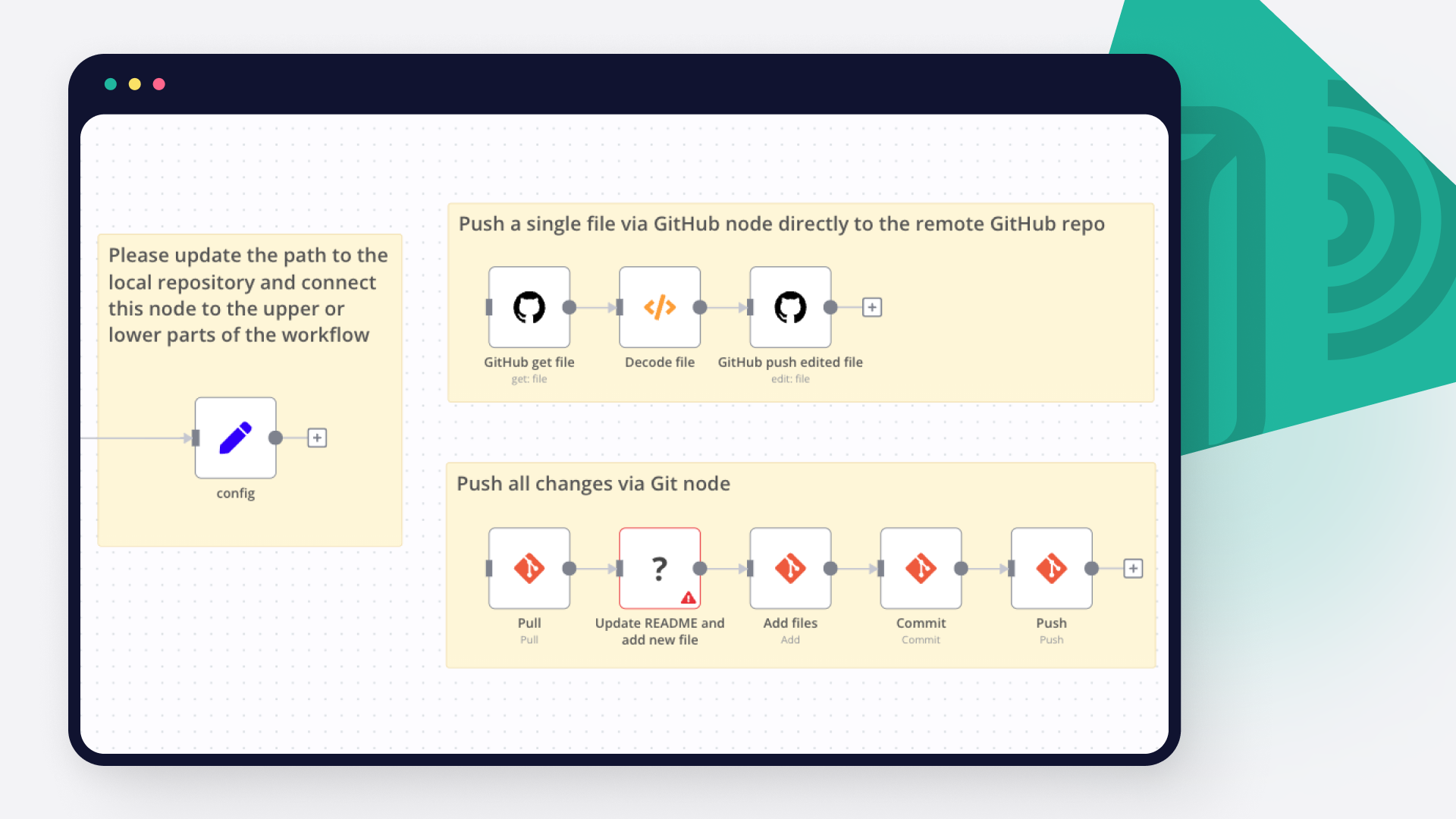
🔄 Workflow repos8r: Github version control user interface for n8n workflows

🔥 n8n Members Sale – n8n Community Members Get ideoGener8r for Just $10! (Reg. $15)
Use Coupon Code: FeelinTheFlowgramming
(Valid for n8n community members)

💪 How it works
Seamlessly track, manage, and version-control your n8n workflows with an intuitive Git-style system. Whether you're making updates or creating new workflows, this tool ensures structured commits, detailed change tracking, and seamless GitHub integration—all within a Matrix-inspired UI.

🎯 Who is this for?

Perfect for:

n8n Developers & Automation Engineers** – Maintain workflow history and prevent accidental overwrites.
Teams Collaborating on Automation** – Track and commit changes with structured version control.
DevOps & IT Professionals** – Streamline deployment across multiple n8n environments.

🚀 Key Features

Version Control & Workflow Management

Commit changes when editing existing workflows
Create & commit new workflows from scratch
Detect modifications with deep node comparison
Access repo with direct links from changes window
Workflow JSON Browser Caching **to avoid large loads on n8n"

Core Features

Workflow Management
Workflow Selection**: Easy selection of n8n workflows and GitHub workflows from dropdown menus
Smart Caching**: Client-side caching of workflows for faster loading (1-week cache duration)
Cache Control**: Manual cache clearing via hard refresh (Cmd+Shift+R)
Matrix-Style UI**: Terminal-inspired interface with glowing effects and animations

GitHub Integration
Push to GitHub**: Direct pushing of n8n workflows to GitHub repositories
Commit Control**: Automated commit message generation with workflow details
Branch Management**: Automatic branch creation and management
Pull from GitHub**: Future feature for pulling workflows from GitHub (Coming Soon)

Workflow Comparison
Side-by-Side Comparison**: Compare n8n workflows with their GitHub counterparts
Change Detection**: Automatic detection and highlighting of workflow changes
Diff Visualization**: Clear visualization of additions, deletions, and modifications
JSON Validation**: Ensures workflow JSON integrity before operations

User Experience
System Notifications**: Matrix-themed toast notifications for important alerts
30-second duration with manual close option
Context-aware messages (e.g., cache refresh hints)
Glowing effects matching system console aesthetics
Loading Animations**: Matrix-style loading indicators during operations
Error Handling**: Clear error messages and recovery suggestions
Responsive Design**: Adapts to different screen sizes

Security & Performance
Local Storage**: Efficient client-side storage for workflow data
Header Authentication**: Secure API communication with authentication tokens
Performance Optimization**: Smart caching to reduce server load
Data Validation**: Input validation and sanitization

Technical Features

Code Organization
Modular Structure**: Well-organized HTML, CSS, and JavaScript
Component Separation**: Clear separation of concerns
CSS Variables**: Consistent styling with CSS custom properties
Event Handling**: Robust event listeners and handlers

API Integration
n8n Integration**: Direct communication with n8n workflow API
GitHub API**: Seamless integration with GitHub repositories
RESTful Endpoints**: Clean API design for workflow operations
Error Handling**: Comprehensive error handling and user feedback

Development Features
Debug Mode**: Console logging for development
Code Comments**: Well-documented code sections
CSS Animations**: Smooth transitions and effects
Browser Compatibility**: Works across modern browsers

Future Enhancements
Pull workflows from GitHub repositories
Enhanced diff visualization
Additional GitHub integration features
Extended caching options
More customization options for notifications
Advanced workflow comparison tools

GitHub Integration

Push workflows directly to GitHub
Commit new workflows directly to GitHub
Auto-generate structured commit messages
Pull workflows from GitHub into n8n

Change Detection

Identifies node additions, deletions, and property modifications
Compares connections, settings, and configurations
Real-time visualization** of detected changes

Sleek UI for Effortless Control

Matrix-style interface** for a futuristic feel
Clear prompts to prevent accidental overwrites
Interactive workflow commit & sync options

🔧 Setup & Usage

Generate your n8n API key
Set up GitHub repository & access tokens
Create Generic Basic Auth credentials
Create Generic Header Auth credentials
Set the workflow variables
Deploy & start tracking your workflow versions

📚 Use Cases

🔹 Workflow Development – Ensure clean versioning and commit history.
🔹 Team Collaboration – Review and track modifications before deployment.
🔹 Audit & Compliance – Maintain an organized change log.

🙌 Built for the n8n Community

Created with ❤️ to bring reliable version control to the n8n community.

Nodes used in this workflow

Popular Webhook and GitHub workflows

Pyragogy AI-Driven Handbook Generator with Multi-Agent Orchestration

AI-Driven Handbook Generator with Multi-Agent Orchestration (Pyragogy AI Village) This n8n workflow is a modular, multi-agent AI orchestration system designed for the collaborative generation of Markdown-based handbooks. Inspired by peer learning and open publishing workflows, it simulates a content pipeline where specialized AI agents act in defined roles, enabling true AI–human co-creation and iterative refinement. This project is a core component of Pyragogy, an open framework dedicated to ethical cognitive co-creation, peer AI–human learning, and human-in-the-loop automation for open knowledge systems. It implements the master orchestration architecture for the Pyragogy AI Village, managing a complex sequence of AI agents to process input, perform review, synthesis, and archiving, with a crucial human oversight step for final approval. How It Works: A Deep Dive into the Workflow's Architecture The workflow orchestrates a sophisticated content generation and review process, ideal for creating AI-driven knowledge bases or handbooks with human oversight. Webhook Trigger & Input:* The process begins when the workflow receives a JSON input via a Webhook* (specifically at /webhook/pyragogy/process). This input typically includes details like the handbook's title, initial text, and relevant tags. Database Verification:* It first verifies the connection to a PostgreSQL database* to ensure data persistence. Meta-Orchestrator:* A powerful Meta-Orchestrator* (powered by gpt-4o from OpenAI) analyzes the initial request. Its role is to dynamically determine and activate the optimal sequence of specialized AI agents required to fulfill the input, ensuring tasks are dynamically routed and assigned based on each agent’s responsibility. Agent Execution & Iteration:** Each activated agent executes its step using OpenAI or custom endpoints. This involves: Content Generation: Agents like the Summarizer and the Synthesizer generate new content or refine existing text. Peer Review Board: A crucial aspect is the Peer Review Board, comprised of AI agents like the Peer Reviewer, the Sensemaking Agent, and the Prompt Engineer. This board evaluates the output for quality, coherence, and accuracy. Reprocessing & Redrafting: If the review agents flag a major_issue, they trigger redrafting loops by generating specific feedback for the Synthesizer. This mechanism ensures iterative refinement until the content meets the required standards. Human-in-the-Loop (HITL) Review:* For final approval, particularly for the Archivist agent's output, a human review process is initiated. An email is sent to a human reviewer, prompting them to approve, reject, or comment via a "Wait for Webhook" node. This ensures human oversight* and quality control. Content Persistence & Versioning:** If the content is approved by the human reviewer: It's saved to a PostgreSQL database (specifically to the handbook_entries and agent_contributions tables). Optionally, the content can be committed to a GitHub repository for version control, provided the necessary environment variables are configured. Notifications:* The final output and the sequence of executed agents can be sent as a notification to Slack*, if configured. Observe the dynamic loop: orchestrate → assign → generate → review (AI/human) → store Included AI Agents This workflow leverages a suite of specialized AI agents, each with a distinct role in the content pipeline: Meta-Orchestrator:** Determines the optimal sequence of agents to execute based on the input. Summarizer Agent:** Summarizes text into key points (e.g., 3 key points). Synthesizer Agent:** Synthesizes new text and effectively incorporates reprocessing feedback from review agents. Peer Reviewer Agent:** Reviews generated text, highlighting strengths, weaknesses, and suggestions, and indicates major_issue flags. Sensemaking Agent:** Analyzes input within existing context, identifying patterns, gaps, and areas for improvement. Prompt Engineer Agent:** Refines or generates prompts for subsequent agents, optimizing their output. Onboarding/Explainer Agent:** Provides explanations of the process or offers guidance to users. Archivist Agent:** Prepares content for the handbook, manages the human review process, and handles archiving to the database and GitHub. Setup Steps & Prerequisites To get this powerful workflow up and running, follow these steps: Import the Workflow: Import the pyragogy_master_workflow.json (or generate-collaborative-handbooks-with-gpt4o-multi-agent-orchestration-human-review.json) into your n8n instance. Connect Credentials: Postgres: Set up a Postgres Pyragogy DB credential (ID: pyragogy-postgres). OpenAI: Configure an OpenAI Pyragogy credential (ID: pyragogy-openai) for all OpenAI agents. GPT-4o is highly suggested for optimal performance. Email Send: Set up a configured email credential (e.g., for sending human review requests). Define Environment Variables: Define essential environment variables (an .env.template is included in the repository). These include: API base for OpenAI. Database connection details. (Optional) GitHub: For content persistence and versioning, configure GITHUB_ACCESS_TOKEN, GITHUB_REPOSITORY_OWNER, and GITHUB_REPOSITORY_NAME. (Optional) Slack: For notifications, configure SLACK_WEBHOOK_URL. Send a sample payload to your webhook URL (/webhook/pyragogy/process): { "title": "History of Peer Learning", "text": "Peer learning is an educational approach where students learn from and with each other...", "tags": ["education", "pedagogy"], "requireHitl": true } Ideal For This workflow is perfectly suited for: Educators and researchers exploring AI-assisted publishing and co-authoring with AI. Knowledge teams looking to automate content pipelines for internal or external documentation. Anyone building collaborative Markdown-driven tools or AI-powered knowledge bases. Documentation & Contributions: An Open Source and Collaborative Project This workflow is an open-source project and community-driven. Its development is transparent and open to everyone. We warmly invite you to: Review it:** Contribute your analysis, identify potential improvements, or report issues. Remix it:** Adapt it to your specific needs, integrate new features, or modify it for a different use case. Improve it:** Propose and implement changes that enhance its efficiency, robustness, or capabilities. Share it back:** Return your contributions to the community, either through pull requests or by sharing your implementations. Every contribution is welcome and valued! All relevant information for verification, improvement, and collaboration can be found in the official repository: 🔗 GitHub – pyragogy-handbook-n8n-workflow
+6

Personalize Resumes & Cover Letters with AI, GitHub Pages and Google Drive

🧠 Automated Resume & Cover Letter Generator This project is an automation workflow that generates a personalized resume and cover letter for each job listing. 🚀 Features Automated Resume Crafting Generates an HTML resume from your data. Hosts it live on GitHub Pages. Converts it to PDF using Gotenberg and saves it to Google Drive. Automated Cover Letter Generation Uses an LLM to create a tailored cover letter for each job listing. Simple Input Database Agent Stores your experience in an n8n Data Table with the following fields: role, summary, task, skills, tools, industry. The main agent pulls this data using RAG (Retrieval-Augmented Generation) to personalize the outputs. One-Time GitHub Setup Initializes a blank GitHub repository to host HTML files online, allowing Gotenberg to access and convert them. 🧩 Tech Stack Gotenberg** – Converts HTML to PDF GitHub Pages** – Hosts live HTML files n8n** – Handles data tables and workflow automation LLM (OpenAI / Cohere / etc.)** – Generates cover letters Google Drive** – Stores the final PDFs ⚙️ Installation & Setup Create a GitHub Repository This repo will host your HTML resume through GitHub Pages. Set the Webhook URL In the notify-n8n.yml file, replace: role | summary | task | skills | tools | industry Create the n8n Data Table Add the following columns: role | summary | task | skills | tools | industry Create a Google Spreadsheet Add these columns: company | cover_letter | resume Install Gotenberg Follow the installation instructions on the Gotenberg GitHub repository: https://github.com/thecodingmachine/gotenberg Customize the HTML Template Modify the HTML resume to your liking. You can use an LLM to locate and edit specific sections. Add Authentication and Link Your GitHub Repo Ensure your workflow has permission to push updates to your GitHub Pages branch. Run the Workflow Once everything is connected, trigger the workflow to automatically generate and save personalized resumes and cover letters. 📝 How to Use Copy and paste the job listing description into the Telegram bot. Wait for the "Done" notification before submitting another job. Do not use the bot again until the notification appears. The process usually takes a few minutes to complete. ✅ Notes This workflow is designed to save time and personalize your job applications efficiently. By combining n8n automation, LLMs, and open-source tools like Gotenberg, you can maintain full control over your data while generating high-quality resumes and cover letters for every job opportunity.

Github Webhook-Based n8n Workflow Import Template

This n8n workflow template uses community nodes and is only compatible with the self-hosted version of n8n. This template aims to ease the process of deploying workflows from github. It has a companion repository that developers might find useful{. See below for more details How it works Automatically import and deploy n8n workflows from your GitHub repository to your production n8n instance using a secured webhook-based approach. This template enables teams to maintain version control of their workflows while ensuring seamless deployment through a CI/CD pipeline. Receives webhook notifications from GitHub when changes are pushed to your repository Lists all files in the repository and filters for .json workflow files Downloads each workflow file and saves it locally Imports all workflows into n8n using the CLI import command Cleans up temporary files after successful import To trigger the deployment, send a POST request to your webhook with the set up credentials (basic auth) with the following body: { "owner": "GITHUB_REPO_OWNER_NAME", "repository": "GITHUB_REPOSITORY_NAME" } Set up steps Once importing this template in n8n : Setup the webhook basic auth credentials Setup the github credentials Activate the workflow ! Companion repository There is a companion repository located at https://github.com/dynamicNerdsSolutions/n8n-git-flow-template that has a Github action already setup to work with this workflow. It provides a complete development environment with: Local n8n instance via Docker Automated workflow export and commit scripts Version control integration CI/CD pipeline setup This setup allows teams to maintain a clean separation between development and production environments while ensuring reliable workflow deployment.

🔄 Workflow Repos8r: Github Version Control User Interface for n8n Workflows

🔥 n8n Members Sale – n8n Community Members Get ideoGener8r for Just $10! (Reg. $15) Use Coupon Code: FeelinTheFlowgramming (Valid for n8n community members) 💪 How it works Seamlessly track, manage, and version-control your n8n workflows with an intuitive Git-style system. Whether you're making updates or creating new workflows, this tool ensures structured commits, detailed change tracking, and seamless GitHub integration—all within a Matrix-inspired UI. 🎯 Who is this for? Perfect for: n8n Developers & Automation Engineers** – Maintain workflow history and prevent accidental overwrites. Teams Collaborating on Automation** – Track and commit changes with structured version control. DevOps & IT Professionals** – Streamline deployment across multiple n8n environments. 🚀 Key Features Version Control & Workflow Management Commit changes when editing existing workflows Create & commit new workflows from scratch Detect modifications with deep node comparison Access repo with direct links from changes window Workflow JSON Browser Caching **to avoid large loads on n8n" Core Features Workflow Management Workflow Selection**: Easy selection of n8n workflows and GitHub workflows from dropdown menus Smart Caching**: Client-side caching of workflows for faster loading (1-week cache duration) Cache Control**: Manual cache clearing via hard refresh (Cmd+Shift+R) Matrix-Style UI**: Terminal-inspired interface with glowing effects and animations GitHub Integration Push to GitHub**: Direct pushing of n8n workflows to GitHub repositories Commit Control**: Automated commit message generation with workflow details Branch Management**: Automatic branch creation and management Pull from GitHub**: Future feature for pulling workflows from GitHub (Coming Soon) Workflow Comparison Side-by-Side Comparison**: Compare n8n workflows with their GitHub counterparts Change Detection**: Automatic detection and highlighting of workflow changes Diff Visualization**: Clear visualization of additions, deletions, and modifications JSON Validation**: Ensures workflow JSON integrity before operations User Experience System Notifications**: Matrix-themed toast notifications for important alerts 30-second duration with manual close option Context-aware messages (e.g., cache refresh hints) Glowing effects matching system console aesthetics Loading Animations**: Matrix-style loading indicators during operations Error Handling**: Clear error messages and recovery suggestions Responsive Design**: Adapts to different screen sizes Security & Performance Local Storage**: Efficient client-side storage for workflow data Header Authentication**: Secure API communication with authentication tokens Performance Optimization**: Smart caching to reduce server load Data Validation**: Input validation and sanitization Technical Features Code Organization Modular Structure**: Well-organized HTML, CSS, and JavaScript Component Separation**: Clear separation of concerns CSS Variables**: Consistent styling with CSS custom properties Event Handling**: Robust event listeners and handlers API Integration n8n Integration**: Direct communication with n8n workflow API GitHub API**: Seamless integration with GitHub repositories RESTful Endpoints**: Clean API design for workflow operations Error Handling**: Comprehensive error handling and user feedback Development Features Debug Mode**: Console logging for development Code Comments**: Well-documented code sections CSS Animations**: Smooth transitions and effects Browser Compatibility**: Works across modern browsers Future Enhancements Pull workflows from GitHub repositories Enhanced diff visualization Additional GitHub integration features Extended caching options More customization options for notifications Advanced workflow comparison tools GitHub Integration Push workflows directly to GitHub Commit new workflows directly to GitHub Auto-generate structured commit messages Pull workflows from GitHub into n8n Change Detection Identifies node additions, deletions, and property modifications Compares connections, settings, and configurations Real-time visualization** of detected changes Sleek UI for Effortless Control Matrix-style interface** for a futuristic feel Clear prompts to prevent accidental overwrites Interactive workflow commit & sync options 🔧 Setup & Usage Generate your n8n API key Set up GitHub repository & access tokens Create Generic Basic Auth credentials Create Generic Header Auth credentials Set the workflow variables Deploy & start tracking your workflow versions 📚 Use Cases 🔹 Workflow Development – Ensure clean versioning and commit history. 🔹 Team Collaboration – Review and track modifications before deployment. 🔹 Audit & Compliance – Maintain an organized change log. 🙌 Built for the n8n Community Created with ❤️ to bring reliable version control to the n8n community.

Sync Android env config to Gradle files with GitHub and Slack alerts

Environment Config Diff & Propagate for Android Builds This workflow automatically detects changes in the .env.staging file in a GitHub repository and keeps Android configuration files (build.gradle and gradle.properties) in sync.It creates a new Git branch, applies updates safely, opens a pull request and notifies the team on Slack — all without manual effort. Whenever .env.staging changes: The workflow detects the change via GitHub webhook Compares ENV values with Android config files Automatically updates build.gradle and gradle.properties Creates a new Git branch Opens a pull request Sends a Slack notification You get: Automatic Android config synchronization** Safe updates via pull requests** Zero manual copying of ENV values** Instant Slack visibility for the team** Ideal for teams managing Android app configuration across environments without mistakes. What It Does This workflow automates Android configuration updates end-to-end: Listens for GitHub push events. Checks if .env.staging was modified. Stops execution if ENV file was not changed. Fetches .env.staging and gradle.properties from main. Converts both files into easy-to-compare key-value pairs. Compares ENV values against Gradle values. Creates a new Git branch for changes. Fetches files from the new branch. Identifies which variables must be updated. Applies ENV values to: build.gradle gradle.properties Commits the changes. Creates a pull request. Sends a Slack notification with PR details. This ensures Android configs are always aligned with ENV files. Who’s It For This workflow is ideal for: Android development teams DevOps & platform engineers CI/CD automation teams Teams managing multiple environments (staging / prod) Organizations avoiding manual config drift Anyone tired of copy-pasting ENV values Requirements to Use This Workflow To run this workflow, you need: n8n instance** (cloud or self-hosted) GitHub repository** with: .env.staging app/build.gradle gradle.properties GitHub Personal Access Token** Slack workspace** + API credentials Basic understanding of Android config files How It Works GitHub Webhook TriggerListens for commits pushed to the repository. ENV Change CheckWorkflow continues only if .env.staging changed. Fetch & Parse FilesReads ENV and Gradle files and converts them into key-value format. Compare Config ValuesFinds missing or mismatched variables. Create Safe BranchGenerates a timestamp-based branch from main. Apply UpdatesUpdates only the required values in: build.gradle gradle.properties Commit ChangesSaves updates to the new branch. Create Pull RequestOpens a PR for review. Notify SlackSends PR link and details to the team. Setup Steps Import the provided n8n workflow JSON. Configure GitHub credentials in all GitHub & HTTP nodes. Set your repository name and owner. Configure Slack credentials and select a channel. Ensure .env.staging exists in your repo. Activate the workflow. Push a change to .env.staging — automation starts instantly How To Customize Nodes Customize ENV File Replace .env.staging with .env.production or others. Update filename in GitHub fetch + check nodes. Customize Android Files Extend logic to include: local.properties BuildConfig.kt settings.gradle Customize Branch Naming Modify the Generate New Branch Name node. Add environment names or commit IDs. Customize Slack Message You can add: Emojis PR author name Changed variable list Mentions (@team, @android) Add-Ons (Optional Enhancements) You can extend this workflow to: Support multiple ENV files Add approval checks before PR creation Auto-merge after approval Validate ENV variable formats Send diff summary to Slack Block secrets from being committed Add Jira / Linear ticket creation Trigger Android CI build after PR creation Use Case Examples 1\. Environment Sync Keep Android configs aligned with staging ENV automatically. 2\. CI/CD Safety Prevent broken builds due to mismatched config values. 3\. Team Transparency Everyone sees config updates via Slack + PRs. 4\. DevOps Automation Remove repetitive manual config updates. 5\. Audit Friendly All changes tracked through Git history & PRs. Troubleshooting Guide | Issue | Possible Cause | Solution | |------------------------|----------------------------------|------------------------------------------------------| | Workflow not triggered | Webhook not configured | Re-register GitHub webhook | | No PR created | .env.staging not changed | Ensure the file is modified | | Wrong values updated | Parsing logic issue | Check KEY=VALUE format | | Slack message not sent | Invalid credentials | Reconnect Slack API | | Commit failed | Missing permissions | Check GitHub token scopes | Need Help? If you need help extending or customizing this workflow, adding production support, CI integrations, security checks or enterprise-scale automation, then our n8n workflow development team at WeblineIndia can help you build robust, production-ready workflows.
+2

Analyze mobile app build-time hotspots with Gradle, CocoaPods, Airtable, GitHub, Gmail and GPT-4.1-mini

Mobile App Build Time Hotspot Tracker - Gradle/CocoaPods Analyzer Alerting This workflow automates the monitoring and analysis of CI/CD build performance for mobile projects using Gradle and CocoaPods. It triggers upon build completion, compares metrics against historical performance stored in Airtable, and leverages AI to identify regressions. The system provides automated feedback via GitHub PR comments and email alerts for critical performance drops. ⚡ Quick Implementation Steps Configure CI Pipeline: Set your CI job to send a POST request with build metrics to the workflow's Webhook URL. Set Configuration: Adjust the regressionThreshold (default: 20%) and excludeModules in the Set Configuration node. Connect Airtable: Link your credentials to the Fetch Historical Builds and Store Build Data nodes. Connect GitHub & Gmail: Authenticate your GitHub and Gmail OAuth2 credentials for reporting. Verify AI Model: Ensure the OpenAI Chat Model is connected to power the performance analysis. What It Does The workflow acts as an intelligent performance gatekeeper for development pipelines: Metric Collection: Captures detailed task durations, build IDs, and PR context directly from CI/CD webhooks. Historical Comparison: Automatically retrieves the last 10 builds for a specific repository to calculate average baselines. AI-Powered Diagnostics: Uses a specialized AI agent to analyze slowdowns, identify root causes, and provide optimization recommendations. Automated Reporting: Categorizes findings by severity (Critical, Warning, Info) and updates stakeholders through PR comments and high-priority emails. Who’s It For Mobile Engineering Teams looking to prevent "death by a thousand cuts" in build time slowdowns. DevOps/Platform Engineers who need automated auditing of build infrastructure health. Release Managers requiring an audit trail of performance regressions across different pull requests. Technical Workflow Breakdown Entry Points (Triggers) Webhook: Listens for POST requests at /webhook/build-hotspot-tracker containing build metrics and repository metadata. Processing & Logic Set Configuration: Defines static variables like regression sensitivity and modules to ignore (e.g., test modules). Historical Analysis: Aggregate nodes calculate min, max, and average build times from historical records. AI Build Analyzer: An AI Agent utilizing GPT-4.1-mini to synthesize current build data with historical trends and PR context. Route by Severity: A switch node that directs the workflow based on whether the AI classifies the regression as Critical, Warning, or Info. Output & Integrations GitHub (Comment on PR): Posts a formatted markdown report including a severity badge, regressions list, and root causes. Airtable (Store Build Data): Logs the build ID, total duration, and AI recommendations for long-term tracking. Gmail (Notify Email): Sends immediate alerts to the team for critical regressions, including a direct link to the affected PR. Customization Adjust Sensitivity Modify the regressionThreshold in the Set Configuration node to change how aggressive the system is in flagging slowdowns (e.g., set to 10 for stricter monitoring). Module Filtering Update the excludeModules parameter to ignore specific tasks like linting or unit tests that may have volatile durations but do not represent core build performance. Analysis Detail The AI Build Analyzer prompt can be customized to focus on specific platform needs, such as focusing heavily on CocoaPods link times or Gradle configuration phases. Troubleshooting Guide | Issue | Possible Cause | Solution | | :-------------------------- | :----------------------------------------- | :----------------------------------------------------------------------------------------- | | No PR Comments | GitHub permissions or incorrect PR number. | Verify your GitHub token has write access and the CI payload includes a valid prNumber. | | Historical Data Missing | Airtable Filter failure. | Ensure the repository and prNumber fields in Airtable match the incoming Webhook data. | | AI Analysis Errors | OpenAI credits or model timeout. | Check your OpenAI API quota and verify the gpt-4.1-mini model is available in your region. | | Emails Not Sending | Gmail OAuth2 expired. | Re-authenticate the Gmail node in your n8n credentials settings. | Need Help? If you need assistance customizing this workflow, adding new features or integrating more systems (like JIRA, Slack or Google Sheets), feel free to reach out. Our n8n automation experts at WeblineIndia are here to support you in scaling your automation journey.

Build your own Webhook and GitHub integration

Create custom Webhook and GitHub workflows by choosing triggers and actions. Nodes come with global operations and settings, as well as app-specific parameters that can be configured. You can also use the HTTP Request node to query data from any app or service with a REST API.

GitHub supported actions

Create
Create a new file in repository
Delete
Delete a file in repository
Edit
Edit a file in repository
Get
Get the data of a single file
List
List contents of a folder
Create
Create a new issue
Create Comment
Create a new comment on an issue
Edit
Edit an issue
Get
Get the data of a single issue
Lock
Lock an issue
Get Repositories
Returns all repositories of an organization
Create
Creates a new release
Delete
Delete a release
Get
Get a release
Get Many
Get many repository releases
Update
Update a release
Get
Get the data of a single repository
Get Issues
Returns issues of a repository
Get License
Returns the contents of the repository's license file, if one is detected
Get Profile
Get the community profile of a repository with metrics, health score, description, license, etc
Get Pull Requests
Returns pull requests of a repository
List Popular Paths
Get the top 10 popular content paths over the last 14 days
List Referrers
Get the top 10 referrering domains over the last 14 days
Create
Creates a new review
Get
Get a review for a pull request
Get Many
Get many reviews for a pull request
Update
Update a review
Get Repositories
Returns the repositories of a user
Get Issues
Returns the issues assigned to the user
Invite
Invites a user to an organization
Disable
Disable a workflow
Dispatch
Dispatch a workflow event
Dispatch and Wait for Completion
Dispatch a workflow event and wait for a webhook to be called before proceeding
Enable
Enable a workflow
Get
Get a workflow
Get Usage
Get the usage of a workflow
List
List workflows

Webhook and GitHub integration details

integrationWebhook node
Webhook

Webhooks are automatic notifications that apps send when something occurs. They are sent to a certain URL, which is effectively the app's phone number or address, and contain a message or payload. Polling is nearly never quicker than webhooks, and it takes less effort from you.

Use case

Save engineering resources

Reduce time spent on customer integrations, engineer faster POCs, keep your customer-specific functionality separate from product all without having to code.

Learn more

FAQs

  • Can Webhook connect with GitHub?

  • Can I use Webhook’s API with n8n?

  • Can I use GitHub’s API with n8n?

  • Is n8n secure for integrating Webhook and GitHub?

  • How to get started with Webhook and GitHub integration in n8n.io?

Need help setting up your Webhook and GitHub integration?

Discover our latest community's recommendations and join the discussions about Webhook and GitHub integration.
Benjamin Hatton
Albert Ashkhatoyan
Víctor González
Salomão
sg tech

Looking to integrate Webhook and GitHub in your company?

Over 3000 companies switch to n8n every single week

Why use n8n to integrate Webhook with GitHub

Build complex workflows, really fast

Build complex workflows, really fast

Handle branching, merging and iteration easily.
Pause your workflow to wait for external events.

Code when you need it, UI when you don't

Simple debugging

Your data is displayed alongside your settings, making edge cases easy to track down.

Use templates to get started fast

Use 1000+ workflow templates available from our core team and our community.

Reuse your work

Copy and paste, easily import and export workflows.

Implement complex processes faster with n8n

red iconyellow iconred iconyellow icon