Back to Integrations
integrationNotion node
integrationSlack node

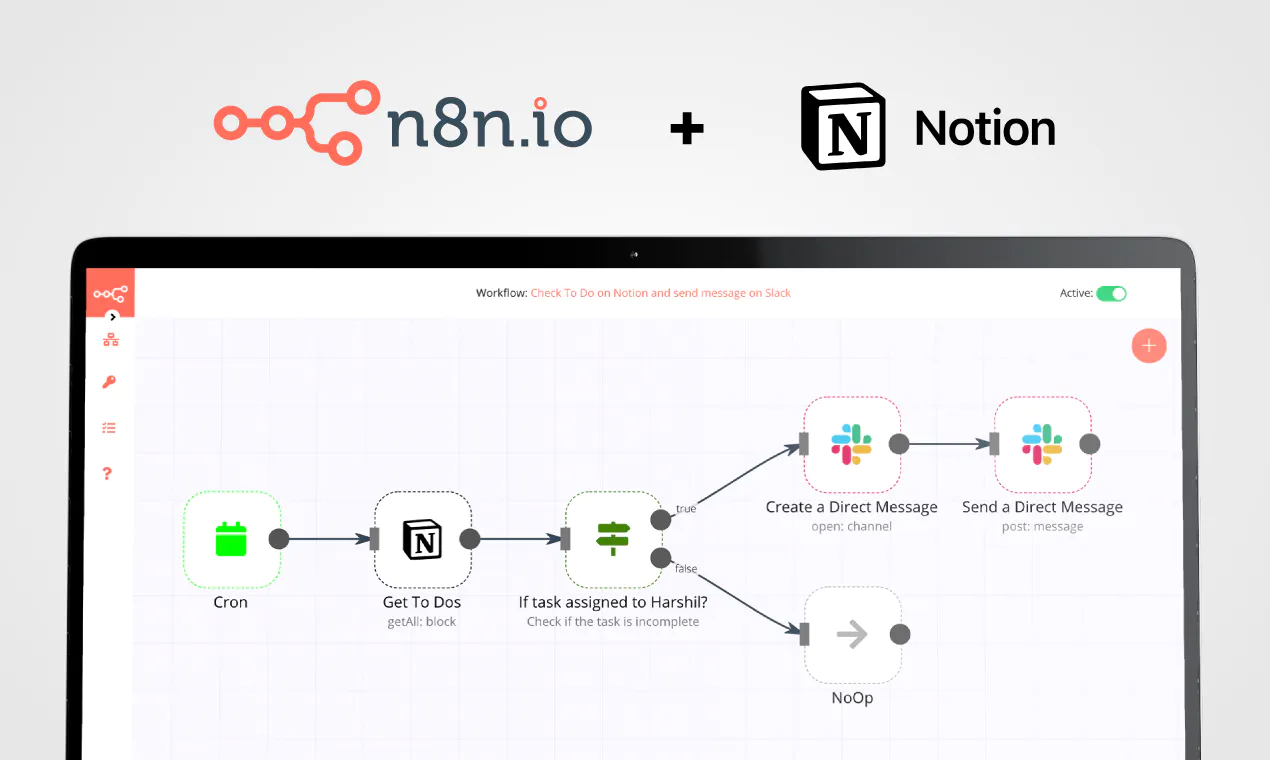
Notion and Slack integration

Save yourself the work of writing custom integrations for Notion and Slack and use n8n instead. Build adaptable and scalable Productivity, Communication, and HITL workflows that work with your technology stack. All within a building experience you will love.

How to connect Notion and Slack

  • Step 1: Create a new workflow
  • Step 2: Add and configure nodes
  • Step 3: Connect
  • Step 4: Customize and extend your integration
  • Step 5: Test and activate your workflow

Step 1: Create a new workflow and add the first step

In n8n, click the "Add workflow" button in the Workflows tab to create a new workflow. Add the starting point – a trigger on when your workflow should run: an app event, a schedule, a webhook call, another workflow, an AI chat, or a manual trigger. Sometimes, the HTTP Request node might already serve as your starting point.

Notion and Slack integration: Create a new workflow and add the first step

Step 2: Add and configure Notion and Slack nodes

You can find Notion and Slack in the nodes panel. Drag them onto your workflow canvas, selecting their actions. Click each node, choose a credential, and authenticate to grant n8n access. Configure Notion and Slack nodes one by one: input data on the left, parameters in the middle, and output data on the right.

Notion and Slack integration: Add and configure Notion and Slack nodes

Step 3: Connect Notion and Slack

A connection establishes a link between Notion and Slack (or vice versa) to route data through the workflow. Data flows from the output of one node to the input of another. You can have single or multiple connections for each node.

Notion and Slack integration: Connect Notion and Slack

Step 4: Customize and extend your Notion and Slack integration

Use n8n's core nodes such as If, Split Out, Merge, and others to transform and manipulate data. Write custom JavaScript or Python in the Code node and run it as a step in your workflow. Connect Notion and Slack with any of n8n’s 1000+ integrations, and incorporate advanced AI logic into your workflows.

Notion and Slack integration: Customize and extend your Notion and Slack integration

Step 5: Test and activate your Notion and Slack workflow

Save and run the workflow to see if everything works as expected. Based on your configuration, data should flow from Notion to Slack or vice versa. Easily debug your workflow: you can check past executions to isolate and fix the mistake. Once you've tested everything, make sure to save your workflow and activate it.

Notion and Slack integration: Test and activate your Notion and Slack workflow

CallForge - 04 - AI workflow for Gong.io sales calls

CallForge - AI Gong Sales Call Processing Workflow
Automate your Gong.io sales call analysis with AI-driven insights, real-time tracking, and structured CRM integration.

Who is This For?
This workflow is designed for:
✅ Sales teams looking to automate sales call processing.
✅ Revenue operations (RevOps) professionals managing high volumes of call data.
✅ AI-driven sales intelligence teams using Gong.io for data-driven insights.

What Problem Does This Workflow Solve?
Manually managing and analyzing large volumes of Gong call data is time-consuming and error-prone.

With CallForge, you can:
✔ Automate call processing to scale AI-driven insights.
✔ Integrate with Notion to track and organize sales call data efficiently.
✔ Get real-time Slack updates to stay informed on call processing progress.
✔ Handle API failures gracefully, allowing easy reruns if a rate limit is hit.
✔ Ensure AI-ready analysis, feeding structured call data into an AI-powered system.

What This Workflow Does

  1. Triggers on New Gong Calls
    Captures new Gong calls and retrieves metadata, call summaries, and participant details.

  2. Compares Calls Against Notion Database
    Checks whether the call has already been processed and stored in Notion.
    Prevents duplicate entries** from being added.

  3. Creates a Parent Notion Record for AI Processing
    Stores call details such as date, title, URL, company name, sales rep, and opportunity details in Notion.
    Links calls to Salesforce Opportunity (SF Opp) data.
    Assigns sales representatives and customer information to each call.

  4. Loops Through Calls for Processing
    Ensures resilience* by allowing failed runs to restart where they left off*.
    Processes calls one at a time to prevent Notion rate limits.

  5. Sends Call Data to an AI Processor
    Extracts structured call details and sends them to an AI-powered analysis workflow.
    Allows multiple AI agents to process and extract structured data from calls.

  6. Provides Real-Time Slack Alerts
    Posts a progress update in Slack when the queue starts processing.
    Sends real-time call progress notifications.
    Sends a completion alert once all calls are processed.

How to Set Up This Workflow

  1. Connect Your APIs
    🔹 Gong API Credentials – Ensure you have valid Gong API credentials in n8n.
    🔹 Notion Database – Provide access to a Notion database for storing call insights.
    🔹 Slack Integration – Configure a Slack channel for progress alerts.
    🔹 AI Processing Workflow – Connect an AI-powered call processing workflow for final analysis.

CallForge - 01 - Filter Gong Calls Synced to Salesforce by Opportunity Stage
CallForge - 02 - Prep Gong Calls with Sheets & Notion for AI Summarization
CallForge - 03 - Gong Transcript Processor and Salesforce Enricher
CallForge - 04 - AI Workflow for Gong.io Sales Calls
CallForge - 05 - Gong.io Call Analysis with Azure AI & CRM Sync
CallForge - 06 - Automate Sales Insights with Gong.io, Notion & AI
CallForge - 07 - AI Marketing Data Processing with Gong & Notion
CallForge - 08 - AI Product Insights from Sales Calls with Notion

How to Customize This Workflow
💡 Modify Call Storage – Swap Notion for a different CRM or database (e.g., HubSpot, Airtable, Salesforce).
💡 Change AI Processing – Integrate a custom AI model for analyzing sales conversations.
💡 Customize Slack Notifications – Adjust Slack messages or send alerts via email instead.
💡 Expand with More Integrations – Connect with Salesforce, Pipedrive, or HubSpot for further enrichment.

Why Use CallForge?
🚀 Automate Gong call tracking for seamless sales intelligence.
📊 Improve sales operations with structured, AI-powered insights.
⚡ Get real-time updates and keep your team informed instantly.

Start optimizing your Gong call processing today!

Nodes used in this workflow

Popular Notion and Slack workflows

Automated Content Marketing Intelligence with OpenAI, Ahrefs & Multi-platform Integration

🤖 AI-Powered Content Marketing Research Tool > Transform your content strategy with automated competitor intelligence ⚡ What It Does Never miss a competitor move again. This workflow automatically: 🔍 Monitors competitor content across multiple domains 📊 Tracks trending keywords by region 💬 Extracts audience pain points from Reddit & forums 🤖 Generates AI strategy recommendations via OpenAI 📋 Outputs to Airtable, Notion & Slack for instant action 🎯 Perfect For Growth marketers** tracking competitor strategies Content teams** discovering trending topics SEO specialists** finding keyword opportunities Marketing agencies** managing multiple clients 🛠️ Technical Setup Required APIs & Credentials | Service | Credential Type | Monthly Cost | Purpose | |---------|----------------|--------------|---------| | Ahrefs | Header Auth | $99+ | Backlink & traffic analysis | | SEMrush | Query Auth | $119+ | Keyword research | | BuzzSumo | Header Auth | $199+ | Content performance | | OpenAI | Header Auth | ~$50 | AI recommendations | | Reddit | OAuth2 | Free | Audience insights | | Google Trends | Public API | Free | Trending topics | 📊 Database Schema Airtable Base: content-research-base Table 1: competitor-intelligence timestamp (Date) domain (Single line text) traffic_estimate (Number) backlinks (Number) content_gaps (Long text) publishing_frequency (Single line text) Table 2: keyword-opportunities timestamp (Date) trending_keywords (Long text) top_questions (Long text) content_opportunities (Long text) 🚀 Quick Start Guide Step 1: Import & Configure Import the workflow JSON Update competitor domains in 📋 Configuration Settings Map all API credentials Step 2: Setup Storage Airtable:** Create base with exact schema above Notion:** Create database with properties listed Slack:** Create #content-research-alerts channel Step 3: Test & Deploy First run populates: ✅ Airtable tables with competitor data ✅ Notion database with AI insights ✅ Slack channel with formatted alerts 💡 Example Output AI Recommendations Format { "action_items": [ { "topic": "Copy trading explainer", "format": "Video", "region": "UK", "priority": "High" } ], "publishing_calendar": [ {"week": "W34", "posts": 3} ], "alerts": [ "eToro gained 8 .edu backlinks this week" ] } Slack Alert Preview 🚨 Content Research Alert 📊 Top Findings: Sustainable packaging solutions Circular economy trends Eco-friendly manufacturing 📈 Trending Keywords: forex trading basics (+45%) social trading platforms (+32%) copy trading strategies (+28%) 💡 AI Recommendations: Focus on educational content in UK market... 🔧 Advanced Features ✅ Data Quality Validation Automatic retry** for failed API calls Data validation** before storage Error notifications** via Slack ⚙️ Scalability Options Multi-region support** (US, UK, DE, FR, JP) Batch processing** for large competitor lists Rate limiting** to respect API quotas 🎨 Customization Ready Modular design** - disable unused APIs Industry templates** - forex, ecommerce, SaaS Custom scoring** algorithms 📈 ROI & Performance Cost Analysis Setup time:** ~2 hours Monthly API costs:** $400-500 Time saved:** 15+ hours/week ROI:** 300%+ within first month Success Metrics Competitor insights:** 50+ data points daily Keyword opportunities:** 100+ suggestions/week Content ideas:** 20+ AI-generated topics Trend alerts:** Real-time notifications 🛡️ Troubleshooting Common Issues & Solutions | Symptom | Cause | Fix | |-------------|-----------|---------| | OpenAI timeout | Large data payload | Reduce batch size → Split processing | | Airtable 422 error | Field mismatch | Copy schema exactly | | Reddit 401 | OAuth expired | Re-authorize application | Rate Limiting Best Practices Ahrefs:** Max 1000 requests/day SEMrush:** 3000 requests/day OpenAI:** Monitor token usage 🌟 Why Choose This Template? > "From manual research to automated intelligence in 15 minutes" ✅ Production-ready - No additional coding required ✅ Cost-optimized - Uses free tiers where possible ✅ Scalable - Add competitors with one click ✅ Actionable - AI outputs ready for immediate use ✅ Community-tested - 500+ successful deployments Start your competitive intelligence today 🚀 Built with ❤️ for the n8n community

Turn YouTube meeting recordings into Notion notes with AI Agent, deAPI & Slack

Who is this for? Teams who upload meeting recordings to YouTube (unlisted or private) and want automated notes Project managers who need to track action items across recurring meetings Remote teams who want searchable, structured meeting notes in Notion Content teams repurposing recorded calls into documentation What problem does this solve? Meeting notes are either rushed, incomplete, or never written at all. This workflow removes that bottleneck — upload a recording to YouTube and get a structured Notion page with summary, action items, decisions, and key topics, plus a Slack notification, all within minutes. What this workflow does Monitors a YouTube channel via RSS for new video uploads Transcribes the video using deAPI (Whisper Large V3) directly from the YouTube URL — no file download or size limits AI Agent analyzes the transcript and extracts a title, summary, action items, decisions, and key topics Creates a structured meeting notes page in a Notion database Posts the summary and action items to a Slack channel Setup Requirements n8n instance** (self-hosted or n8n Cloud) deAPI account for video transcription Anthropic account for the AI Agent Notion workspace with a meeting notes database Slack workspace Installing the deAPI Node n8n Cloud: Go to **Settings → Community Nodes and toggle the "Verified Community Nodes" option Self-hosted: Go to **Settings → Community Nodes and install n8n-nodes-deapi Configuration Add your deAPI credentials (API key + webhook secret) Add your Anthropic credentials (API key) Set the Feed URL in the RSS trigger to your YouTube channel's RSS feed: https://www.youtube.com/feeds/videos.xml?channel_id=YOUR_CHANNEL_ID Add your Notion credentials and set the Database ID in the Notion node Add your Slack credentials and set the Channel in the Slack node Ensure your n8n instance is on HTTPS How to customize this workflow Change the AI model**: Swap Anthropic for OpenAI, Google Gemini, or any other LLM provider Adjust the note structure**: Modify the AI Agent system message to extract different fields (attendees, follow-up date, sentiment, etc.) Change the trigger**: Replace the RSS trigger with a Google Drive trigger or form upload for non-YouTube recordings Change the output destination**: Replace Notion with Google Docs, Confluence, or Airtable Change the notification**: Replace Slack with Microsoft Teams, email, or Discord Monitor multiple channels**: Duplicate the RSS trigger or use multiple feed URLs to track several YouTube channels
+3

Discover buying-intent leads on Twitter and Instagram with GPT-4o-mini and send summaries to Slack and Notion

📊 Description Automate B2B lead discovery by identifying high-intent prospects directly from Reddit discussions using AI-powered intent analysis. 🎯🤖 This workflow scans Reddit for conversations related to CRM and marketing automation tools, analyzes snippets to detect buying intent, identifies relevant decision-makers on LinkedIn, enriches contact details via RocketReach, and logs qualified leads into Google Sheets. Running every three hours, it ensures your sales team never misses fresh outbound opportunities without manual research. 🚀📊 🔁 What This Template Does 1️⃣ Runs automatically every 3 hours to search Reddit for tool-related discussions. ⏰ 2️⃣ Extracts Reddit snippets, links, and highlighted keywords from search results. 🔍 3️⃣ Uses AI to classify buying intent as High, Medium, or Low. 🤖 4️⃣ Identifies the core problem and suggests a safe, non-salesy outreach angle. 💬 5️⃣ Filters only High and Medium intent opportunities. 🚦 6️⃣ Searches LinkedIn for matching decision-makers based on role and seniority. 👥 7️⃣ Enriches lead profiles with emails and company data using RocketReach. 📇 8️⃣ Saves qualified leads into Google Sheets with deduplication logic. 📊 9️⃣ Sends Slack alerts when enrichment fails or API limits are hit. 🚨 🔟 Sends Gmail alerts if any workflow error occurs. ✉️ ⭐ Key Benefits ✅ Discovers real buying intent directly from public Reddit discussions ✅ Eliminates manual lead research and qualification ✅ Uses AI for consistent, conservative intent classification ✅ Enriches leads with verified contact data automatically ✅ Builds a clean, ready-to-use outbound lead list in Google Sheets ✅ Runs continuously to capture fresh opportunities 🧩 Features Scheduled Reddit monitoring via SerpAPI AI-based intent detection using GPT-4o-mini Conservative intent scoring to avoid false positives LinkedIn decision-maker discovery RocketReach contact enrichment Google Sheets lead storage with update logic Slack alerts for API and enrichment issues Gmail-based error notifications Scalable batch processing 🔐 Requirements OpenAI API key (GPT-4o-mini) SerpAPI API key RocketReach API key Google Sheets OAuth2 credentials Slack API credentials Gmail OAuth2 credentials 🎯 Target Audience B2B sales and outbound teams Growth and demand-generation teams Lead generation agencies SaaS founders targeting niche audiences RevOps teams automating prospect research
+3

Identify buying-intent leads on Twitter and Instagram with Slack and Notion CRM

📘 Description This workflow enables on-demand social lead discovery using a chat-based interface. When a user submits a lead discovery query, the workflow searches Twitter and Instagram for posts where people are actively asking for tools, recommendations, or help solving real problems. An AI agent filters out spam and promotions, extracts only genuine buying-intent posts, and classifies each lead as Low, Medium, or High intent. Qualified leads are converted into two outputs: a human-readable Slack summary for quick review and a structured, CRM-ready Notion record for tracking and follow-ups. Short-term conversation memory is maintained to improve relevance across follow-up queries. Built-in error handling ensures failures are reported immediately. ⚠️ Deployment Disclaimer This template can only be used on self-hosted n8n installations. It relies on external MCP tools and custom AI orchestration not supported on n8n Cloud. ⚙️ What This Workflow Does (Step-by-Step) 💬 Receive User Lead Discovery Query (Chat Trigger) Accepts a natural-language lead discovery request from a user. 🧠 Maintain Short-Term Conversation Context Keeps recent query context to improve follow-up accuracy. 🔎 Discover Buying-Intent Leads from Social Platforms (AI) Searches Twitter and Instagram for posts indicating real buying or problem-solving intent and extracts structured lead data. 🌐 External Social Search & Enrichment (MCP Tool) Fetches relevant social posts from external platforms. 🧠 AI Lead Qualification Classifies intent (Low / Medium / High), summarizes the problem, and filters noise. 🧩 Generate Slack & Notion Lead Insight Summary (AI) Creates a concise Slack summary and a clean, structured Notion record. 📣 Send Lead Discovery Summary to Slack Delivers a skimmable summary for immediate team visibility. 🗂 Store Lead Discovery Insight in Notion CRM Logs search query, themes, and overall intent for tracking. 🚨 Error Handler → Email Alert Sends an alert if the workflow fails at any step. 🧩 Prerequisites • Self-hosted n8n instance • Azure OpenAI API credentials • MCP bearer authentication for social search • Slack API credentials • Notion API credentials 🛠 Setup Instructions Deploy the workflow on a self-hosted n8n instance Connect Azure OpenAI, MCP, Slack, and Notion credentials Enable the chat trigger Test with a sample lead discovery query 🛠 Customization Tips • Adjust intent classification rules in the AI prompt • Modify output fields to match your CRM schema • Extend discovery to additional platforms via MCP tools 💡 Key Benefits ✔ On-demand social lead discovery via chat ✔ Filters only real buying-intent signals ✔ Produces Slack-ready summaries and CRM-ready records ✔ Maintains context across follow-up queries ✔ Eliminates manual social media scanning 👥 Perfect For Sales teams Growth teams Founders Agencies sourcing leads from social platforms

+2

LinkedIn Auto Message Router and Responder with Request Detection

Who is this for? Public-facing professionals (developer advocates, founders, marketers, content creators) who get bombarded with LinkedIn messages that aren't actually for them - support requests when you're in marketing, sales inquiries when you're a devrel, partnership pitches when you handle content, etc. What problem is this workflow solving? When you're visible online, people assume you handle everything at your company. You end up spending hours daily playing human router, forwarding messages like "How do I reset my password?" or "What's your enterprise pricing?" to the right teams. This LinkedIn automation workflow stops you from being your company's unofficial customer service representative. What this workflow does This AI-powered LinkedIn DM management workflow automatically assesses incoming LinkedIn messages and routes them intelligently: Automated Message Assessment: Receives inbound LinkedIn messages via UniPile and looks up sender details from both personal and company LinkedIn profiles. Smart Route Matching: Compares the message content against your message routing workflow table in Notion, which contains: Question: "How can I become an n8n ambassador?" Description: "Route here when a user is requesting to become an n8n ambassador. Also when they're asking how they could do more to evangelize n8n in their city, or to start organizing n8n meetups and events in their city." Action: "Tell the user to open the following notion page which has details on ambassador program including how to apply, as well as perks of the program: https://www.notion.so/n8n-Ambassador-Program-d883b2a130e5448faedbebe5139187ea?pvs=21" AI Response Generation: When a message matches an existing route, this AI assistant generates a personalized response draft based on the "Action" instructions from your routing table. Human-in-the-Loop Approval: Sends the draft response to Slack with approve/reject buttons, so you maintain control while saving time. Draft can be edited from within Slack on desktop and mobile. Automated LinkedIn Responses: Once approved, sends the reply back via LinkedIn and marks the original message as handled. The result: You stop being a human switchboard and can focus on your actual job while people still get helpful, timely responses through automated customer service. You can also add routes for things you do handle but get asked about daily (like 'How do I join your beta?' or 'What's your content strategy?') to standardize your responses. Setup Sign up for a UniPile account and create a webhook under the Messaging section Set the callback URL to this workflow's production URL Generate a UniPile API key with all required scopes and store it in your n8n credentials Create a Slack app and enable interactive message buttons and webhooks Here is a slack App manifest template for easy deployment in slack: { "display_information": { "name": "Request Router", "description": "A bot that alerts when a new linkedin question comes in.", "background_color": "#12575e" }, "features": { "bot_user": { "display_name": "Request Router", "always_online": false } }, "oauth_config": { "scopes": { "bot": [ "chat:write", "chat:write.customize", "chat:write.public", "links:write", "im:history", "im:read", "im:write" ] } }, "settings": { "interactivity": { "is_enabled": true, "request_url": "Your webhook url here" }, "org_deploy_enabled": false, "socket_mode_enabled": false, "token_rotation_enabled": false } } Set up your Notion database with the three-column structure (Question, Description, Action) Configure the AI node with your preferred provider (OpenAI, Gemini, Ollama etc) Replace placeholder LinkedIn user and organization IDs with your own How to customize this workflow to your needs Database Options**: Swap Notion with Google Sheets, Airtable, or another database Filtering Logic**: Add custom filters based on keywords, message length, follower count, or business logic AI Customization**: Adjust the system prompt to match your brand tone and response goals Approval Platform**: Replace Slack with email, Discord, or another review platform Team Routing**: Use Slack metadata to route approvals to specific team members based on message category Enrichment**: Add secondary data enrichment using tools like Clearbit or FullContact Response Rules**: Create conditional logic for different response types based on sender profile or message content Perfect for anyone who's tired of being their company's accidental customer service department while trying to do their real job. This LinkedIn automation template was inspired by a live build done by Max Tkacz and Angel Menendez for The Studio.
+2

Inventory Reconciliation between Notion & Airtable with GPT-4o Slack Alerts

📘 Description This workflow performs automated inventory reconciliation between Notion (physical counts) and Airtable (system counts), ensuring both databases stay synchronized. It fetches records from both systems, merges them into a unified comparison payload, validates the structure, and calculates discrepancies. If a mismatch is detected, the workflow automatically updates Airtable with the corrected count and notifies the operations team on Slack. If everything matches, a simple “No action needed” Slack message is sent. Any malformed or incomplete payloads are logged into Google Sheets for audit tracking. ⚙️ What This Workflow Does (Step-by-Step) 🟢 Manual Trigger – Execute Workflow Starts the reconciliation process on demand. 📥 Fetch Records from Notion Retrieves physical stock data (cycle count) stored in Notion. 📦 Fetch Records from Airtable Loads inventory data from Airtable’s system-of-record table. 🔀 Merge Notion + Airtable Inputs Combines both datasets into a single payload for unified processing. 🔍 Validate Payload Structure (IF Node) Ensures that key fields (like id) exist. Valid → continue Invalid → logged to Google Sheets. 🧾 Log Invalid Versioning Requests to Google Sheets Stores broken or incomplete payload entries for later review. 🧮 Build Combined Notion + Airtable Payload (Code Node) Constructs the structured comparison object: { notion: {...}, airtable: [...] } 📊 Compare Notion Record With Airtable Record (Code Node) Performs core reconciliation logic: Matches items by name Compares physical vs. system count Calculates difference Determines if a correction is needed If mismatch → flagged for update. 🔎 Check If Record Requires Update (IF Node) Branches logic into: Mismatch → Update Airtable + Alert Match → No action summary 🛠️ Update Airtable Record With Corrected Count Writes the accurate physical count from Notion into Airtable. 🧠 Configure GPT-4o – Slack Summary Models Two models: For “no action needed” summaries For “Airtable updated” discrepancy alerts 🤖 Generate Slack Summary / Generate Slack Summary1 AI produces short, precise, operations-friendly Slack messages based on whether a discrepancy existed. 💬 Slack – Send Summary Notification / Send Update Notification Sends final Slack message to the operations user, confirming: Stock match status Updates made Item details Difference values 🧩 Prerequisites Notion API integration Airtable API credentials Azure OpenAI GPT-4o Slack API connection Google Sheets OAuth 💡 Key Benefits ✔ Eliminates manual reconciliation errors ✔ Keeps Airtable continuously aligned with real physical counts ✔ Provides instant Slack visibility to operations teams ✔ Logs all invalid or malformed cases ✔ Centralizes Notion + Airtable consistency checks 👥 Perfect For Operations teams managing multi-system inventory Warehouse cycle count workflows Audit-driven companies needing accurate stock data Businesses using Notion + Airtable as parallel systems

Build your own Notion and Slack integration

Create custom Notion and Slack workflows by choosing triggers and actions. Nodes come with global operations and settings, as well as app-specific parameters that can be configured. You can also use the HTTP Request node to query data from any app or service with a REST API.

Notion supported actions

Append After
Append a block
Get Child Blocks
Get many child blocks
Get
Get a database
Get Many
Get many databases
Search
Search databases using text search
Get
Get a database
Get Many
Get many databases
Create
Create a page in a database
Get
Get a page in a database
Get Many
Get many pages in a database
Update
Update pages in a database
Create
Create a pages in a database
Get Many
Get many pages in a database
Update
Update pages in a database
Create
Create a page
Get
Get a page
Search
Text search of pages
Archive
Archive a page
Create
Create a page
Search
Text search of pages
Get
Get a user
Get Many
Get many users

Slack supported actions

Archive
Archives a conversation
Close
Closes a direct message or multi-person direct message
Create
Initiates a public or private channel-based conversation
Get
Get information about a channel
Get Many
Get many channels in a Slack team
History
Get a conversation's history of messages and events
Invite
Invite a user to a channel
Join
Joins an existing conversation
Kick
Removes a user from a channel
Leave
Leaves a conversation
Member
List members of a conversation
Open
Opens or resumes a direct message or multi-person direct message
Rename
Renames a conversation
Replies
Get a thread of messages posted to a channel
Set Purpose
Sets the purpose for a conversation
Set Topic
Sets the topic for a conversation
Unarchive
Unarchives a conversation
Get
Get Many
Get & filters team files
Upload
Create or upload an existing file
Delete
Get Permalink
Search
Send
Send and Wait for Response
Update
Add
Adds a reaction to a message
Get
Get the reactions of a message
Remove
Remove a reaction of a message
Add
Add a star to an item
Delete
Delete a star from an item
Get Many
Get many stars of autenticated user
Get
Get information about a user
Get Many
Get a list of many users
Get User's Profile
Get a user's profile
Get User's Status
Get online status of a user
Update User's Profile
Update a user's profile
Add Users
Create
Disable
Enable
Get Many
Get Users
Update

FAQs

  • Can Notion connect with Slack?

  • Can I use Notion’s API with n8n?

  • Can I use Slack’s API with n8n?

  • Is n8n secure for integrating Notion and Slack?

  • How to get started with Notion and Slack integration in n8n.io?

Need help setting up your Notion and Slack integration?

Discover our latest community's recommendations and join the discussions about Notion and Slack integration.
Justin Cheu
Cris A. Works
Martin
Liam Skaff
AyS 0908

Looking to integrate Notion and Slack in your company?

Over 3000 companies switch to n8n every single week

Why use n8n to integrate Notion with Slack

Build complex workflows, really fast

Build complex workflows, really fast

Handle branching, merging and iteration easily.
Pause your workflow to wait for external events.

Code when you need it, UI when you don't

Simple debugging

Your data is displayed alongside your settings, making edge cases easy to track down.

Use templates to get started fast

Use 1000+ workflow templates available from our core team and our community.

Reuse your work

Copy and paste, easily import and export workflows.

Implement complex processes faster with n8n

red iconyellow iconred iconyellow icon